The Experience is a Bit Unusual! Logitech G Cloud Review: Great Feel, but Not Ideal for Cloud Gaming
 07/13 2026
 439
439
"Cloud" functionality stands out as the most significant drawback of this cloud-based handheld gaming console.
Finally, the much-anticipated GTA 6 became available for pre-order last month. As arguably the most eagerly awaited game of the past decade, just the mention of GTA 6 is enough to guarantee sales for the PS5/PS5 Pro in 2026.
However, the issue arises with the escalating memory prices, which have led to multiple price hikes for the PS5 in 2026. Taking the PS5 Slim (digital edition) as an example, its price in the domestic market has been adjusted to 3,999 yuan, while the PS5 Pro is priced at 6,299 yuan.
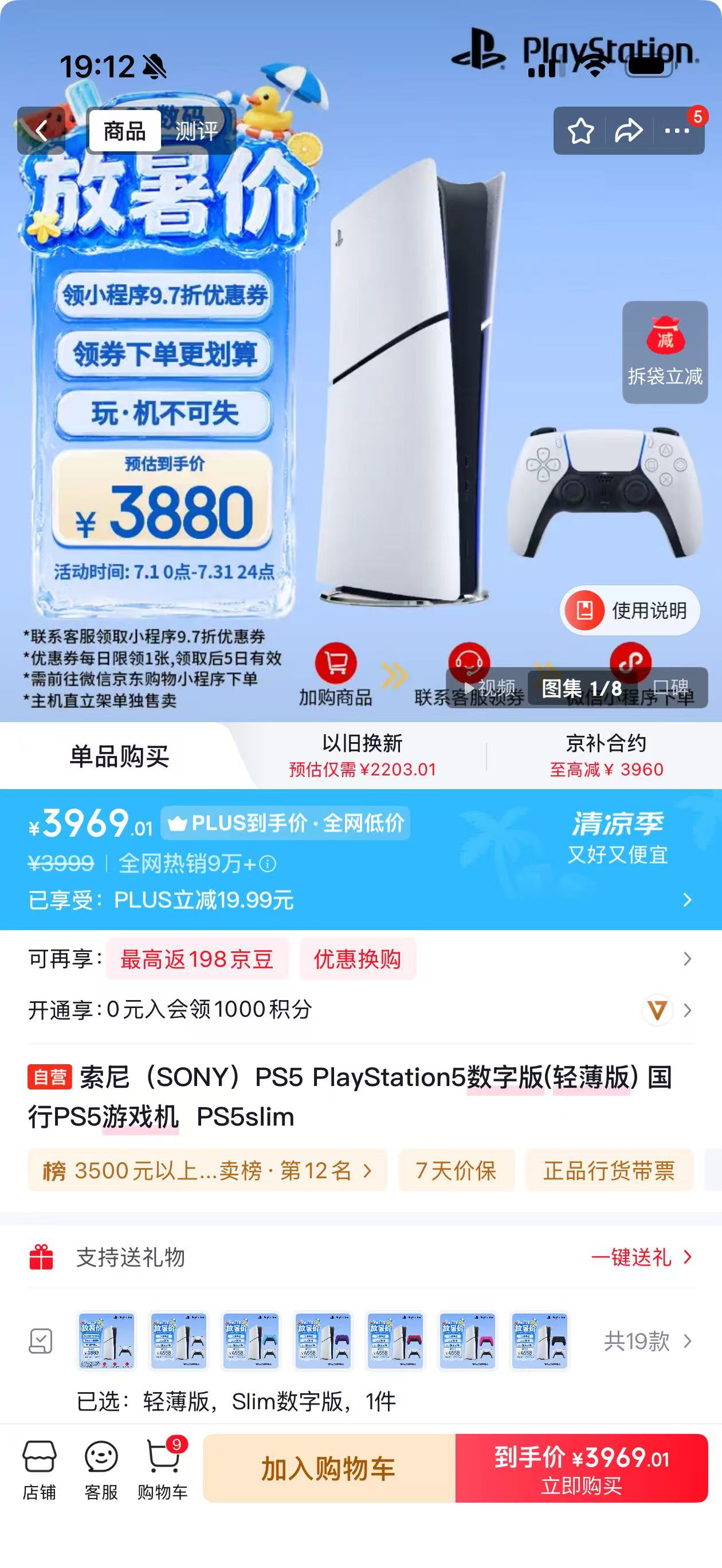
Image source: Leitech
Fortunately, we still have "cloud gaming" as a viable alternative. Some time ago, Leitech (ID: leitech) discovered a batch of Logitech G Cloud cloud handheld gaming consoles priced at 660 yuan on Xianyu. To put this into perspective, when this Android cloud handheld gaming console, powered by the Snapdragon 720G, was first released a few years ago, its price soared to 2,999 yuan, nearly enough to purchase a digital edition domestic PS5 (the initial price of the disc version was 3,099 yuan).
Attracted by the nearly 80% discount, Xiaolei decisively purchased the "last" G Cloud from the merchant, leading to today's review of this cloud handheld gaming console.
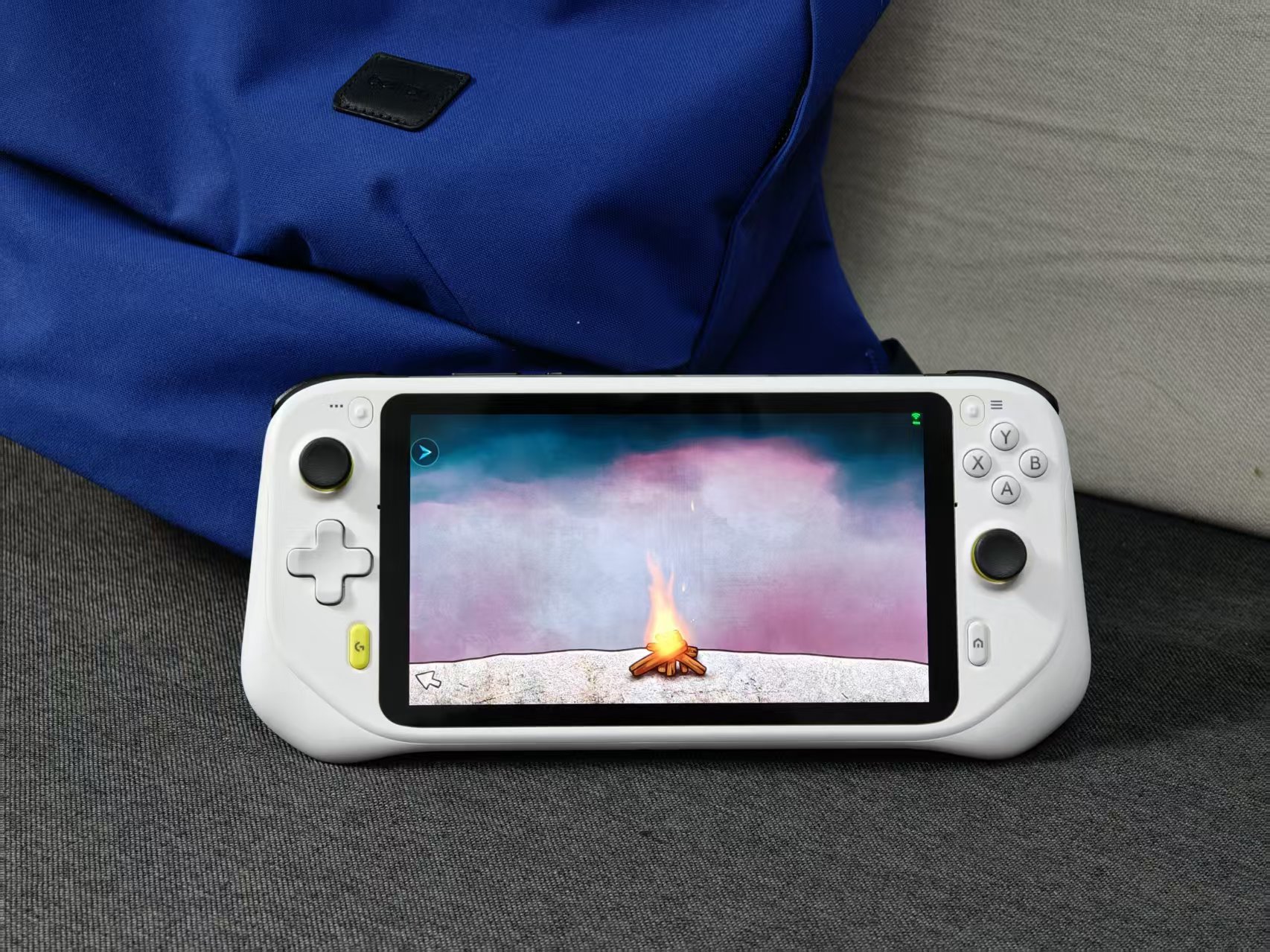
Image source: Leitech
As previously mentioned, the Logitech G Cloud is an Android handheld gaming console. Unlike "legitimate" handheld consoles such as the Switch 2, the combination of Android's underlying hardware and "cloud gaming" gameplay means that the G Cloud does not need to incorporate console-level batteries and cooling modules. After all, compared to Android phones powered by the Snapdragon 720G, the G Cloud merely integrates a game controller and features a slightly larger screen. Thanks to the thermal volume advantage brought by its larger size and the ultra-low local performance consumption of cloud gaming, the G Cloud experiences almost no cooling pressure.
Consequently, despite boasting a nearly full-sized controller, a 7-inch screen, and a 6000mAh battery, the Logitech G Cloud maintains an excellent overall weight of just 463g.
I understand that from the perspective of an Android phone, a weight of 463g seems extremely heavy. However, it's important to remember that the Logitech G Cloud is a handheld gaming console designed to be held with both hands. In comparison to similar products, the Nintendo Wii U GamePad weighs 491g, the Sony PS5 streaming handheld PS Portal weighs 529g, and the first-generation Nintendo Switch weighs 398g.
Nevertheless, possibly to manage the overall weight and size, the controller of the Logitech G Cloud is not a true "full-sized" controller. Its joystick size, height, and controller thickness are noticeably smaller than those of a standard Xbox controller. Fortunately, the thickened area at the back of the controller is wide enough. Even for someone with a large handspan like Xiaolei, whose handspan measures a full 23 centimeters, the G Cloud can be comfortably held with the controller position resting against the palm.
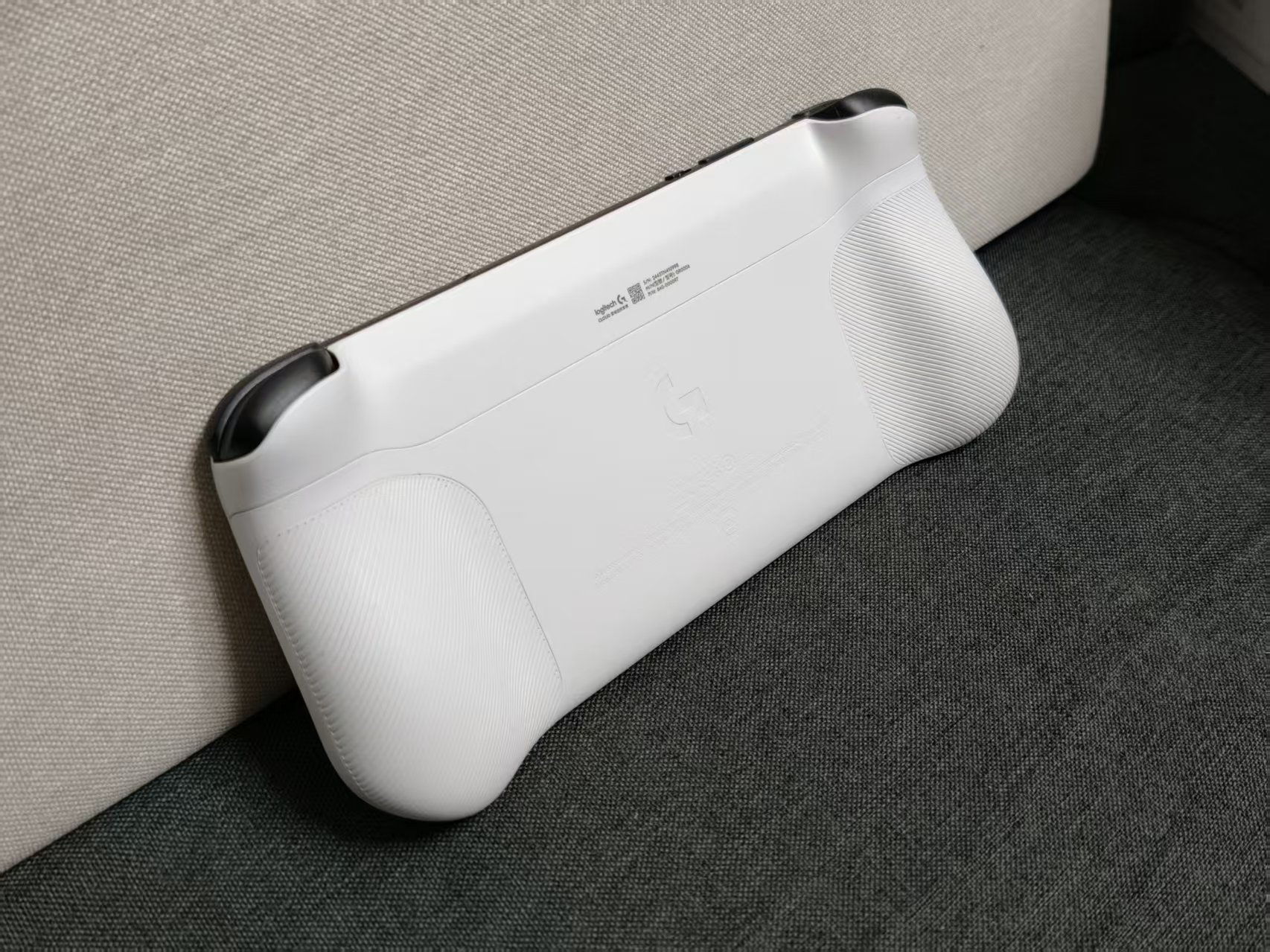
Image source: Leitech
Another aspect worthy of praise is the battery life of the Logitech G Cloud. When used as a streaming handheld gaming console, Sony's PS Portal, specifically designed for the PS5, offers approximately 3 hours of battery life with a 4300mAh battery. In contrast, the G Cloud provides nearly 12 hours of battery life with its 6000mAh battery. As long as you remember to lock the screen when not in use, charging the Logitech G Cloud every five days is actually not a problem.
But does an outstanding hardware configuration necessarily translate to outstanding cloud gaming performance for the Logitech G Cloud? Unfortunately, the answer is no.
Since the Logitech G Cloud Xiaolei purchased is an overseas version, only two cloud gaming services, Microsoft Xbox Remote Play and NVIDIA GeForce Now, are built into the system. Neither of these cloud gaming services is available in the mainland. With no other options, Xiaolei had to resort to installing the Tencent START cloud gaming service, which is commonly used by domestic players.
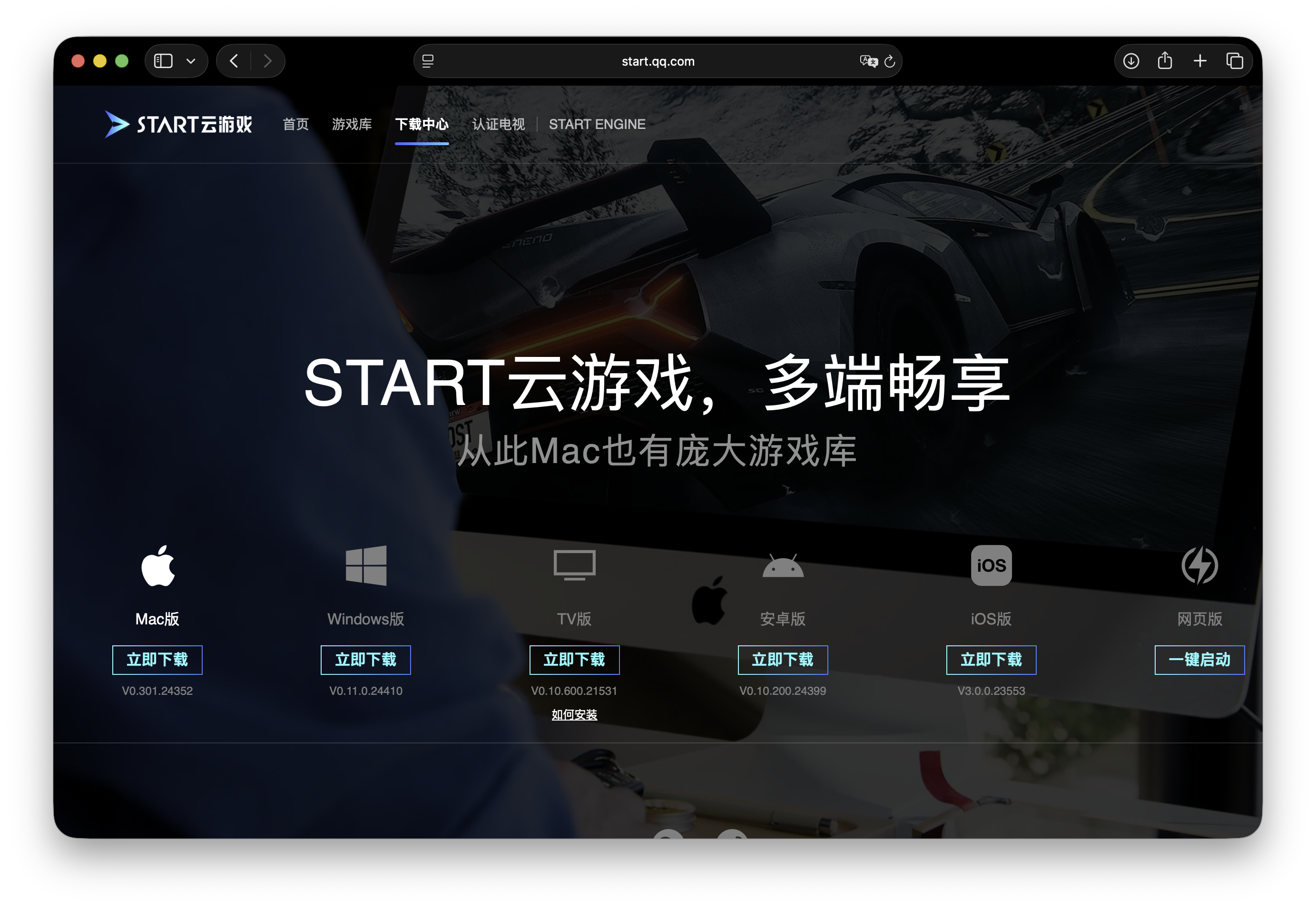
Image source: Leitech
However, this "indirect approach" also encountered numerous difficulties.
After installing the Tencent START cloud gaming service via APK and opening the app, users need to log in first using WeChat or QQ. At this point, the first problem arises: Tencent START obviously did not anticipate someone using a handheld gaming console for cloud gaming. Whether logging in with WeChat or QQ, it does not provide QR code login like WeChat Reading, only allowing app redirection for authorization.
Xiaolei tried everything but couldn't find another way around it, so he had to download and log in to WeChat on the Logitech G Cloud. This brought about a second problem: The G Cloud's DPI scaling ratio is recognized by WeChat as a mobile phone, preventing it from "scanning QR codes for multi-device login" like a tablet. The same situation applies to QQ. This means that if one wants to play cloud games on the G Cloud using Tencent START, they must log in to WeChat and QQ on the handheld gaming console from their phone.
But even after doing that, the Logitech G Cloud encountered new problems. When activating a Tencent START membership on the G Cloud, WeChat prompted for identity verification on a new device for payment, requiring facial recognition. However, as a cloud handheld gaming console, the G Cloud does not have a camera, so it naturally cannot pass facial verification.
Want to pay via the web? Don't forget that your WeChat or QQ is still logged in on the Logitech G Cloud, and the handheld gaming console does not have a camera to scan the QR code for login confirmation.
Finally, Xiaolei completed this complex login switching process and entered the Tencent START game library interface. Putting aside the fact that most of the games are mobile games, at least in terms of game variety, Tencent START offers a wide selection. Randomly clicking on Lost Island 3, the overall latency control and video bitrate were quite good. The network latency indicated in the top left corner was only 5ms, and there was no obvious desynchronization in the operations.
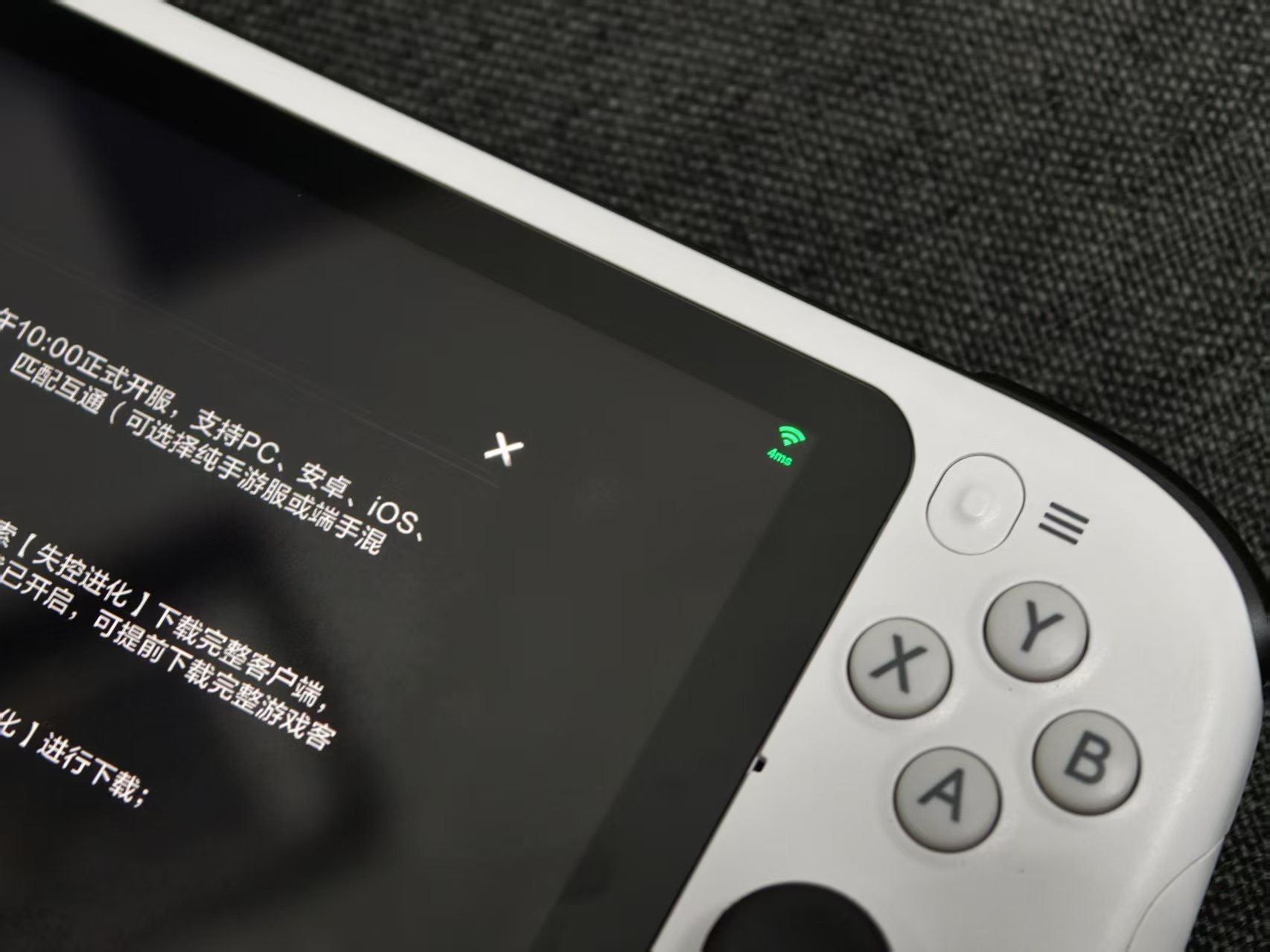
Image source: Leitech
In addition, Xiaolei also tried running the PC version of Delta Force on the Logitech G Cloud + Tencent START. When playing FPS games, the video latency of the G Cloud was slightly more noticeable, and there was some slight lag during rapid turns and aiming. However, the overall performance was still satisfactory.
Furthermore, since the Logitech G Cloud is essentially an Android handheld gaming console, it means you can install mobile phone streaming apps on the G Cloud and use it as a local streaming handheld gaming console for PS/Xbox/Steam. Remember the PS Portal we mentioned earlier? Here, Xiaolei installed PS Remote Play and PSPlay on the G Cloud, experiencing the feeling of a "PS Portal alternative".
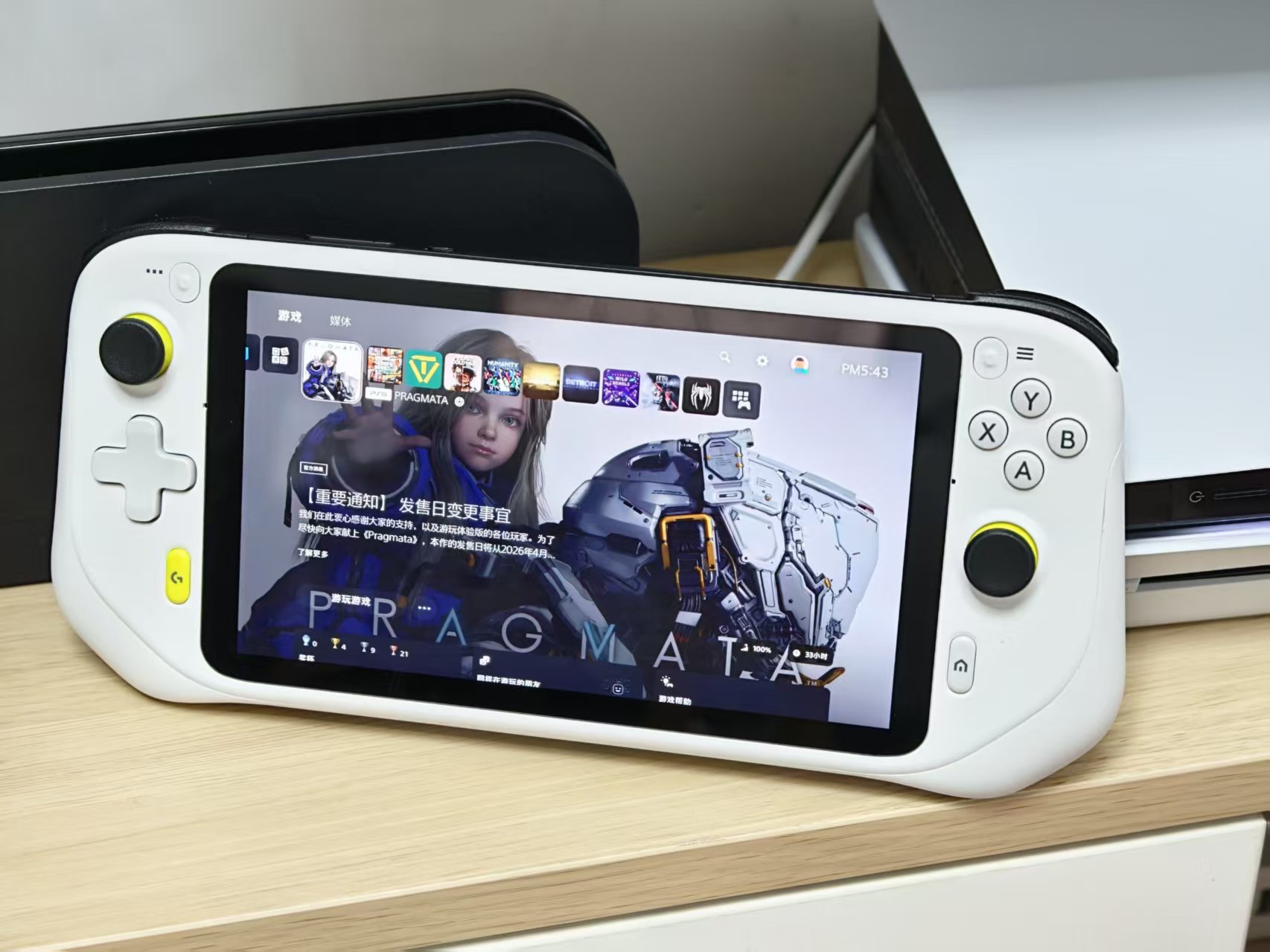
Image source: Leitech
In terms of picture quality, thanks to PSPlay's customizable bitrate options, the picture quality of the Logitech G Cloud is actually quite good, much clearer than the low-bitrate picture of Remote Play. Additionally, the updated G Cloud now supports native controller control, eliminating the need to set up PS5 button mappings as before.
Unfortunately, possibly because the Logitech G Cloud only supports Wi-Fi 5, even after Xiaolei unplugged other Mesh routers and let the G Cloud directly access the PS5, there was still relatively noticeable input latency when playing games.
In relatively slow-paced games like Dave the Diver and Detroit: Become Human, this latency is not a problem, and even playing FC 26 via G Cloud streaming is acceptable. However, when trying to play ACT and FPS games like Substantial Existence and Battlefield 6 on the G Cloud, this latency does affect the experience.
Of course, if you find any cloud gaming latency intolerable, you can also directly install Android mobile games or handheld gaming console emulators on the Logitech G Cloud. However, considering the capabilities of the Snapdragon 720G, doing so doesn't make much sense.
Before discussing whether the Logitech G Cloud can replace handheld gaming consoles and who it is suitable for, let's first evaluate the pros and cons of the G Cloud according to Leitech's review template.
Pros:
1. Lightweight and long battery life.
2. Good screen brightness and anti-glare capabilities.
3. Relatively open Android system.
4. Extremely low price.
Cons:
1. Out of touch with the habits of domestic cloud gamers.
2. Only supports Wi-Fi 5.
Can the G Cloud replace gaming consoles like the PS5? Actually, from the latter part of the review where Xiaolei used the G Cloud as a "PS Portal alternative," it is clear that the G Cloud failed to accomplish this task. In terms of game selection, most cloud gaming services still focus on mobile games.
Yes, Tencent START can also stream "cloud PCs," but as long as we download a Steam Link on our phones, we can also stream our own PCs. Besides, GTA 6 will, as usual, be exclusive to console platforms for a year. Moreover, when streaming cloud PCs, the latency of cloud gaming also increases, resulting in a not-so-outstanding experience.
Streaming mobile games on the G Cloud? That makes even less sense. We can simply install mobile games or the START client on our phones, and the login experience is even better. Why buy a "controller" for over six hundred yuan?
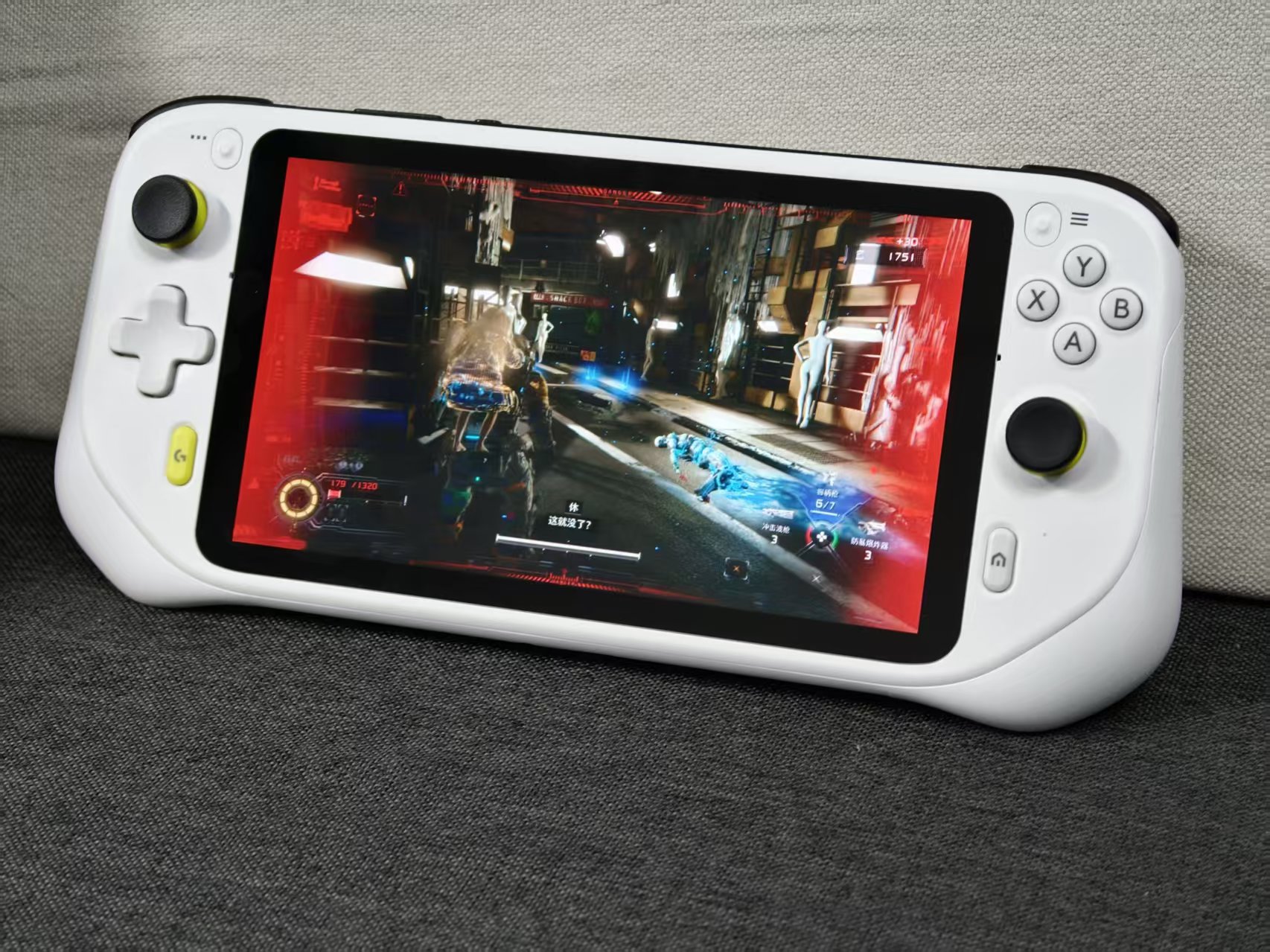
Therefore, Leitech believes that if you don't have a high-end PC or gaming console and want to buy a G Cloud to play cloud PC games, it would actually be better to buy a controller and play cloud PC games on your phone. The money saved can be used to buy more games during Steam sales.
If your phone has low specs and you want to use the G Cloud to play cloud mobile games, you might as well directly download START or the cloud mobile game version of the game you want to play on your phone. Remember, every less layer of abstraction means lower latency and better handling. Otherwise, spending 660 yuan on a G Cloud might not improve the experience as much as a "648 yuan microtransaction" would.
However, if you already have a high-performance PC or gaming console but don't want to sit in front of a computer or TV to play games, hoping that your PC or PS5 can be played "on the go" like a Switch, then the G Cloud is indeed a viable option for you.
Yes, mobile phones can also install these streaming apps, but a player who has bought a high-performance PC or PS would never tolerate playing AAA games by "swiping on glass" on a mobile phone.
Cloud gaming, cloud handheld gaming console, Logitech, handheld gaming console, gaming
Source: Leitech
The images in this article come from the 123RF licensed image library. Source: Leitech
-
![]()
Why Hasn’t AI-Driven Payment Flourished Despite Tech Giants’ Push?
-
![]()
Intensify Efforts in the High-End Optoelectronic Semiconductor Sector! Aipu Dingchun and Jiangsu Meidong Forge a New Joint Venture
-
![]()
From Endoscopes to Optical Interconnects for AI Computing Power: A Veteran Optical Company's Strategic Shift
-
![]()
Behind the Scenes of Token Factories' Rise as a Capital Market Sensation
-
![]()
What Does MaaS Ultimately Bring to Chinese Cloud Providers? | In-Depth Industry Analysis
-
![]()
China’s Auto Resale Value Report Unveiled: AITO M9 Electric and Hybrid Variants Dominate Rankings
-
![]()
Dialogue with Huang Yangming: On the Eve of the Physical AI Boom, the Value of Data Infrastructure Begins to Materialize
-
![]()
The Experience is a Bit Unusual! Logitech G Cloud Review: Great Feel, but Not Ideal for Cloud Gaming