Google’s New AI ‘Paywall’ Put to the Test: ‘Freeloaders’ Get a Pass, but Their Experience Falls Short
 05/21 2026
 599
599
Affordable AI for the masses, premium AI for the elite.
Every May, Mountain View in Silicon Valley springs to life.
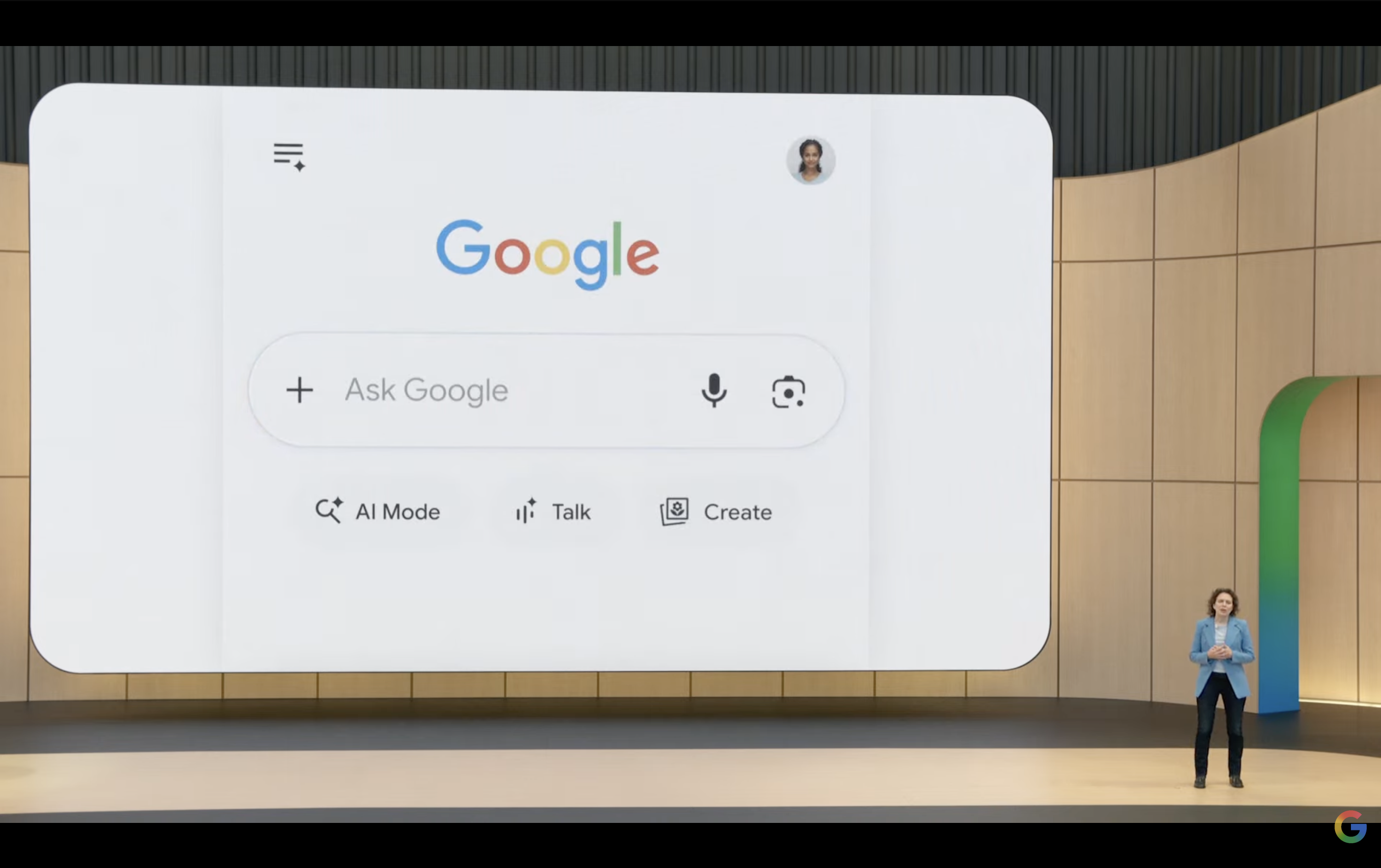
Google I/O, Google's annual developer conference, has evolved in recent years. It's no longer just a gathering for developers. Ordinary users, tech enthusiasts, media outlets, and even competitors all tune in, eagerly awaiting Google's latest breakthroughs. This year's I/O 2026 kicked off on May 20, with CEO Sundar Pichai taking the stage for nearly two hours. He outlined Google's achievements over the past year and shared glimpses into what lies ahead.
(Image source: Google)
Then came the big reveals. Gemini Omni, a next-generation multimodal model, can generate content directly from video, image, or text inputs, with impressive demo effects. Gemini 3.5 Flash, an Agent model focusing on "cutting-edge intelligence + actionable capabilities," goes beyond answering questions to help users get things done. Antigravity 2.0, Google's AI programming platform, promises to let "anyone build an App," with a live demo showcasing the rewriting of Doom using natural language. Google Flow, an AI video creation tool now integrated with Gemini Omni, handles everything from scriptwriting to the final video output.
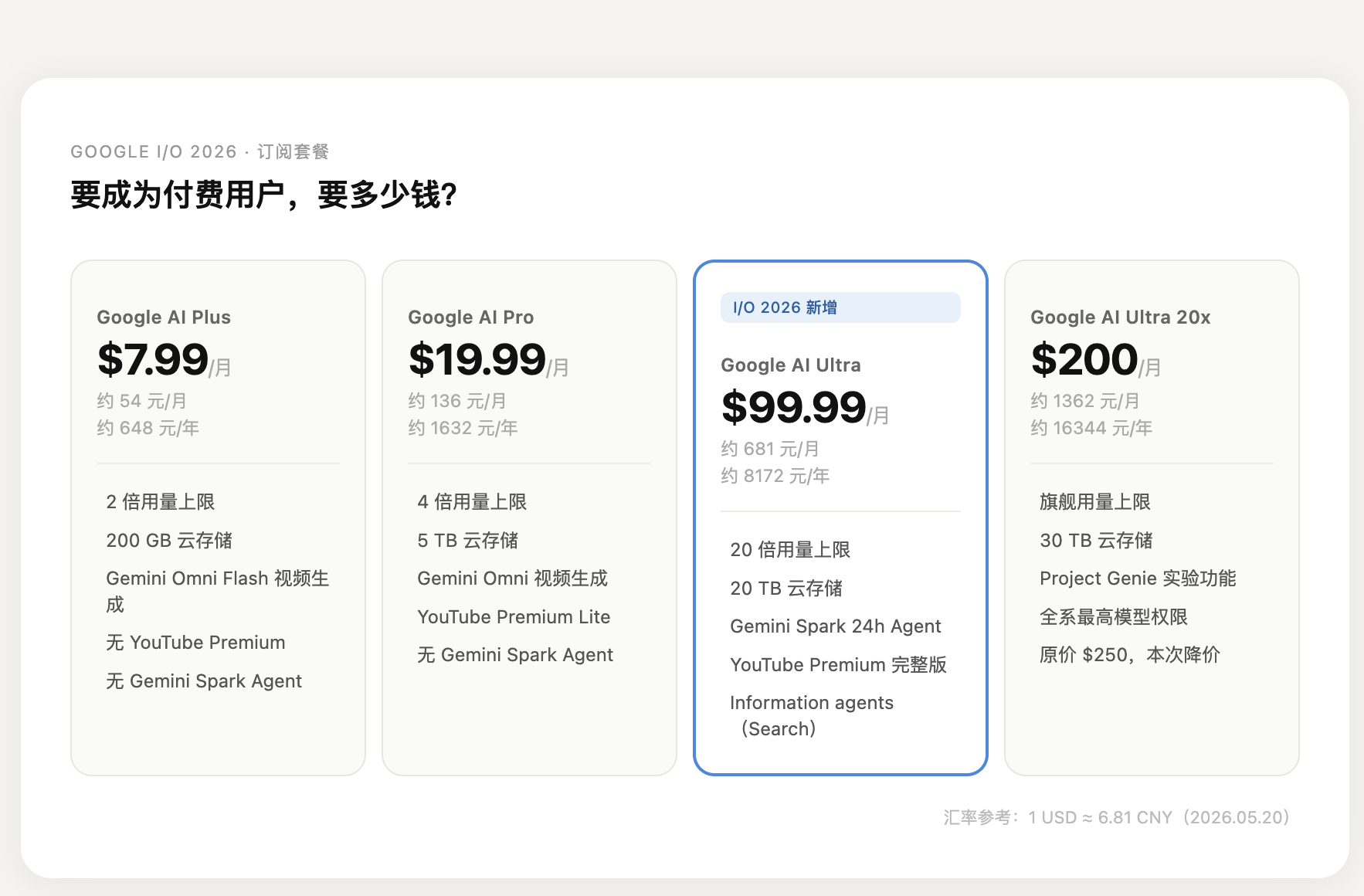
All of this sounds incredible, doesn't it? But if you paid close attention to the event, you'd notice that nearly every feature came with a small asterisk: Information agents "Pro & Ultra subscribers get first access this summer." Antigravity's advanced Agent features are "prioritized for paid users." Gemini Omni's video generation is exclusive to subscribers. Oh, and Google also introduced a new AI Ultra plan at $100/month, bundling all the top-tier features—pay up to experience them.
So, here's the question: With all the hype, what can you actually do with a free account?
Which of Google AI’s new features are friendly to 'freeloaders'?
During Google I/O 2026, Google also revamped its AI subscription pricing: Plus starts at 54 RMB/month, Pro at 136 RMB/month, and Ultra 20x at a staggering 1,362 RMB/month. The cheapest tier is relatively affordable, but the truly usable options are way out of reach for most.
(Image source: Leitech)
For most people, there's no need to subscribe just to try these new features. But what can you actually experience for free?
1. Gemini Flash: Freeloaders, rejoice—AI accessibility is Google’s forte.
The highlight of Google’s event was undoubtedly Gemini 3.5 Flash. Why Flash before Pro? Google's message was clear: they wanted to start with a faster, more token-efficient model as a foundation.
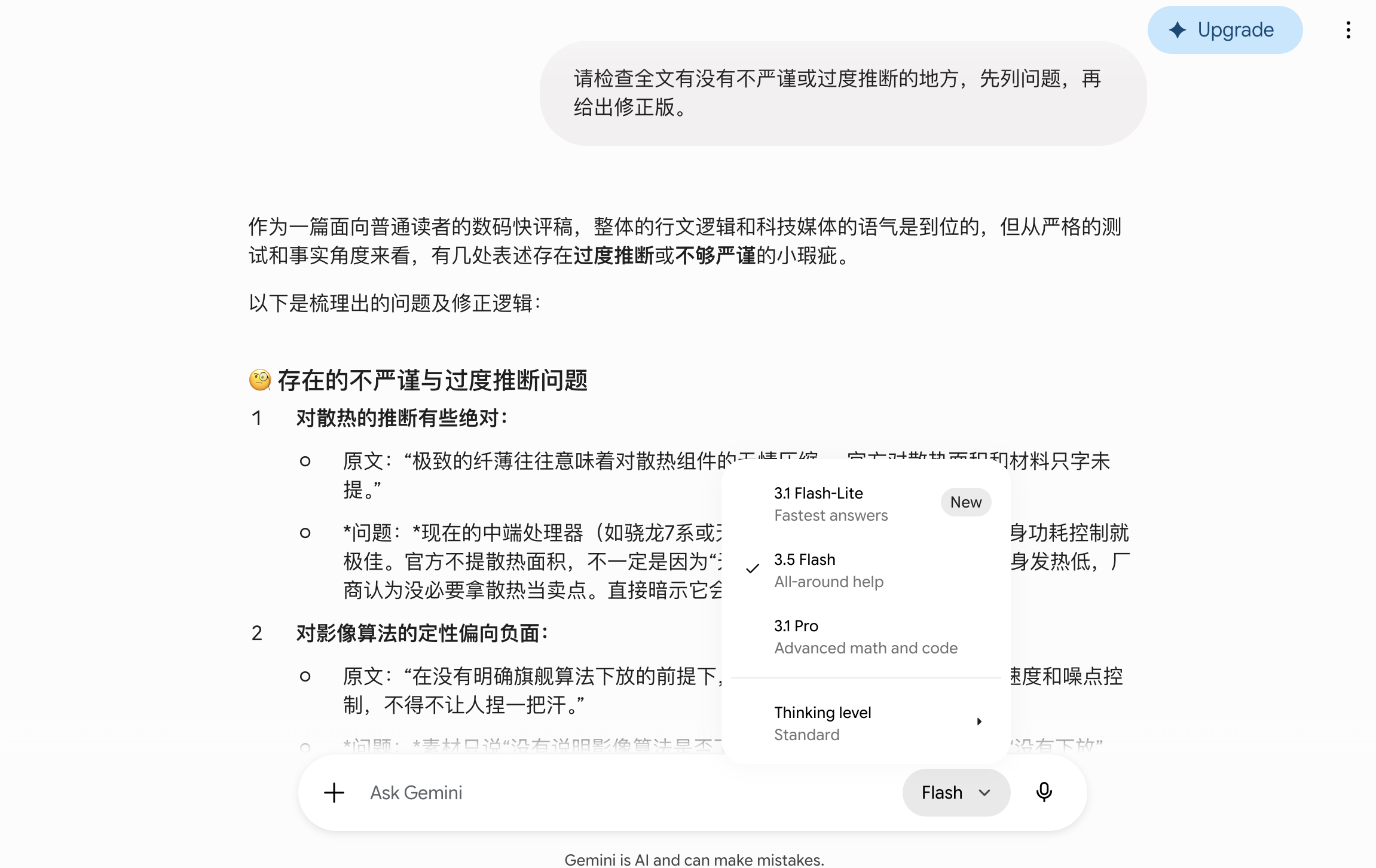
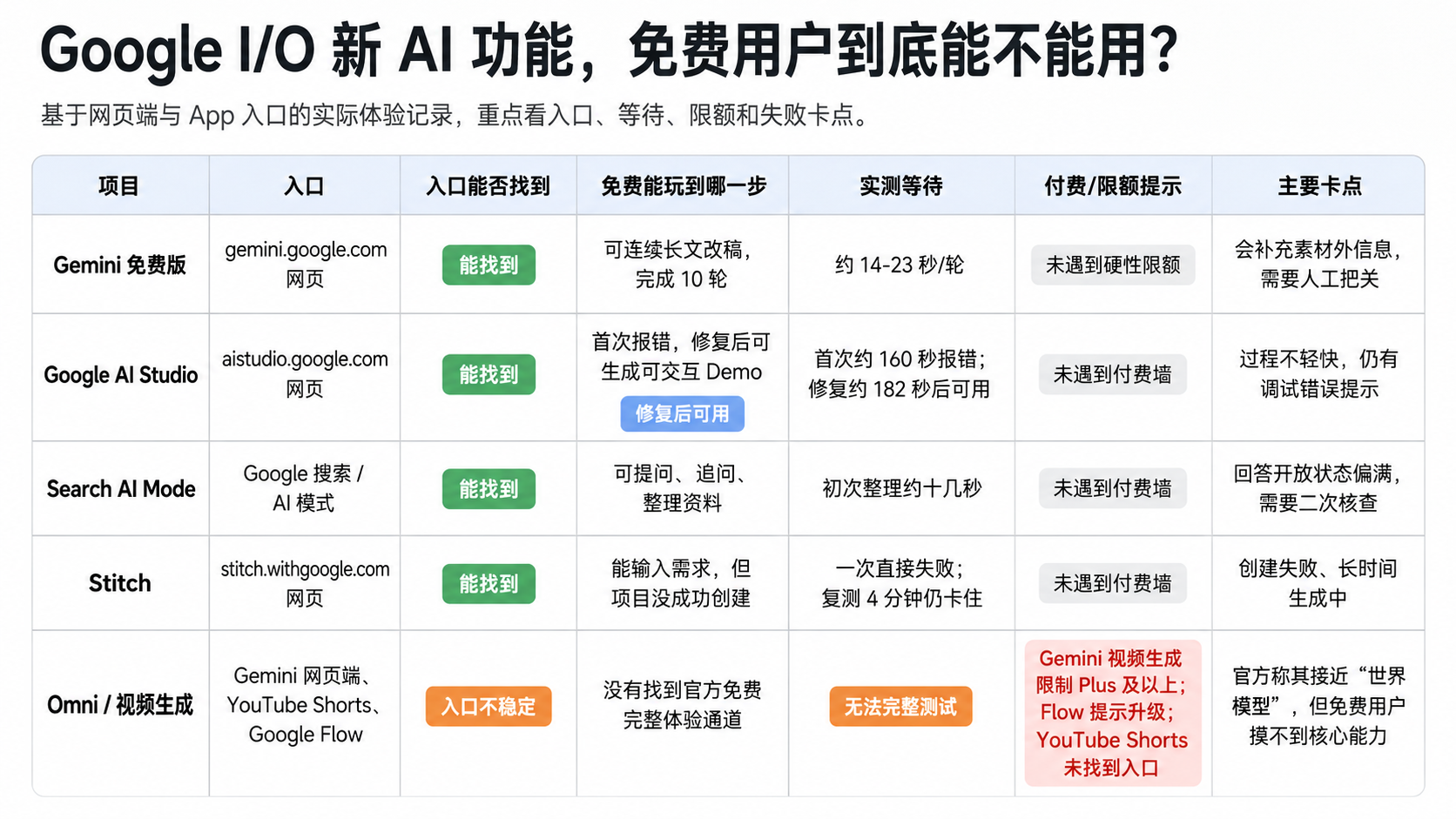
We put it to the test with a fictional smartphone launch script, having it revise a long draft 10 times—from an 800-word initial version to adjusting the intro, adding analysis, compressing content, and refining imprecise phrasing. The entire process ran smoothly without any hard limits or upgrade prompts. Single-round waits were mostly between 14–23 seconds; long revisions were slower but never unusably laggy. The issue? It tended to write "media-like" drafts but sometimes added non-existent details, like pricing, materials, or hardware specs.
(Image source: Leitech)
Flash is free and largely unrestricted—no speed caps, usage limits, or context memory issues just because we’re "freeloading." Google truly plays like a king here.
2. Google AI Studio: Finally, a demo tool that delivers.
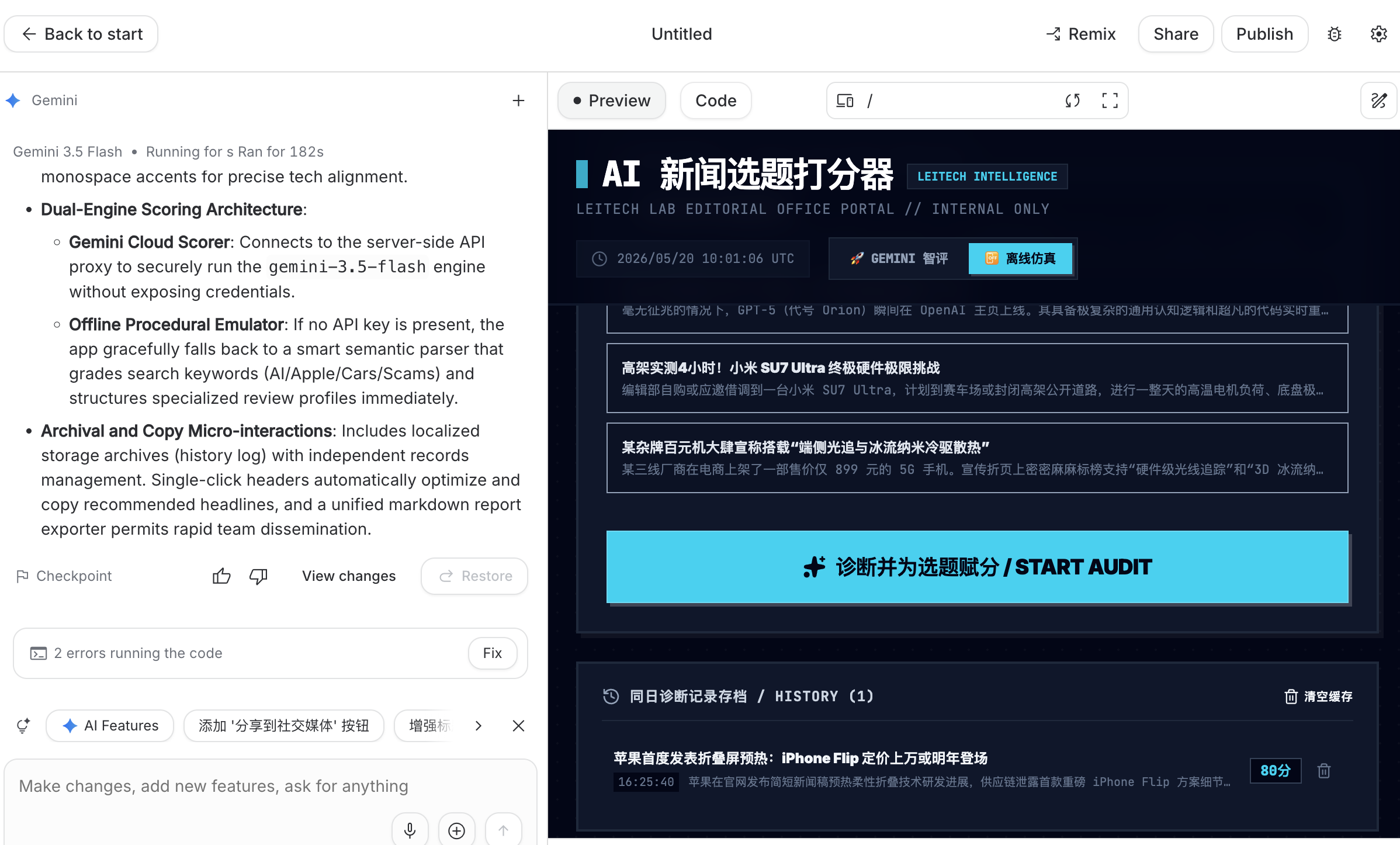
We had AI Studio use the latest Gemini 3.5 Flash to create a "content scoring" web tool, rating news topics based on newsworthiness, reader interest, media style, and feasibility.
The first attempt generated a complete file but failed after ~160 seconds with an internal error. A retry took ~182 seconds, finally displaying a full interface with a "READY" status. Testing a preset case, it auto-filled the title and background, scored 80/100 across four criteria, suggested titles and revisions, and saved records to History. The problem? The process was sluggish, with failure logs and debug errors lingering on the page.
(Image source: Leitech)
AI Studio’s capabilities seemed solid—no usage caps or upgrade prompts—but the free overload likely caused delays, as countless users flocked to try it.
3. Search AI Mode: AI search accuracy has its limits, but it's still handy.
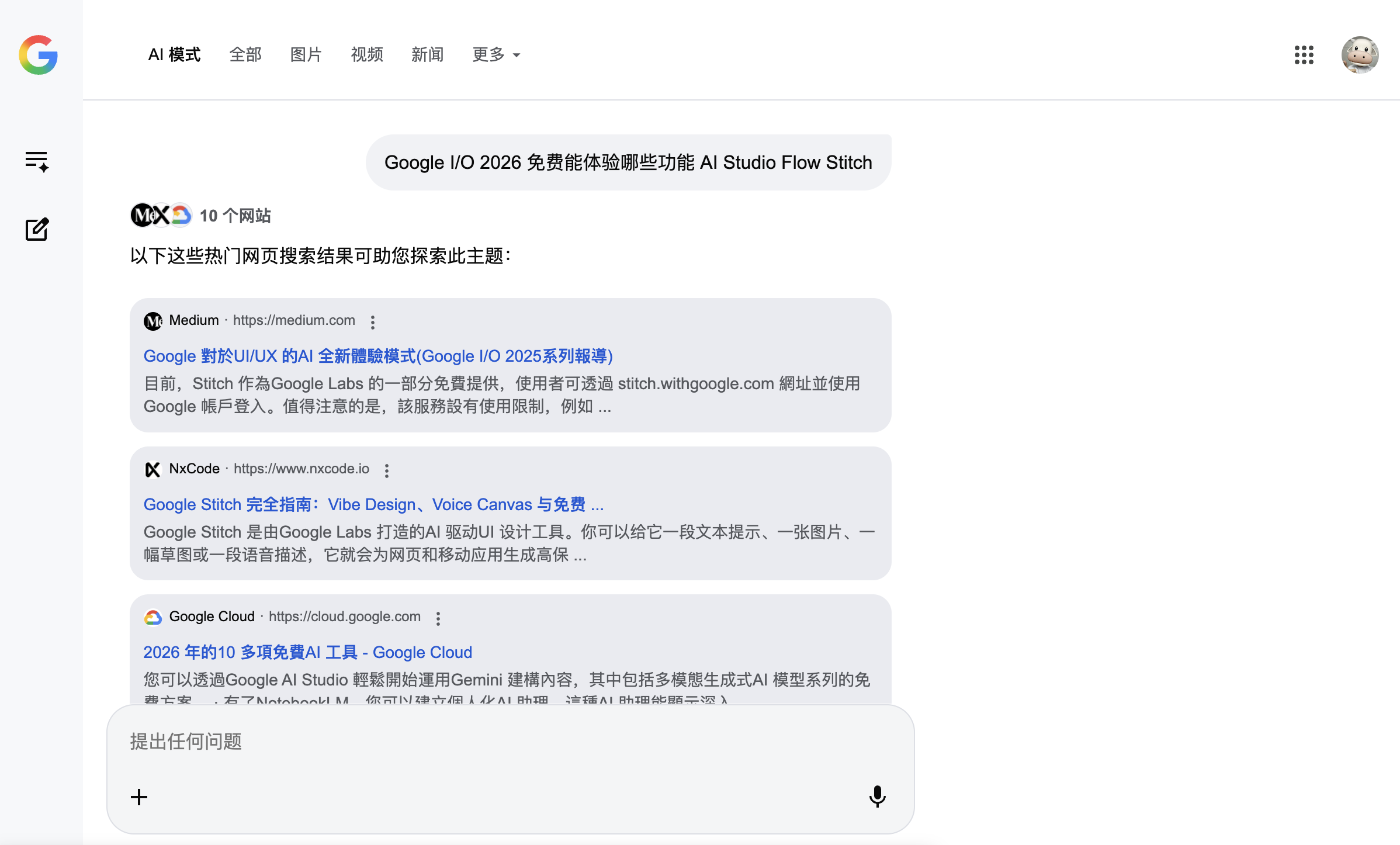
Search AI Mode was the easiest web-based feature to use. Switching to AI mode in Google Search organizes results into a "research note"-style answer and supports follow-up questions. Initial processing took ~10 seconds, with subsequent queries maintaining Chinese bullet-point outputs—no paywall encountered.
(Image source: Leitech)
Its strength lies in saving users from clicking through pages and organizing info, ideal for preliminary research. The issue? It oversells feature availability, leading users to assume "everything works." It’s better as an upgraded search portal than a definitive source. If drafting content based on AI search, always verify with official sites, help docs, or actual pages.
This isn’t Google’s fault—it’s an AI search commonality. AI hallucinations exist, and its training data (the entire web) is a mix of truth and fiction. Gemini represents the ceiling of intelligent search, with an official accuracy rate of ~91%. It’s barely sufficient for daily use but insufficient for mushroom identification, investment decisions, or medical consultations—users must take responsibility for their safety.
4. Stitch: Impressive entrance, but generation fails.
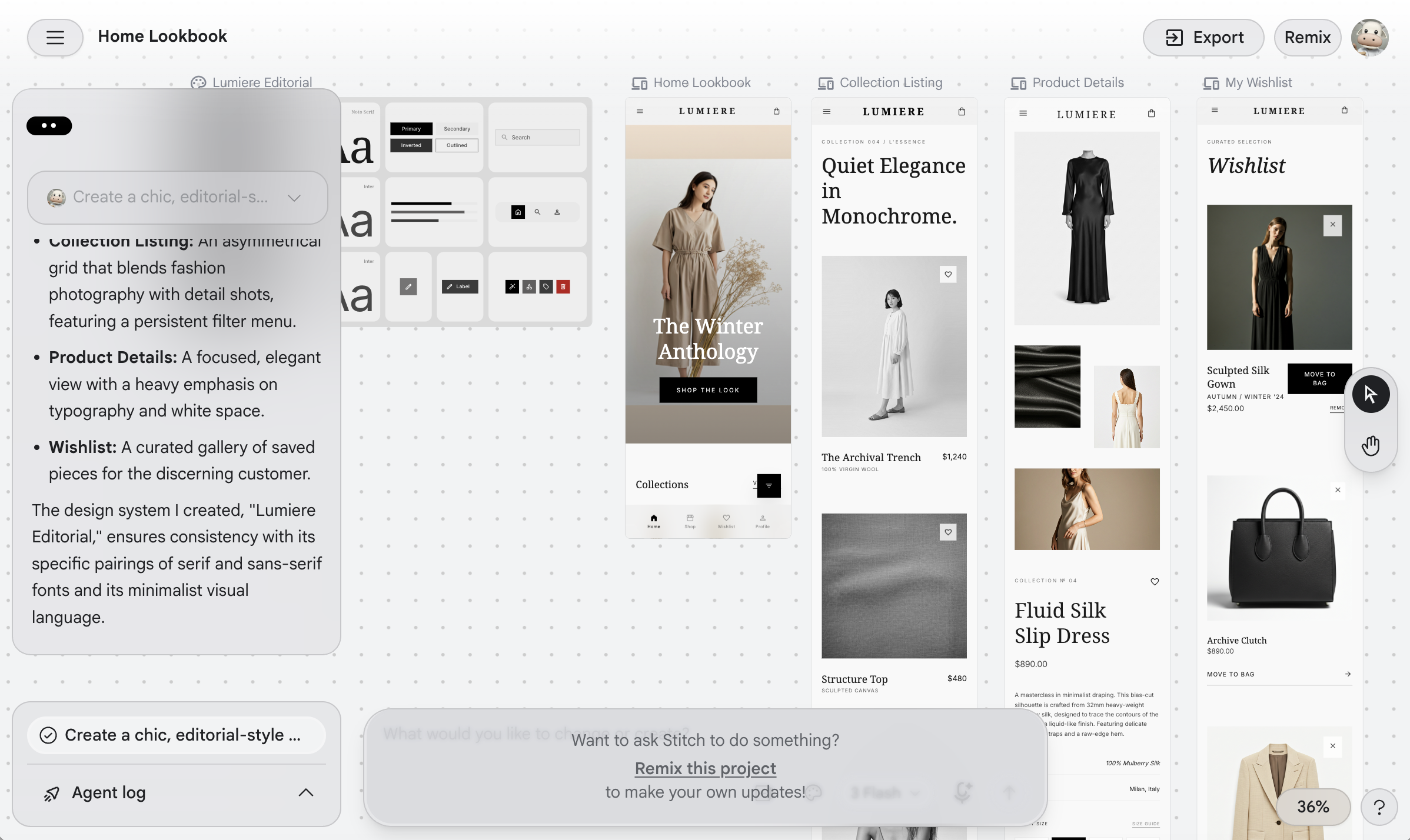
Stitch made a strong first impression with a clean interface and clear entry points for web or custom requests. We asked it to create a webpage design project, but it immediately failed. A retry with a simpler "weekend travel packing list" didn't error immediately, but the generate button spun endlessly—over 4 minutes without entering the project page or explaining the failure.
(Image source: Leitech)
Likely due to overcrowding, this was the only project that took over 30 minutes to complete.
5. Omni: No free rides here.
One of Google’s headliners was the world model Omni, designed not just to generate seconds of footage from a prompt but to understand real-world objects, actions, sounds, camera movements, and scene changes for more stable AI simulations. With such hype, Google wasn’t about to let freeloaders win.
(Image source: Leitech)
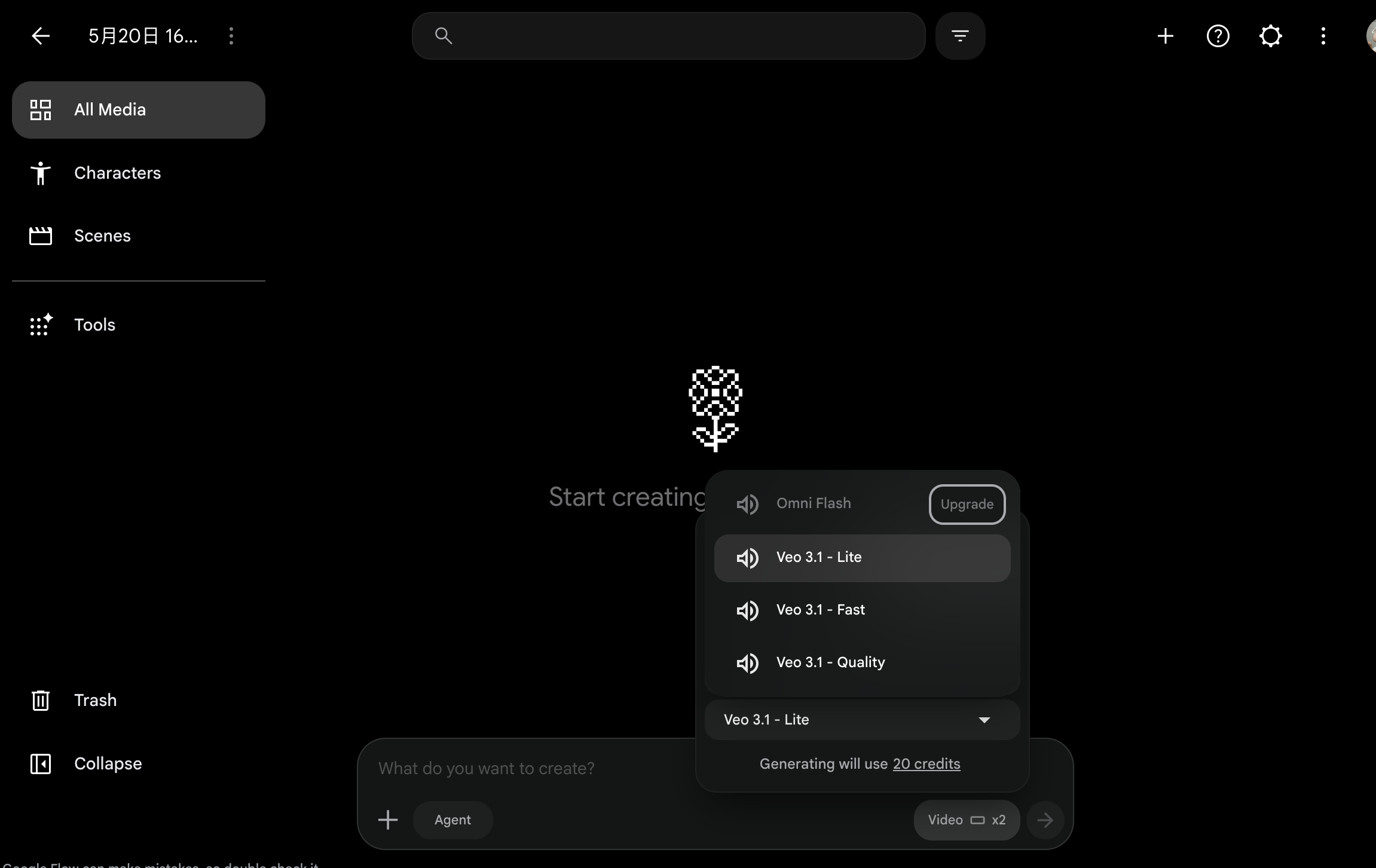
After searching, we found related capabilities on the Gemini web endpoint, but generation permissions were locked to Plus and above—and Plus wasn’t unlimited, resetting after 3 attempts. YouTube Shorts had no stable entry point on desktop or mobile apps; the desktop create menu still only offered uploads, livestreams, and posts. Flow allowed page access but demanded a subscription upgrade for Omni-related generation.
In summary, Google dropped many bombshells, but expecting a great free experience is unrealistic—especially for Omni. Despite claims of free YouTube Shorts access, no entry points exist yet. The only true "freeloader" option is Gemini 3.5 Flash.
(Image source: Leitech)
Google lets you "freeload"—but not on its best stuff
The results were as expected.
First, the pleasant surprises. Gemini’s free version performed surprisingly well—10 rounds of long revisions with no hard limits, responding in 14–23 seconds. Slow but usable. Google AI Studio also avoided paywalls; after an initial error, it produced an interactive demo in ~182 seconds—not smooth, but functional. Search AI Mode was the simplest experience, with direct access, clear follow-up logic, and ~10-second initial processing—free users felt no restrictions.
The problem? None of these were the event’s stars.
What dominated the demos? Gemini Omni’s video generation, Antigravity 2.0’s "one-sentence App creation," Stitch’s real-time UI design, Google Flow’s script-to-video pipeline, and Gemini Spark as a 24/7 personal Agent handling digital life. These were the crowd’s loudest applause triggers. Yet for free users: Stitch’s entry existed, requests were accepted, but projects failed to create—4 minutes stuck on "generating." Omni’s video generation was Plus-locked on Gemini web, prompted upgrades in Flow, and lacked stable YouTube Shorts access. The "near-world-model" hype? Free users couldn’t even touch core capabilities.
Of course, Google did this intentionally.
Google’s tiered logic is clear: free usage goes to "good enough" basic tools, while jaw-dropping demo features are locked behind Plus and above. The issue? Sundar Pichai said "AI for everyone," "available now"—but it became "pay first."
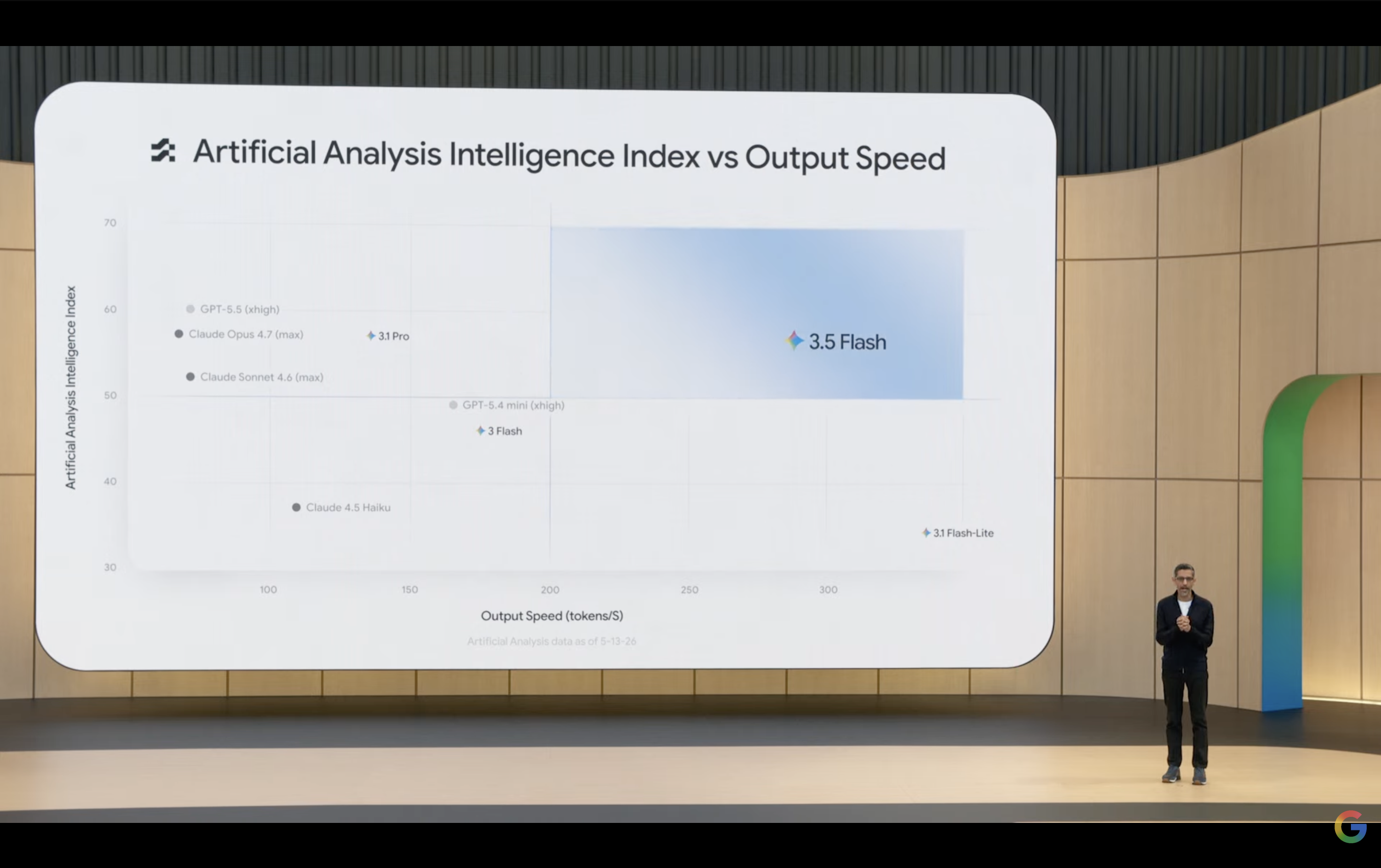
Now, a twist: If this event launched Gemini 3.5 Pro, would Google be this generous? Simple answer: No.
(Image source: Google)
Pro’s computational costs dwarf Flash’s. Every Pro invocation incurs higher expenses. Flash is cheap, so Google can afford to offer it freely. But do ordinary users notice a significant leap from Gemini 3 to Flash under "free"? Probably not. With Pro, the same open strategy would multiply costs, erasing "free" entirely.
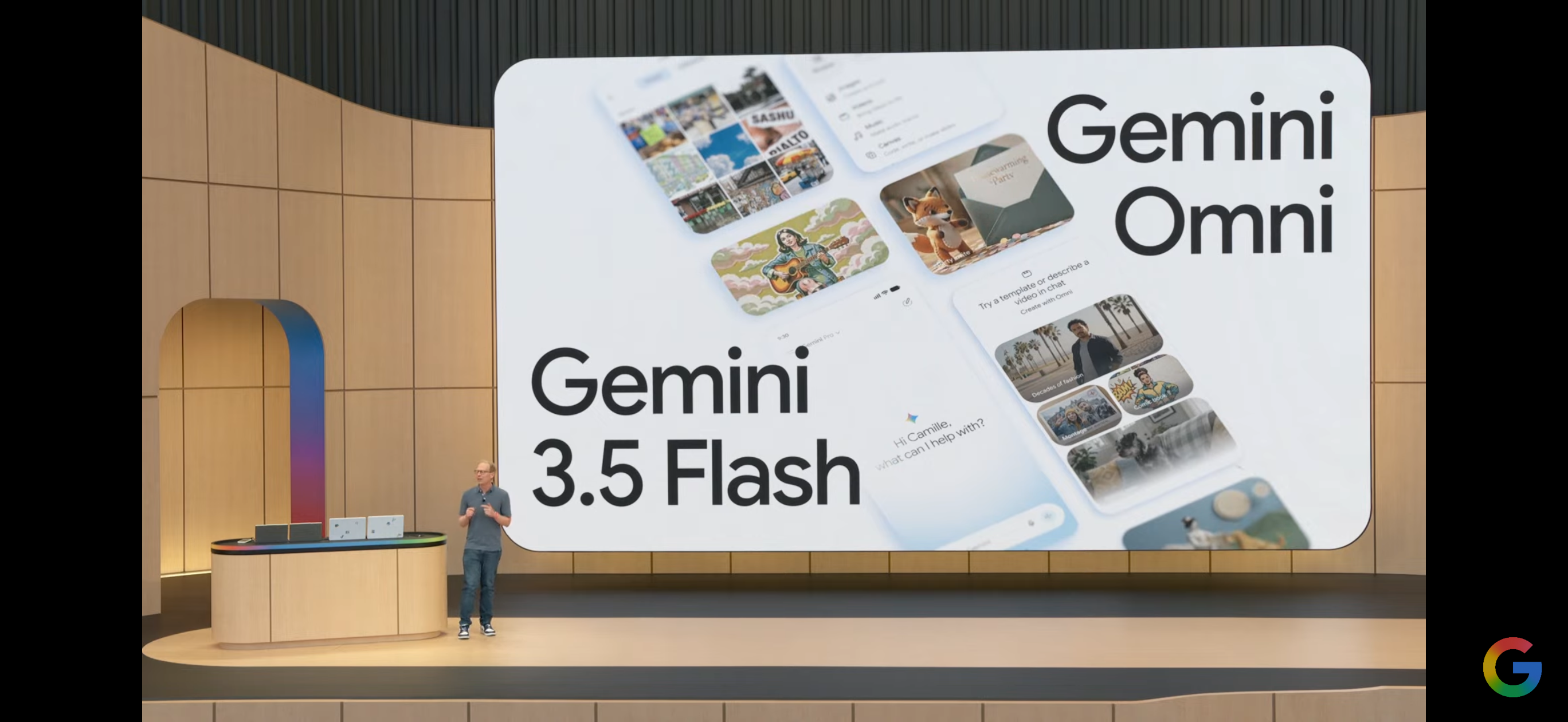
Omni follows the same logic. Video generation is among AI’s most compute-heavy tasks—generating dozens of seconds of footage may require dozens of times the computation of a regular chat. Google hyped Omni as "generating videos from any input" and "near-world-model"—but such costs preclude free access.
(Image source: Google)
In essence, what Google provides to you for free is what it can afford to give away for free; what it charges for is what it cannot afford to give away for free. The slogan at the press conference, 'AI for everyone,' actually means affordable AI for the masses, premium AI for paying customers, and the best for the elite. Of course, this is not a decision unique to Google; the entire industry follows this logic of 'you get what you pay for, and free comes with compromises.'
So, if you really want something better, something refined, don't be stingy—prepare a budget for AI. After all, even Doubao is considering launching a paid version, so why should we hold Google to a higher standard?
Google Gemini Omni Agent AI
Source: Leikeji
Images in this article are from 123RF's licensed library. Source: Leikeji
-
![]()
Doubao Work Unveiled! Domestic AI Leaders Fully Commit to the 'Work' Sector
-
![]()
Who’s Sounding the Alarm on ‘Rushed Vehicles’?
-
![]()
Over 5.3 Billion Yuan in Losses Over Three and a Half Years! Can Yonyou Reverse Its Fortunes Through Streamlining and AI Transformation?
-
![]()
Baidu AI Adopts Free Model: A Strategic Maneuver in Traffic and Monetization
-
![]()
Silicon-Based OLED Pioneer Unveils Financial Results: H1 Shipments Outpace Entire 2025 Volume
-
![]()
AI's First "Lost Summer"
-
![]()
Zeiss Makes Another €2.2 Million Bet: Will Eye Tracking Be the Next Big Thing in the Smart Glasses Industry?
-
![]()
RUNTO Ranking | Global Top TV ODM Factories' Shipment Figures for July 2026