Is It Too Late to Mend? First Look at Intel Core Ultra 7 270K/5 250K Plus: Significant Boost in Gaming Performance
 04/01 2026
 542
542
I. Introduction: The Goal is to Enhance Gaming Performance
From an architectural standpoint, the Core Ultra 9 285K from two years ago was actually an excellent processor, boasting the strongest single-core performance at the time and even lower gaming power consumption than the Ryzen 7 9700X.
However, after the "degradation" nightmare experienced with the 14th Gen Core i9, Intel's engineers became overly cautious in designing the new flagship processor.
Originally, the chiplet design already caused a significant increase in P-Core latency, while the Ring frequency and die-to-die (D2D) interconnect frequency remained very conservative.
The end result was that the memory latency of the Core Ultra 9 285K surged by 30% compared to its predecessor, leading to a direct collapse in gaming performance!
The Core Ultra 200S Plus should be seen as Intel's attempt to mend its ways, allowing the Arrow Lake processor to deliver the gaming performance it should have!
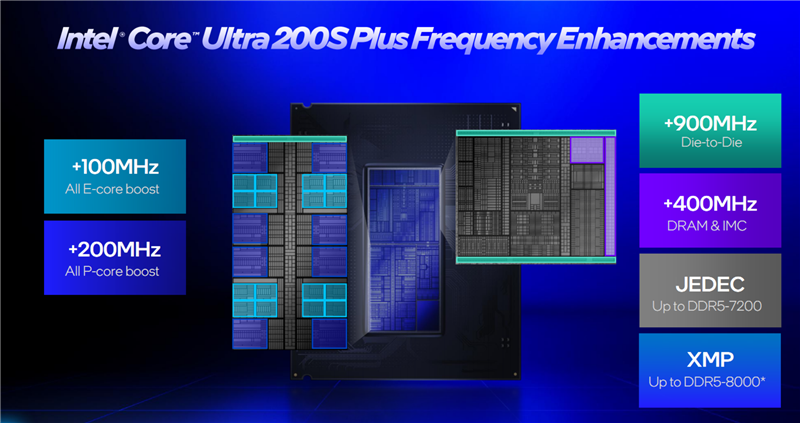
To reduce memory latency, Intel has adopted a straightforward and direct method!
The Arrow Lake chip consists of four tile modules (compute tile, media tile, SoC tile, and I/O tile). The interconnect frequency between different tiles, known as the D2D frequency, directly impacts overall latency.
The D2D frequency of the Core Ultra 200S series was 2100MHz; now, the Core Ultra 200S Plus raises this to 3000MHz, an increase of 900MHz.
The Ring bus frequency has also been increased! The Ultra 7 270K Plus sees a 200MHz boost to 4000MHz, while the Ultra 5 250K Plus receives a smaller 100MHz increase to 3900MHz.
These improvements reduce memory latency in the Ultra 200S Plus by around 8%.
In addition to hardware improvements, Intel has introduced binary optimization technology into its existing APO (Application Optimization) suite.

Simply put, Intel's binary optimization technology automatically identifies and optimizes frequently called core code within gaming programs during runtime, without modifying game files on the hard drive or overclocking. It recompiles this code into binary files, placing the "hot code" in the cache locations most easily accessible by the processor, significantly reducing performance losses due to cache misses.
According to Intel, binary optimization alone can boost frame rates by 8% in supported games.
Since the Lion Cove performance core frontend includes a programmable pre-decode hardware interface, binary optimization can be enabled through updates. All previous generations of Core processors, including the first-gen Ultra series, lack this hardware interface.
This means it is a technology exclusive to the Ultra 200S series processors! Of course, future Core processors will also natively support this technology.
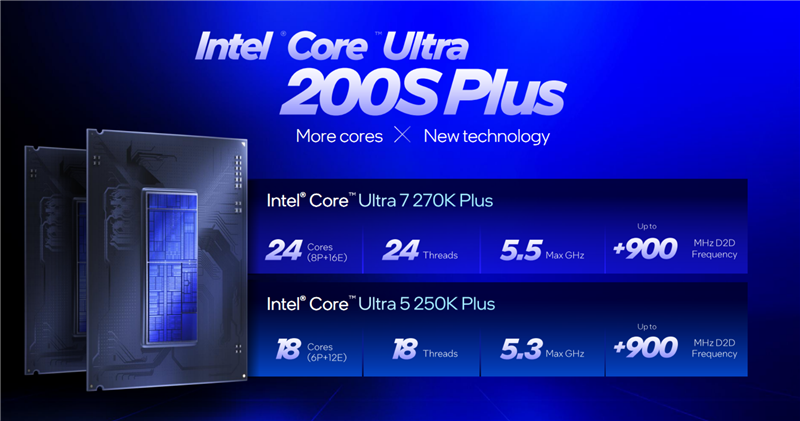
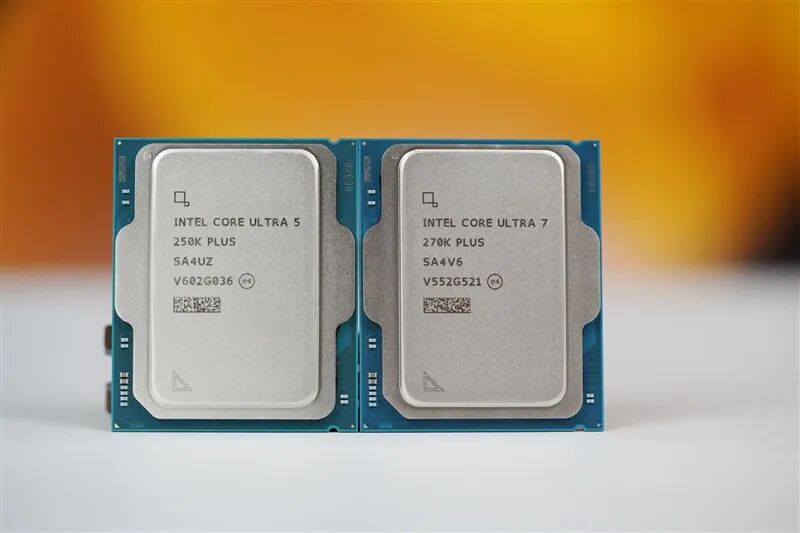
The Core Ultra 200S Plus series processors are available in two models.
The flagship model is the Core Ultra 7 270K Plus, featuring 8 P-Cores + 16 E-Cores for a total of 24 cores and 24 threads, with 40MB of L2 cache and 36MB of L3 cache. The P-core boost frequency reaches up to 5.5GHz, with an all-core frequency of 5.4GHz.
The Ultra 5 250K Plus adds 4 E-Cores to the Ultra 5 245K, resulting in 6 P-Cores + 12 E-Cores for a total of 18 cores and 18 threads, with 30MB of L2 cache and 30MB of L3 cache.
The P-core boost frequency is 5.3GHz, with an all-core frequency of 5.1GHz.
II. Core Ultra 7 270K/5 250K Plus Unboxing
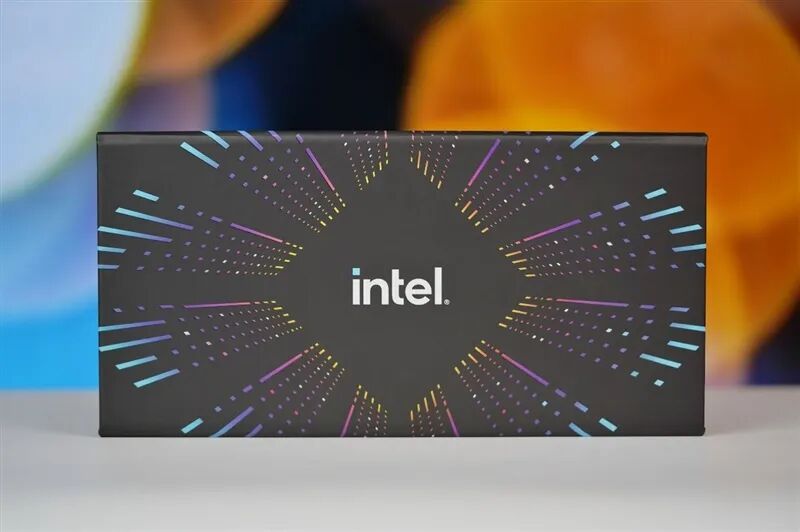
The box we received is slightly different from the retail version.
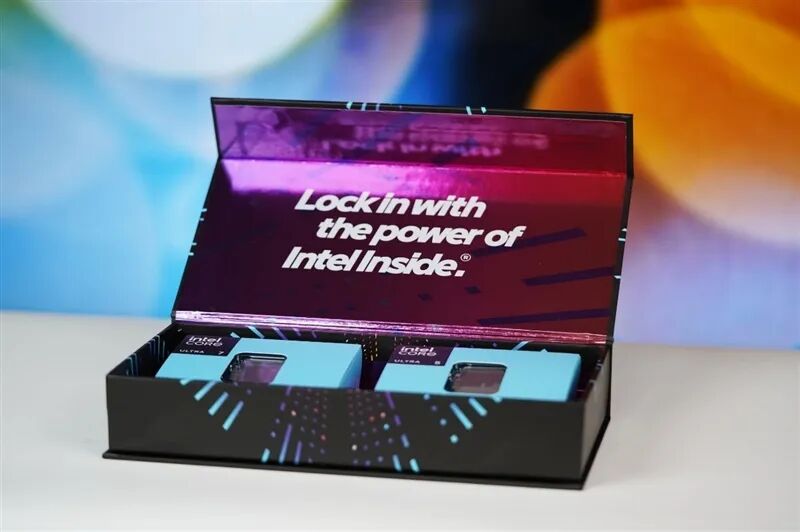
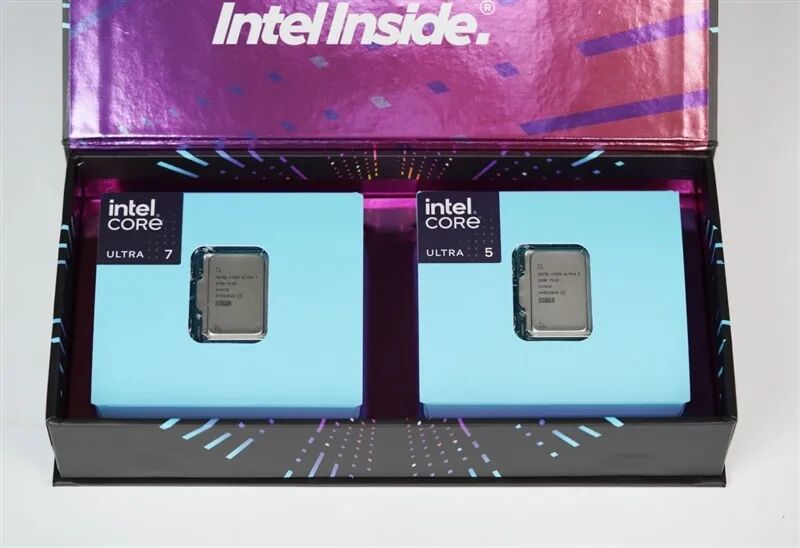
On the left is the Ultra 7 270K Plus, and on the right is the Ultra 5 250K Plus.
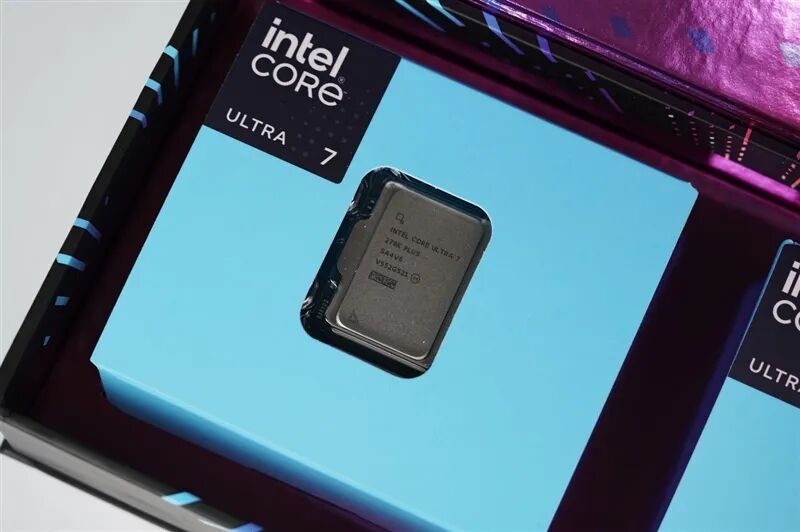
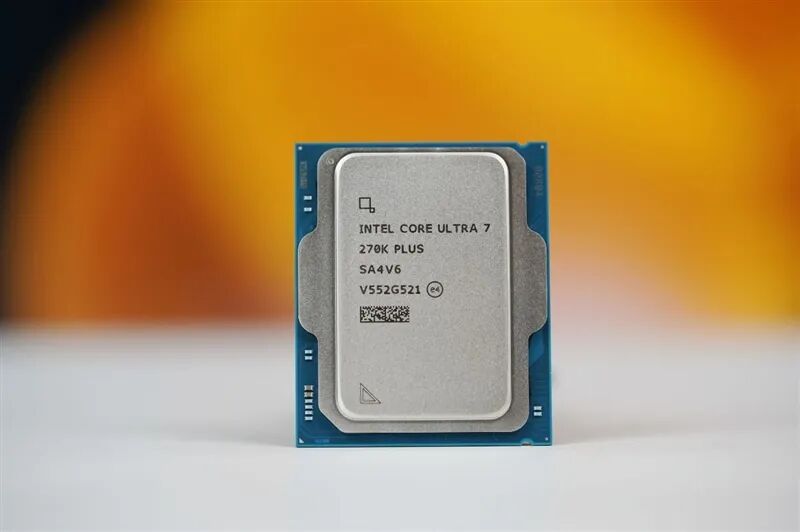
The front of the Ultra 7 270K Plus looks identical to the Ultra 9 285K.
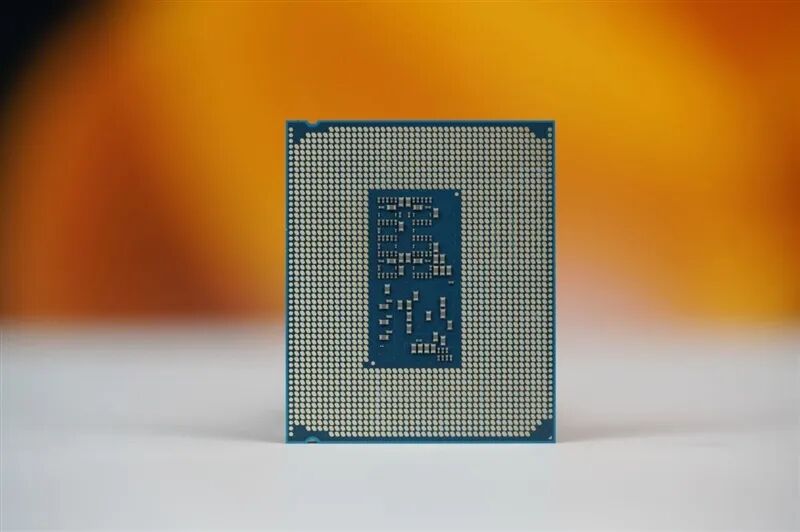
The back of the processor features an LGA1851 socket.
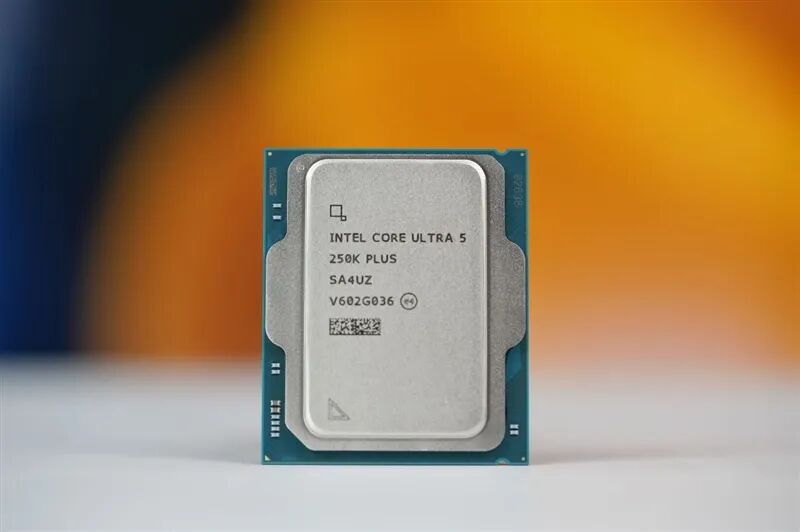
Ultra 5 250K Plus.
III. Test Platform: Gigabyte Z890M FORCE DUO X WIFI7 Motherboard
The test platform is as follows:
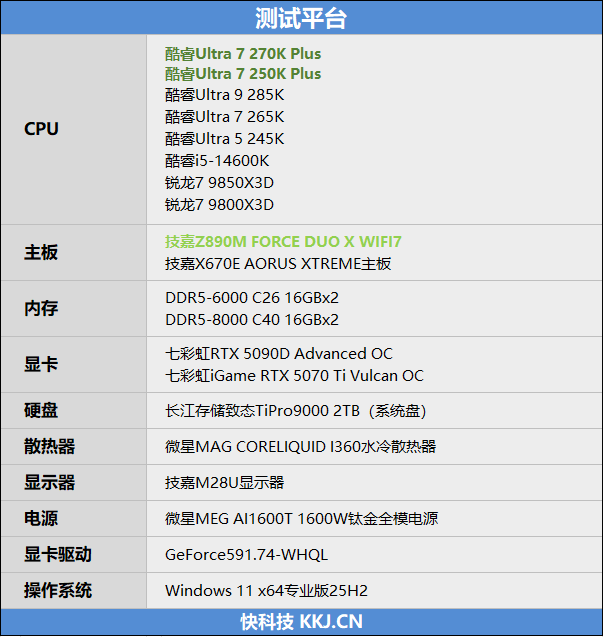
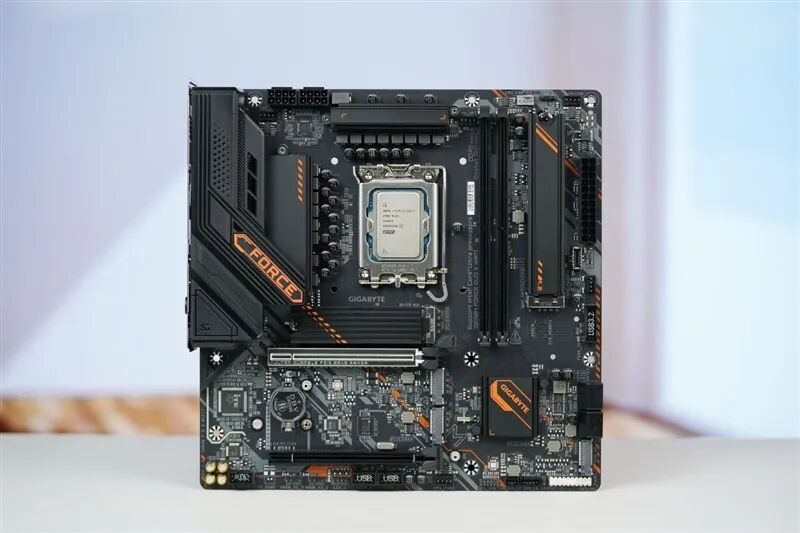
The Gigabyte Z890M FORCE DUO X WIFI7 motherboard features a 12+1+2 phase power design.
This motherboard is specifically designed by Gigabyte for the Ultra 200S Plus, with a new Ultra Turbo Mode in the BIOS offering three performance levels and supporting one-click unlocking of hidden performance.
To enhance the gaming performance of the Ultra 200S series processors, Gigabyte has gone to great lengths to reduce memory latency. Novice users can enable "High Bandwidth/Low Latency" with a single click in the BIOS, directly reducing memory latency by 8ns without manual tuning of complex timing sub-parameters.
This motherboard abandons the conventional MATX design with four memory slots, opting instead for a two-slot DIMM 1DPC/1SPC exclusive overclocking design. This significantly reduces memory channel load at the hardware level, improving memory signal integrity by over 30%, allowing players to push memory timings as low as possible at high frequencies.
For players looking to experience ultra-high-frequency memory, combined with Gigabyte's exclusive D5 Duo X optimization technology and overclocking BIOS tuned in collaboration with memory manufacturers, memory frequencies can exceed 10266MT/s.
For networking, it features a 5Gbps wired NIC + Wi-Fi 7 wireless NIC configuration.
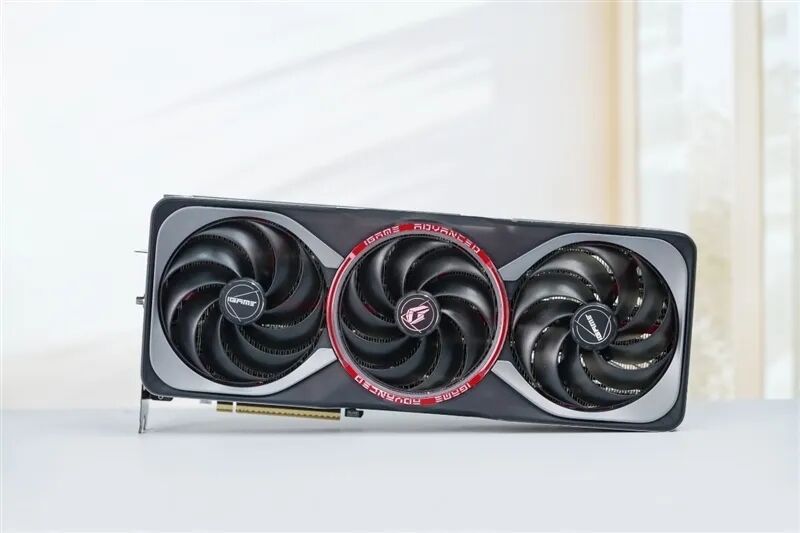
Since there is no Founders Edition for the RTX 5090D, we used the Colorful iGame RTX 5090D Advanced 32GB.
This graphics card supports one-click overclocking. Under default settings, its parameters are identical to NVIDIA's official standards: 575W TDP, 2407MHz boost frequency, and 28Gbps memory speed.
We used default settings for our tests.
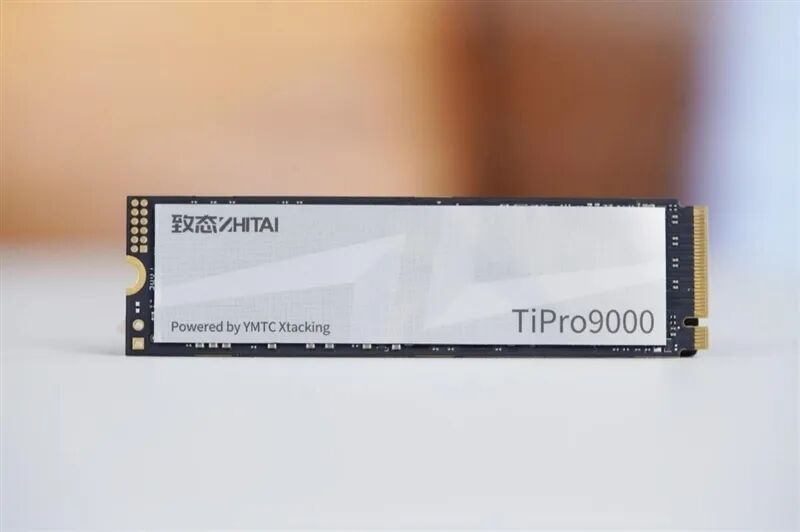
The Yangtze Memory Storage Technology (YMTC) TiPro9000 2TB SSD features 2GB of LPDDR4 cache and delivers a maximum sequential read speed of 14000MB/s, making it a domestic SSD product that rivals the Samsung 9100 PRO in performance.
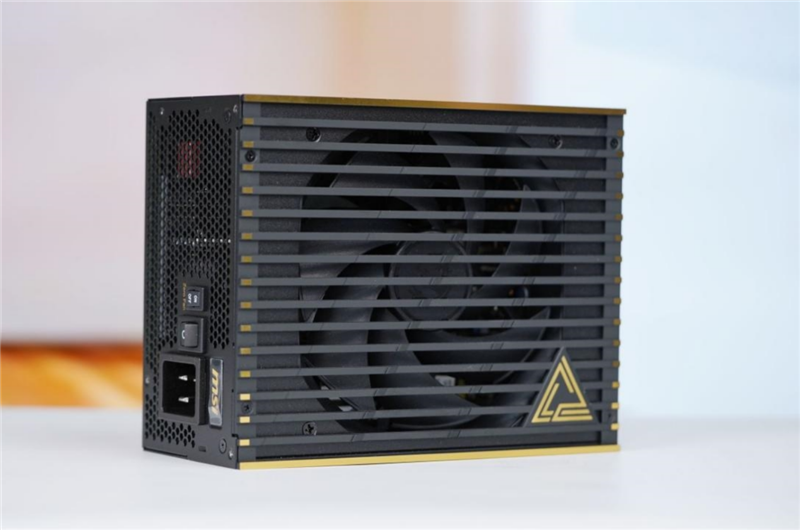
The MSI MEG AI1600T 1600W Titanium Full Modular Power Supply has passed Titanium certifications from 80PLUS, Cybenetics, and PPLP, supporting the latest ATX 3.1 and PCIe 5.1 standards. It can handle 2x total power offset and 3x GPU transient power offset.
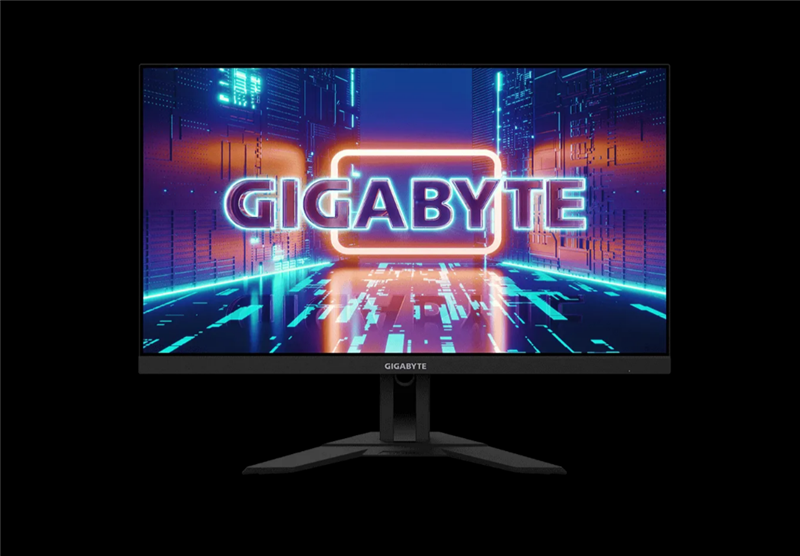
Gigabyte M28U 4K Monitor.
IV. Theoretical Performance Testing: Ultra 7 270K Plus Leads in Single-Core Performance, Multi-Core Performance Slightly Stronger Than 285K
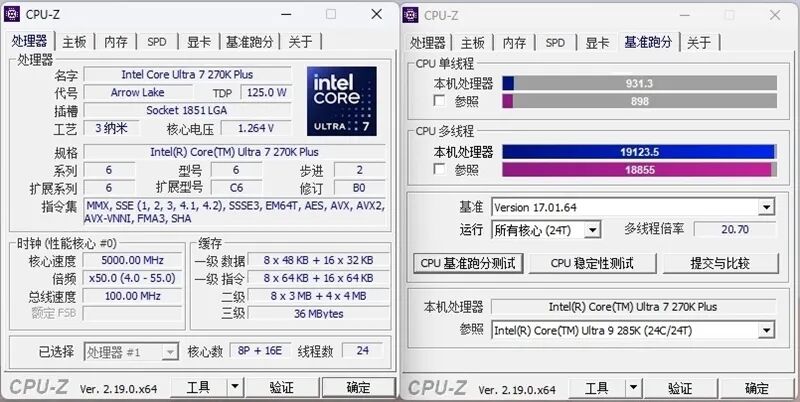
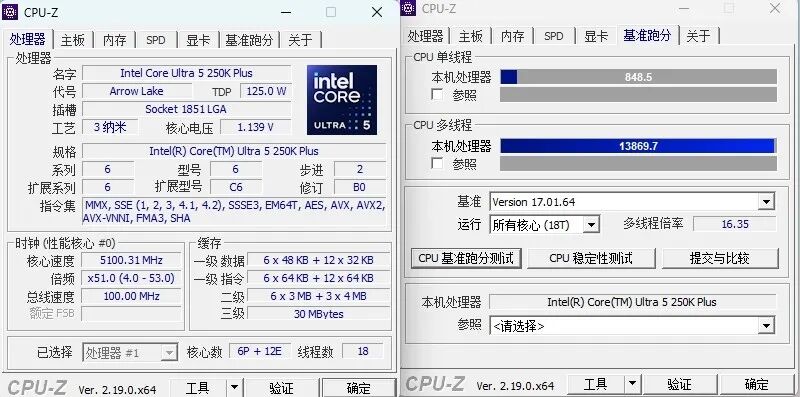
1、CPU-Z
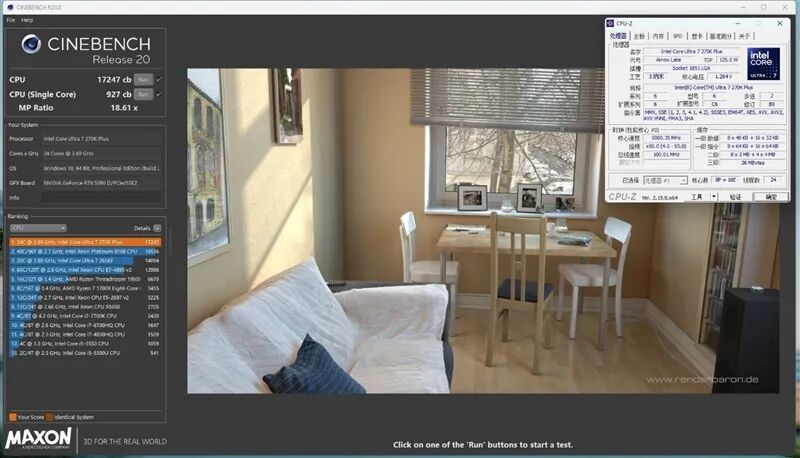
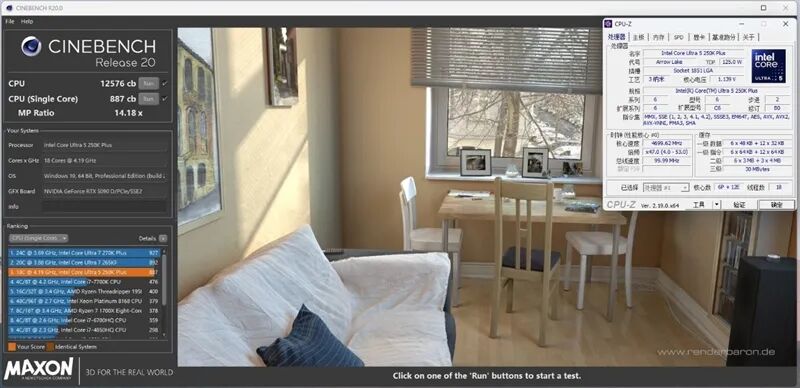
2、CineBench R20
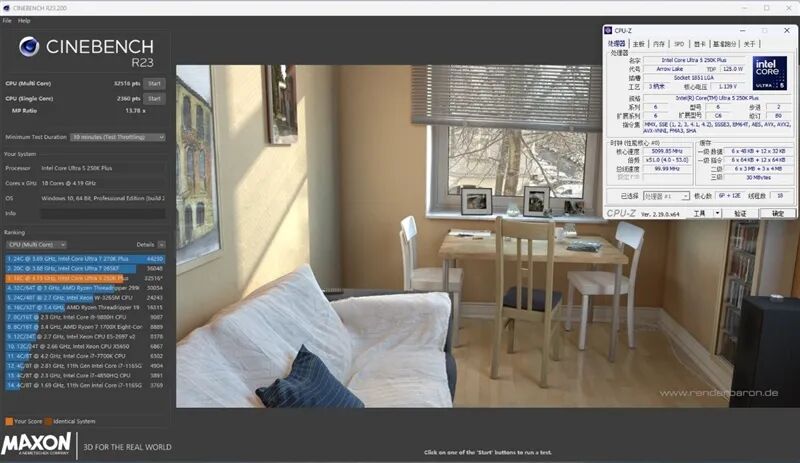
3、CineBench R23
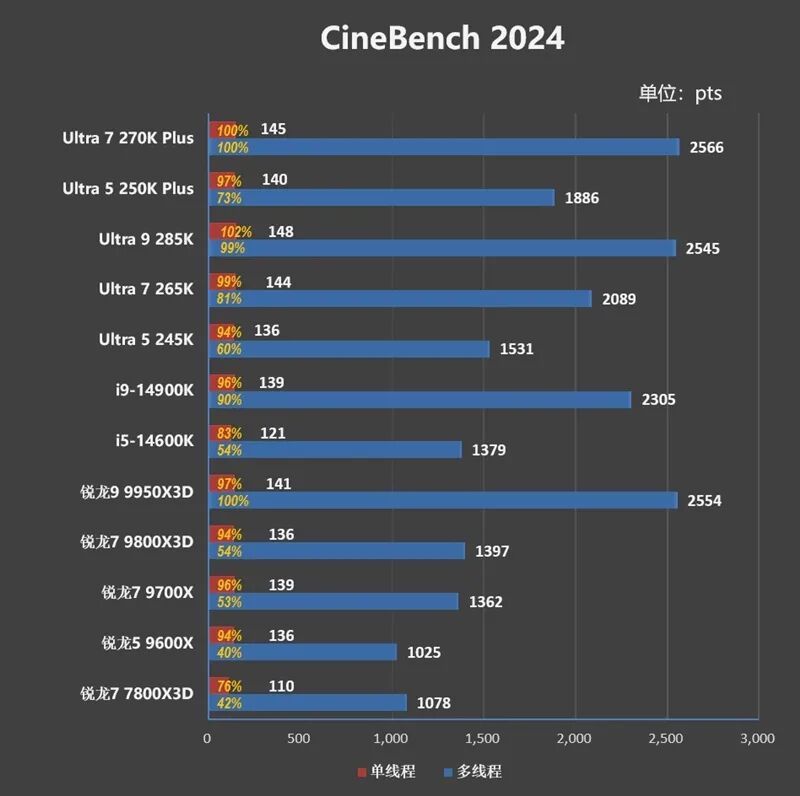
4、CineBench 2024
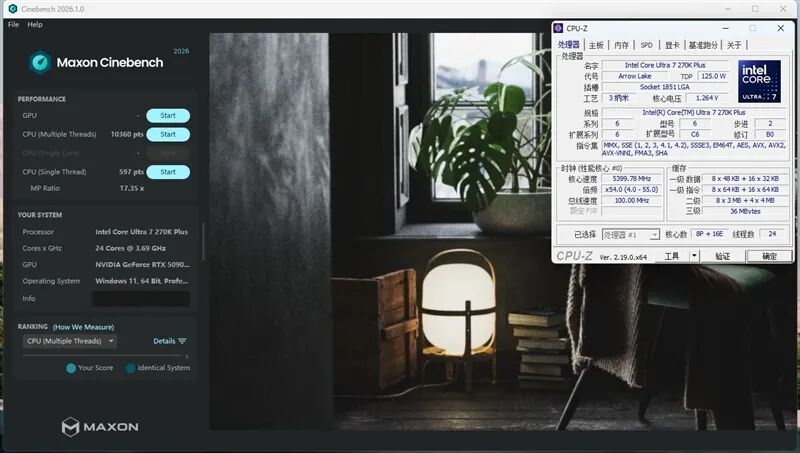
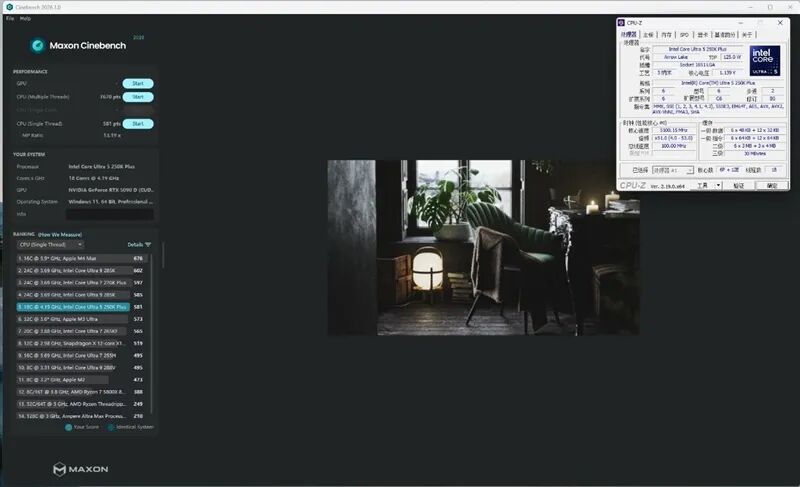
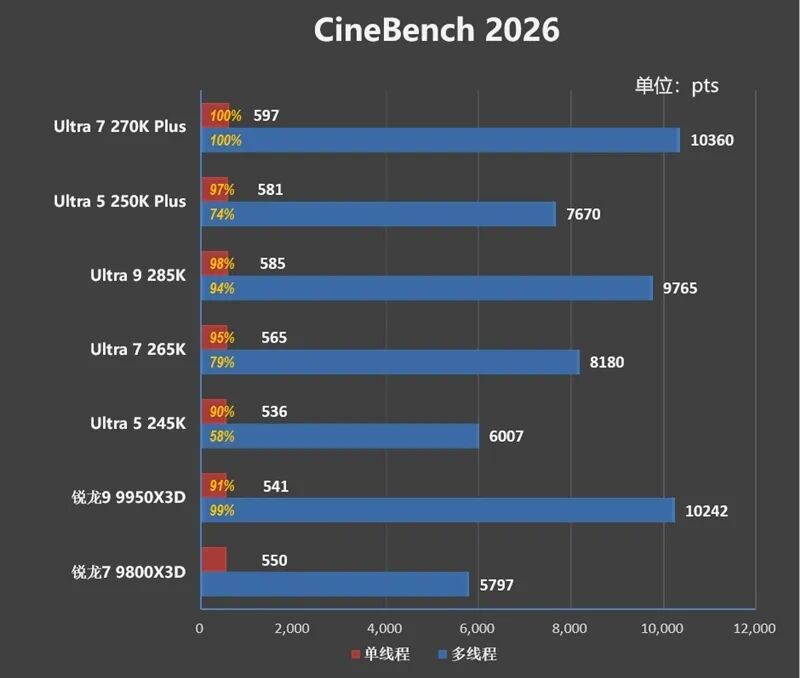
5、CineBench 2026
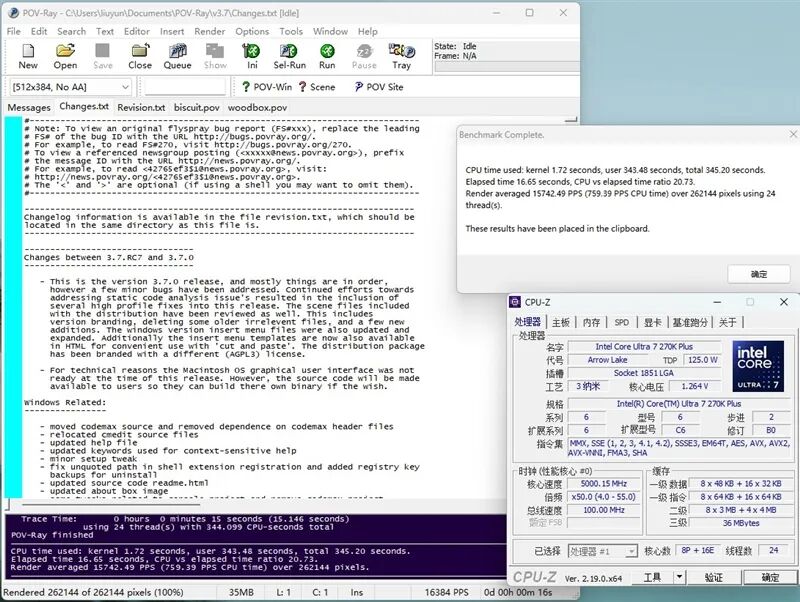
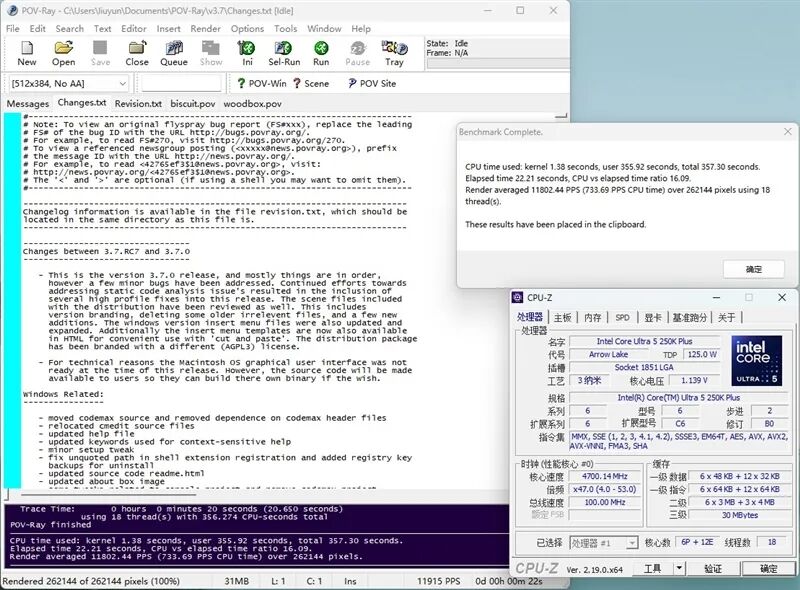
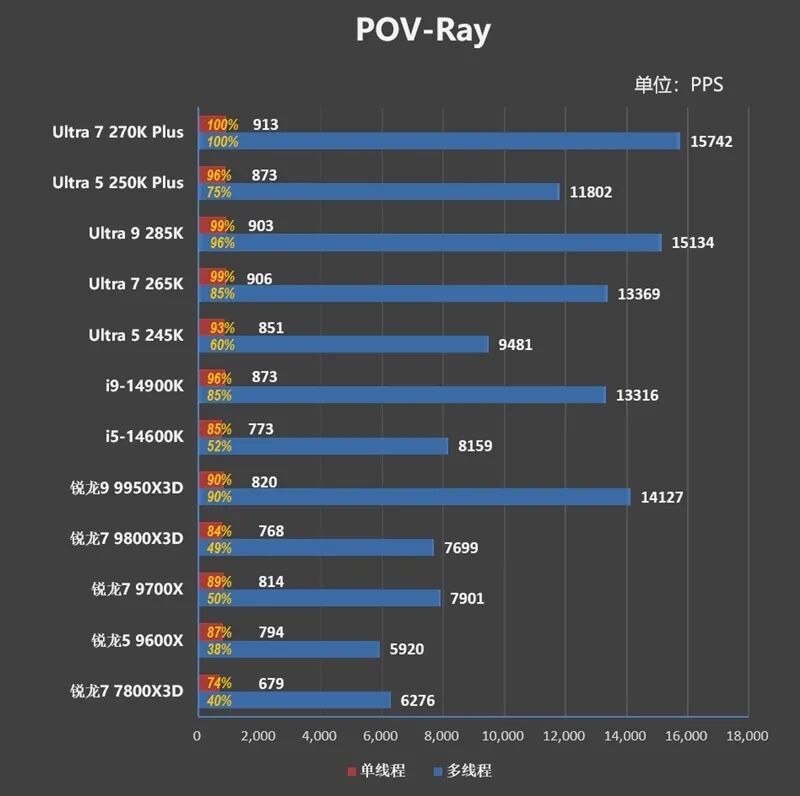
6、POV-Ray
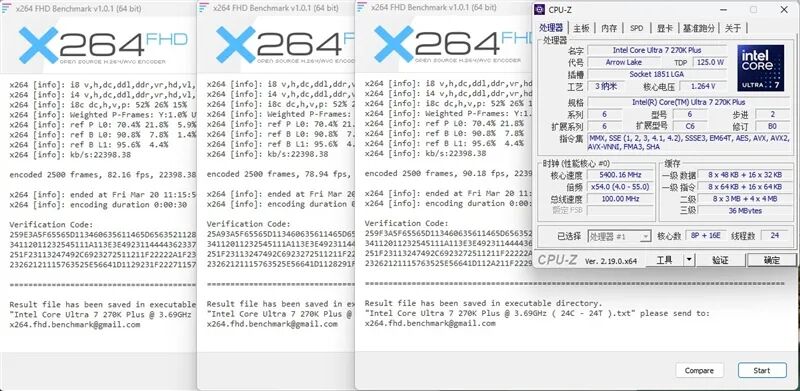
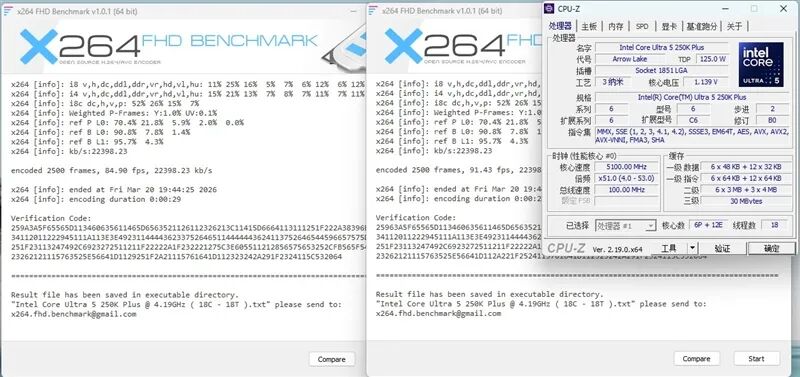
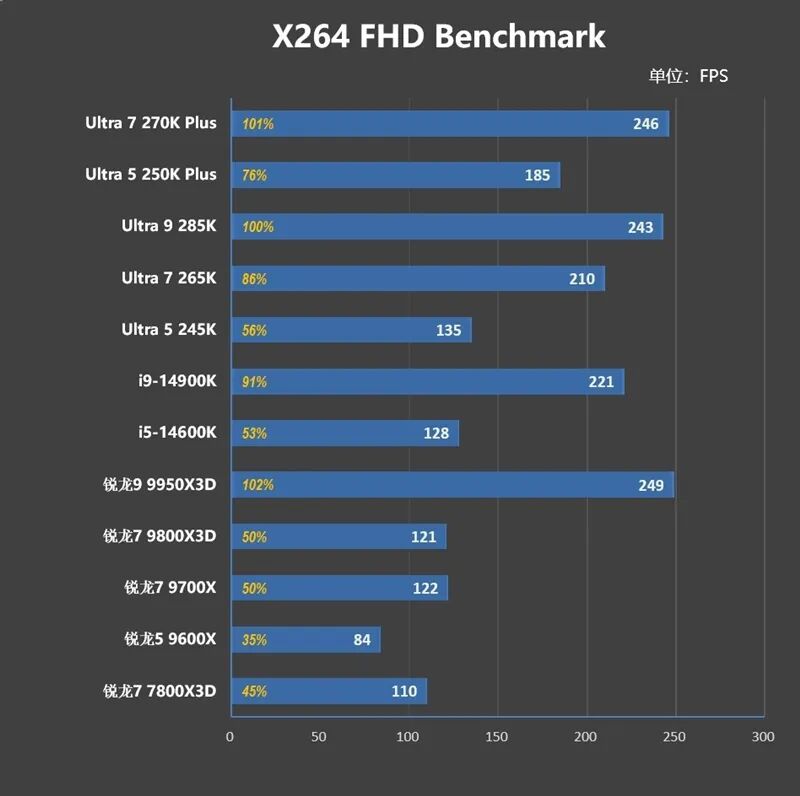
7、X264 FHD Benchmark
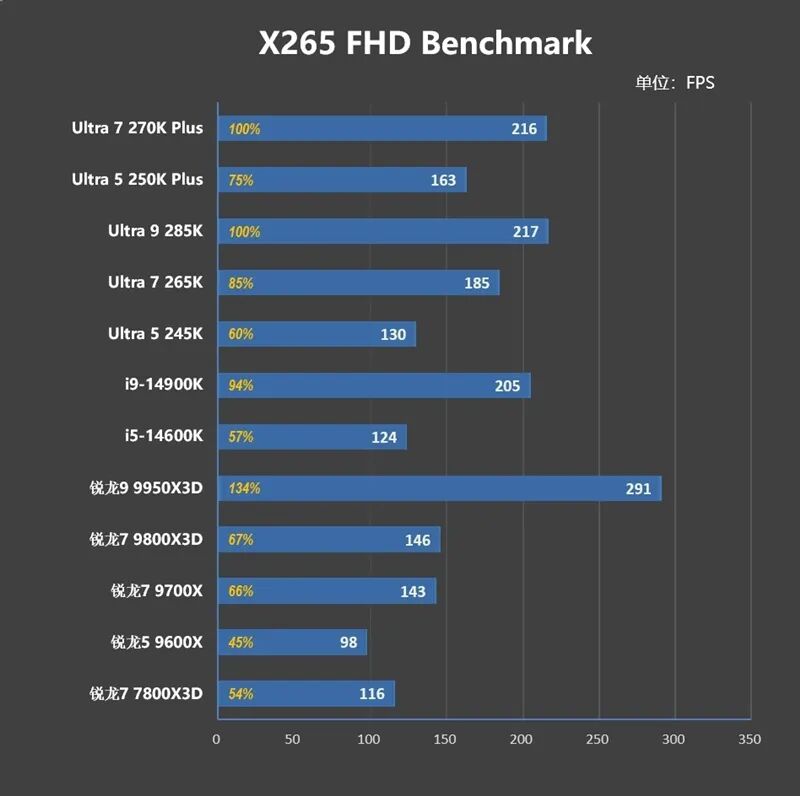
8、X265 FHD Benchmark
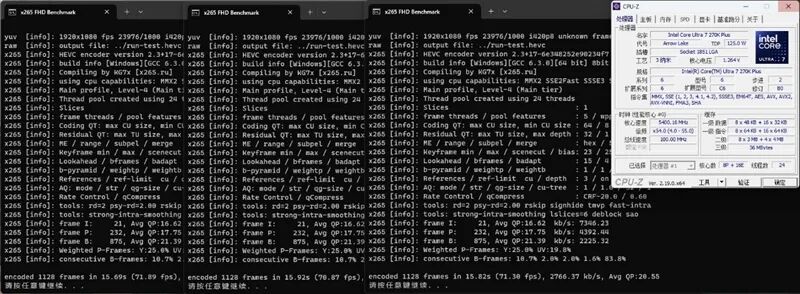
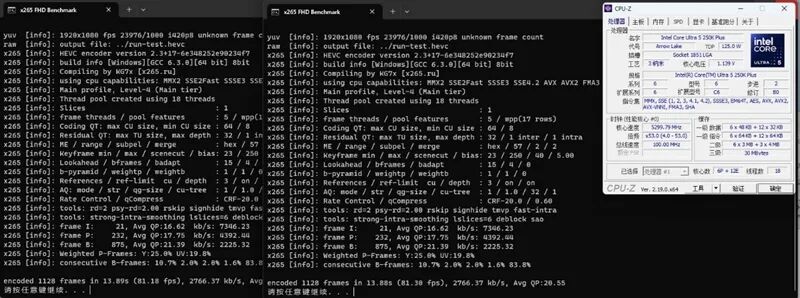
9、3Dmark Fire Strike
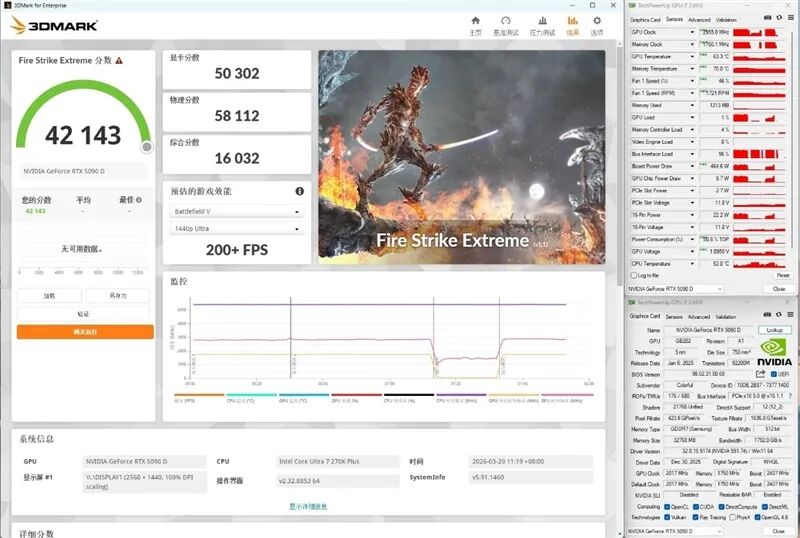
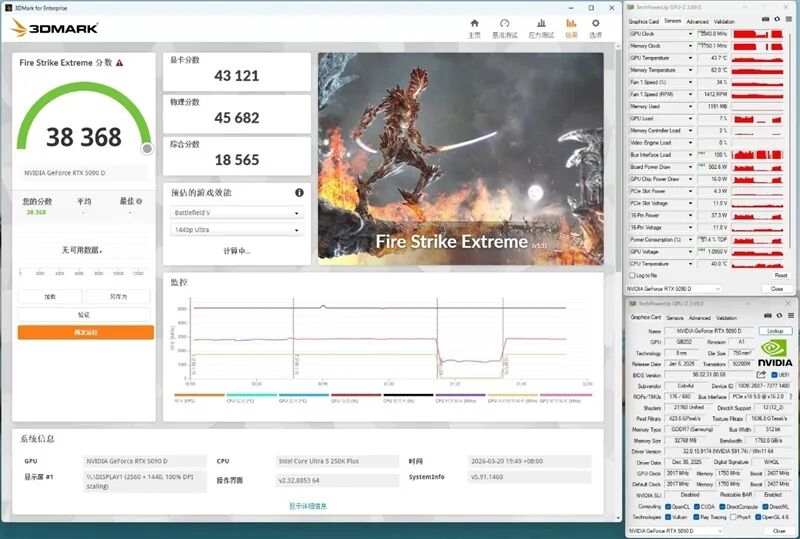
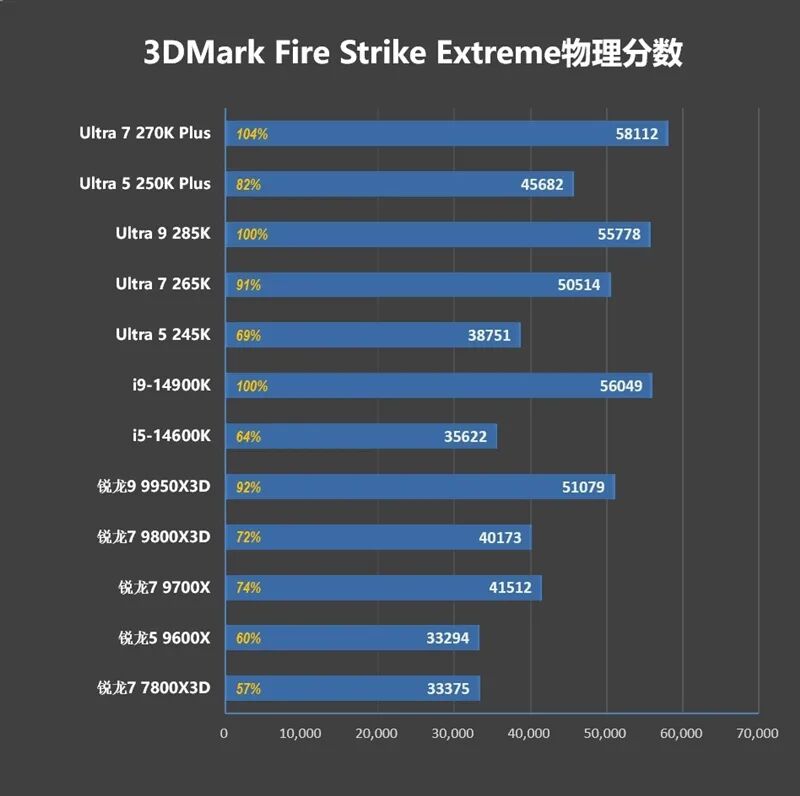
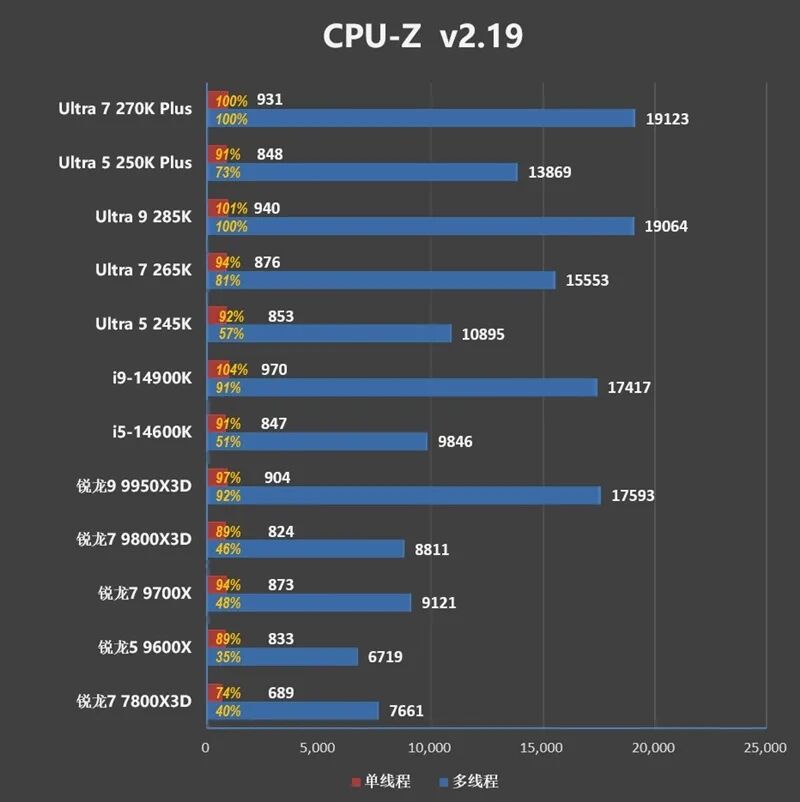
The summarized test data is as follows:
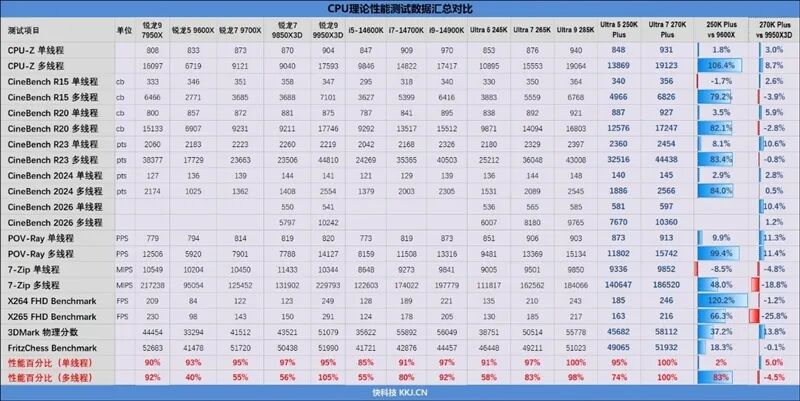
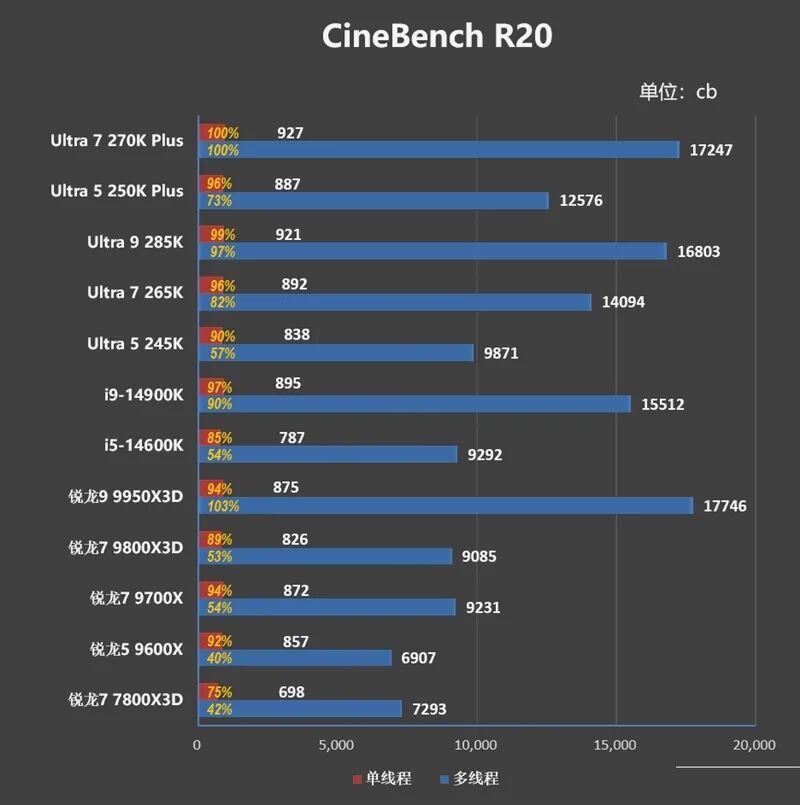
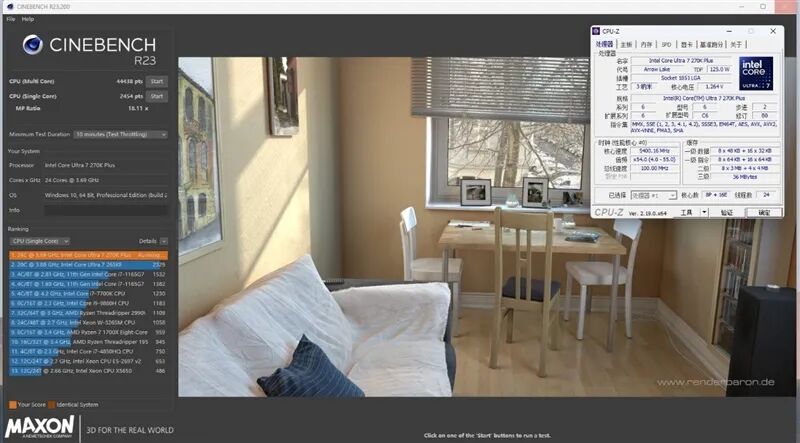
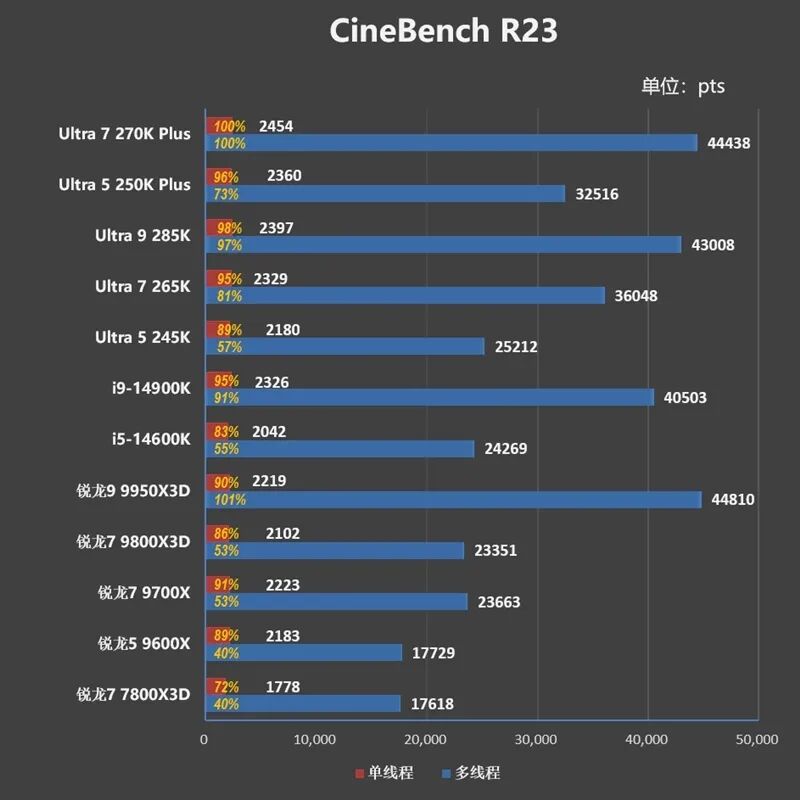
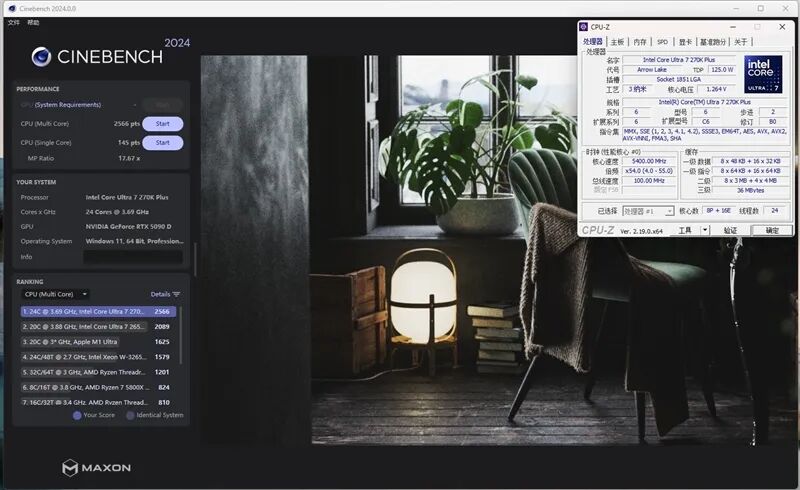
The single-core performance of the Ultra 7 270K Plus is almost identical to that of the Ultra 9 285K, both ranking as the current strongest processors in terms of single-core performance. Its multi-core performance is slightly stronger than that of the 285K by 2%. Compared to the Ultra 7 265K, its single-core performance is 3% stronger, and its multi-core performance is 20% stronger.
Compared to AMD's Ryzen 7 9700X, the multi-core performance of the Ultra 7 270K Plus is nearly double that of its competitor.
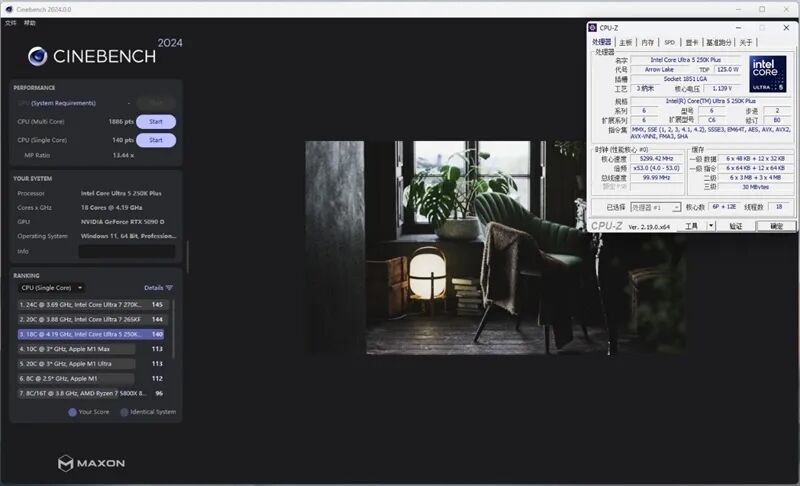
As for the Ultra 5 250K Plus, its single-core performance has a 5% lead over the Ultra 5 245K, and its multi-core performance is nearly 30% stronger.
Compared to the competing Ryzen 5 9600X, the multi-core performance of the Ultra 5 250K Plus leads its opponent by 80%.
V. 1080P Gaming Performance Test: Ultra 5 250K Plus Shows Significant 11% Improvement
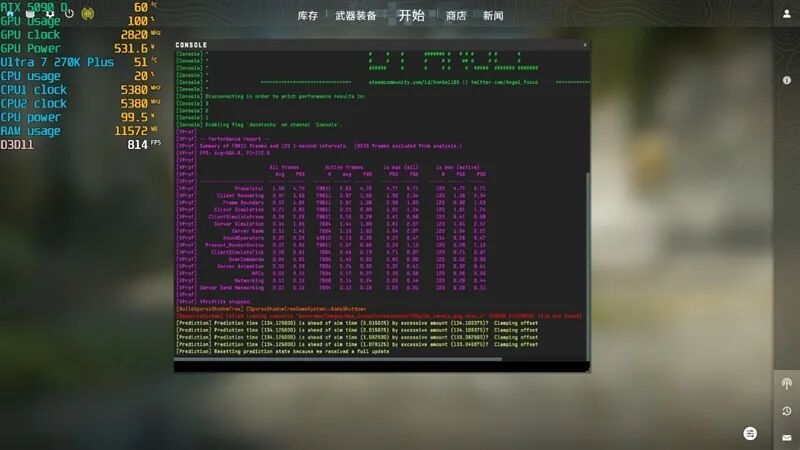
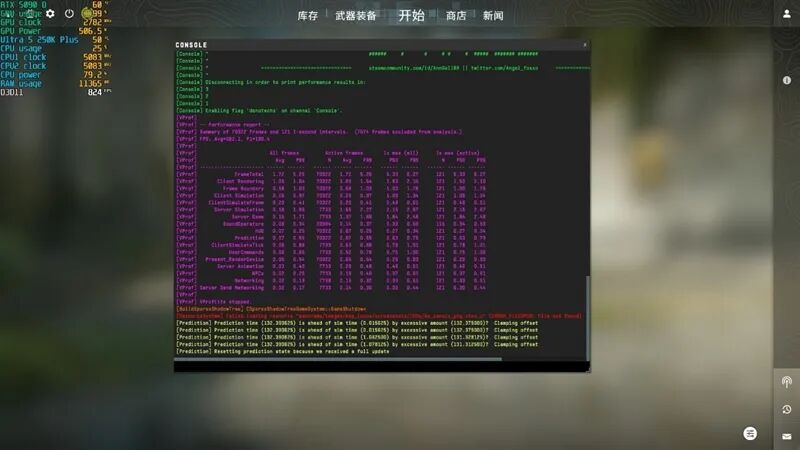
1、Counter-Strike 2
2、Assassin's Creed: Valhalla
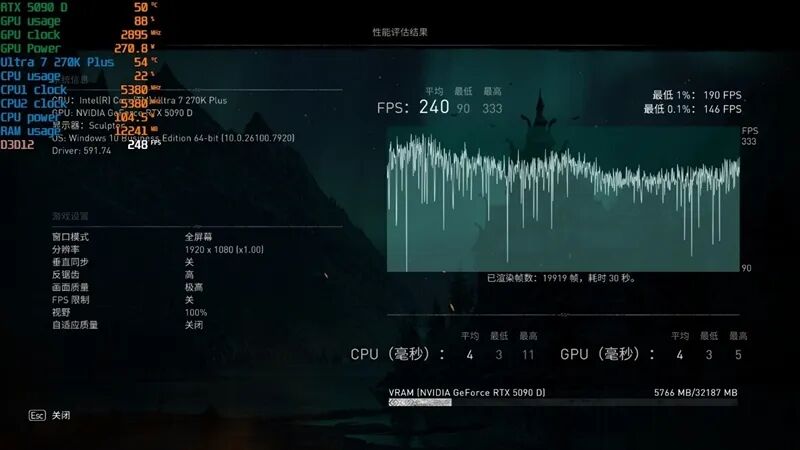
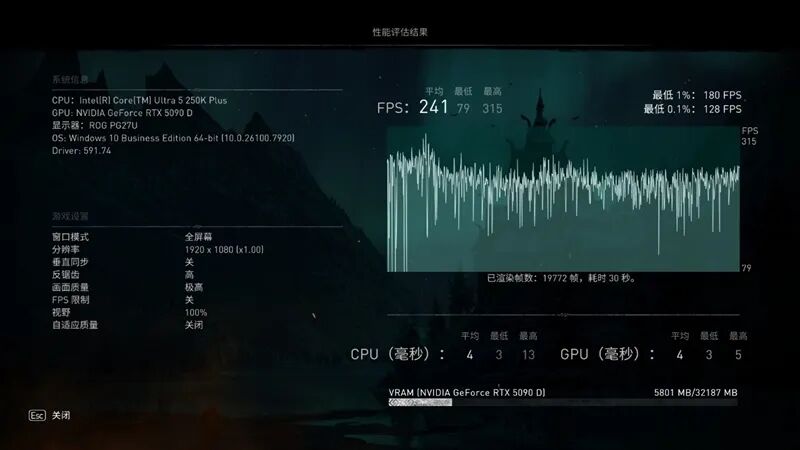
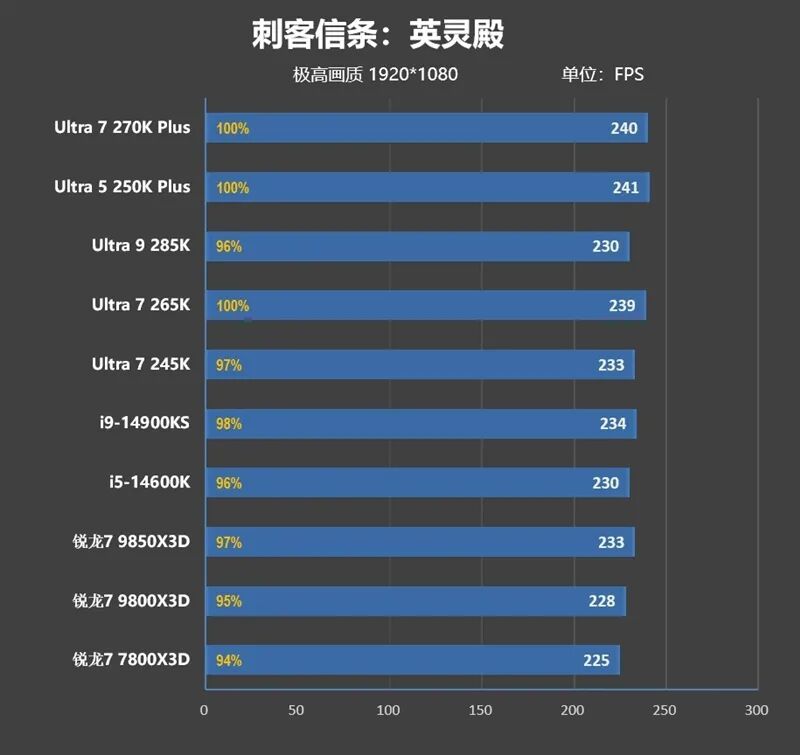
3、Horizon Zero Dawn
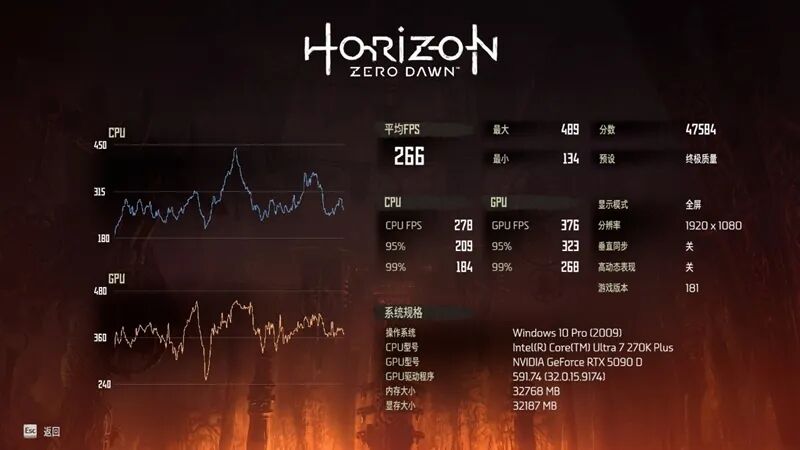
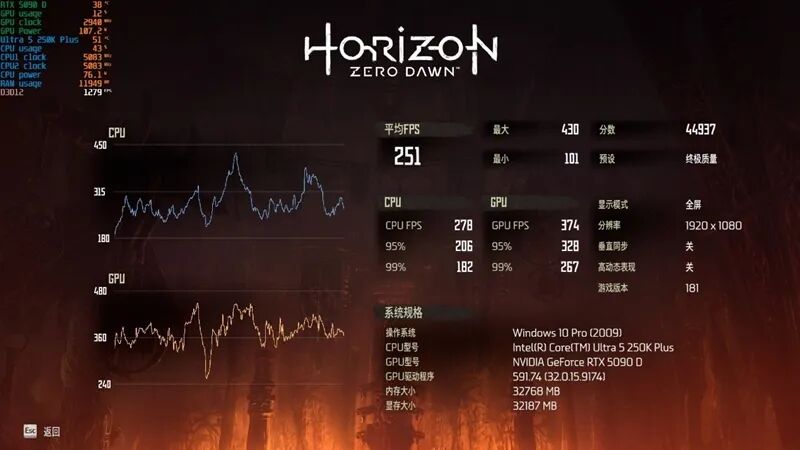
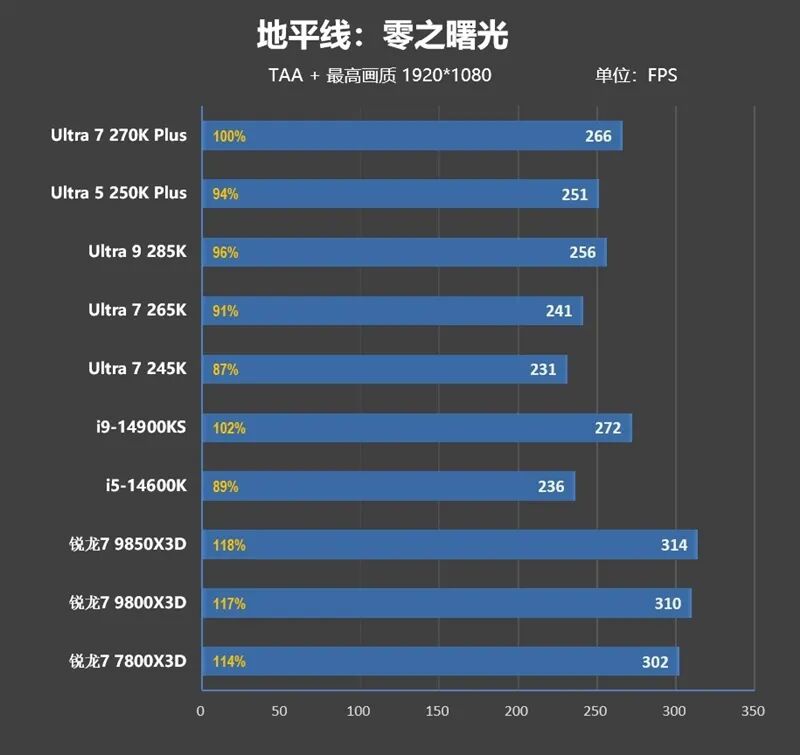
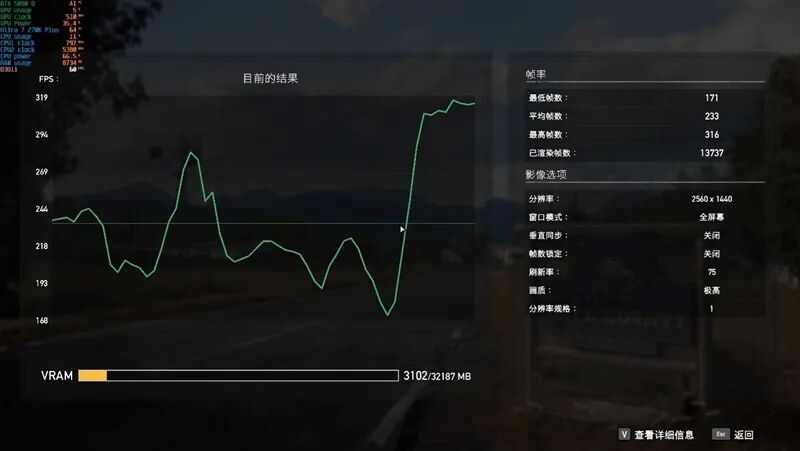
4、Far Cry 5
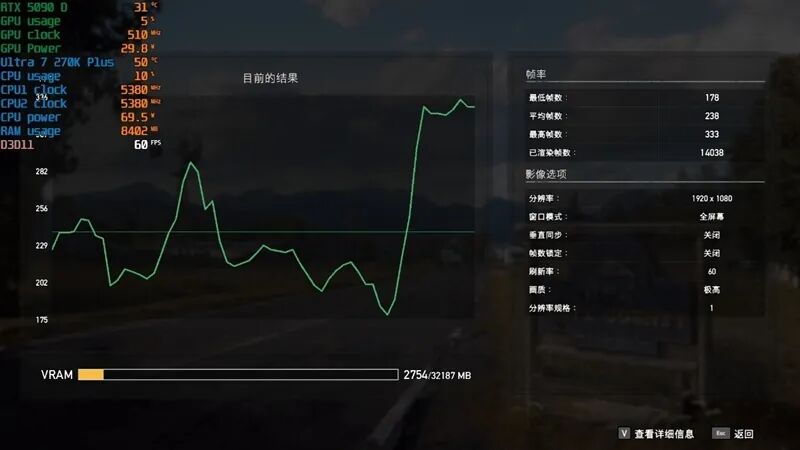
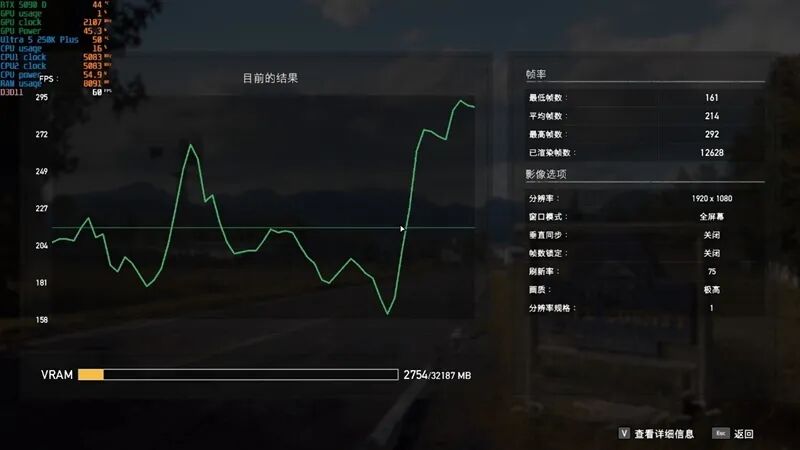
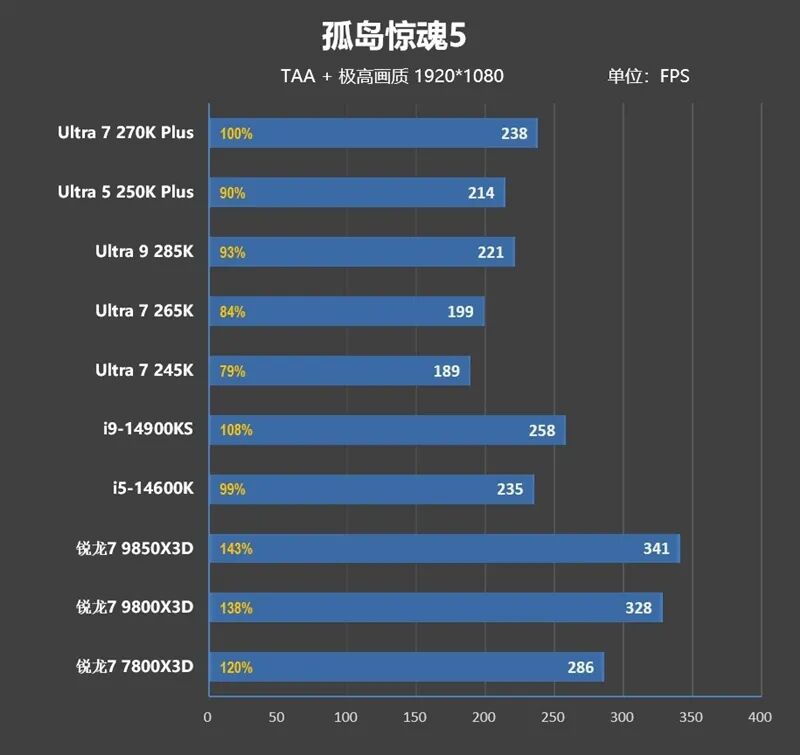
5、Far Cry 6
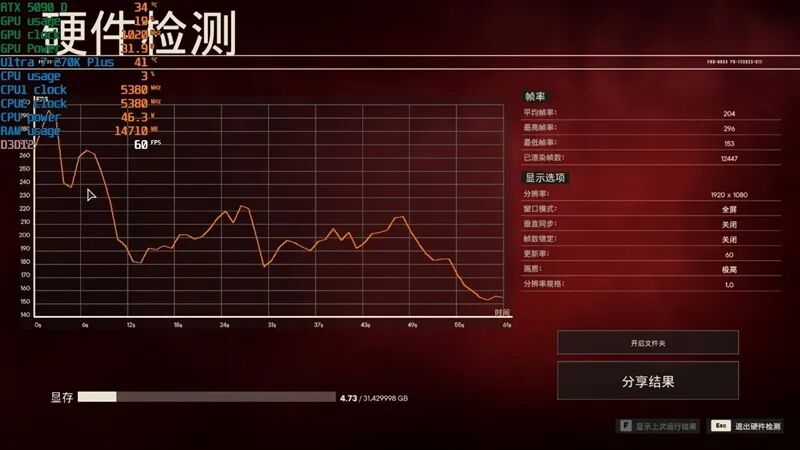
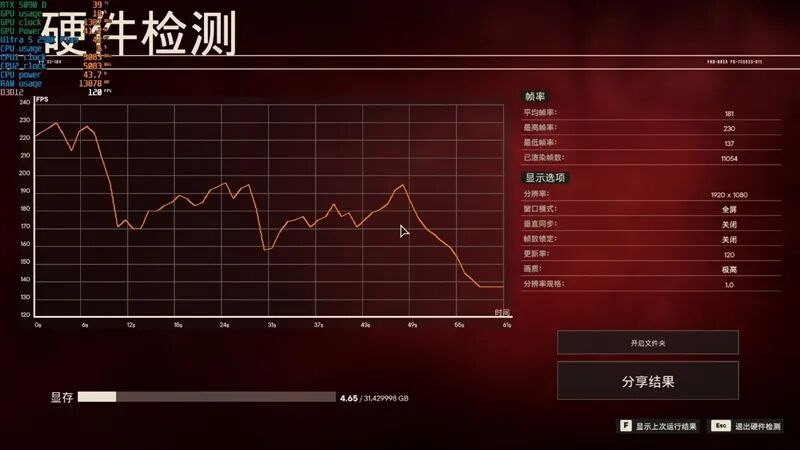
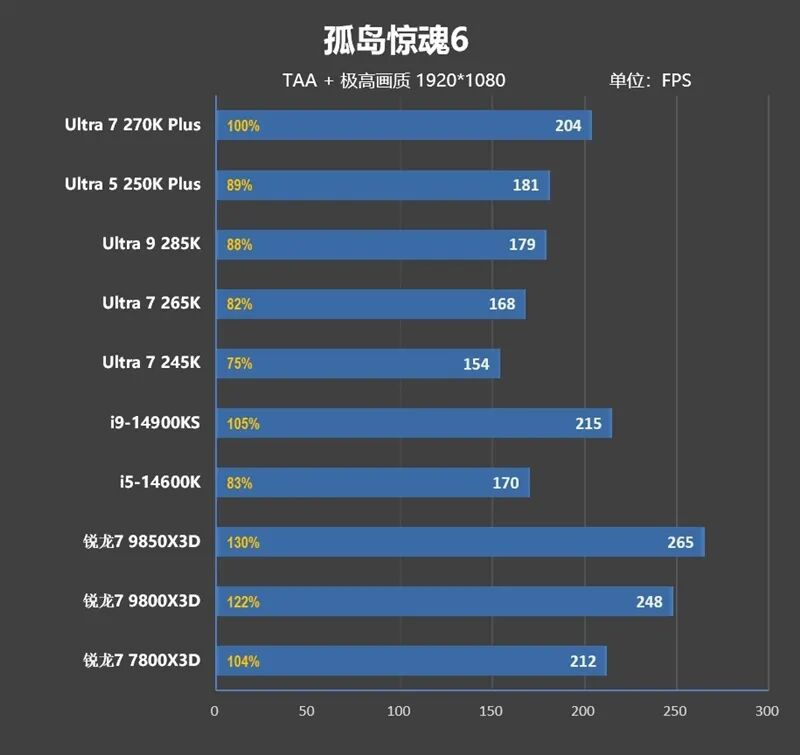
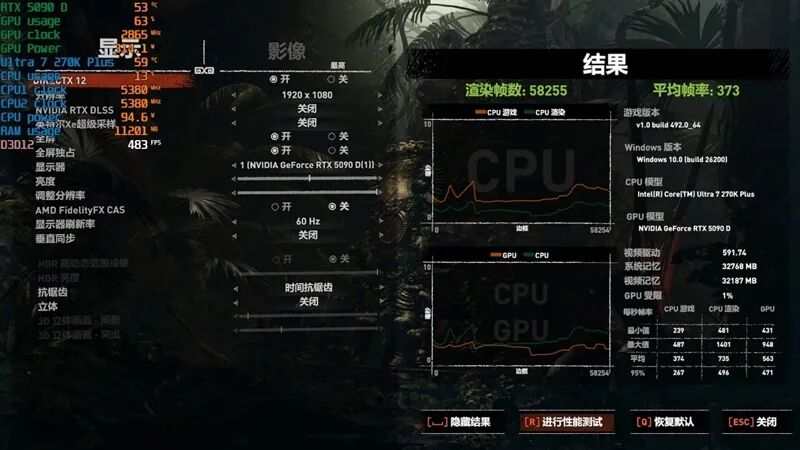
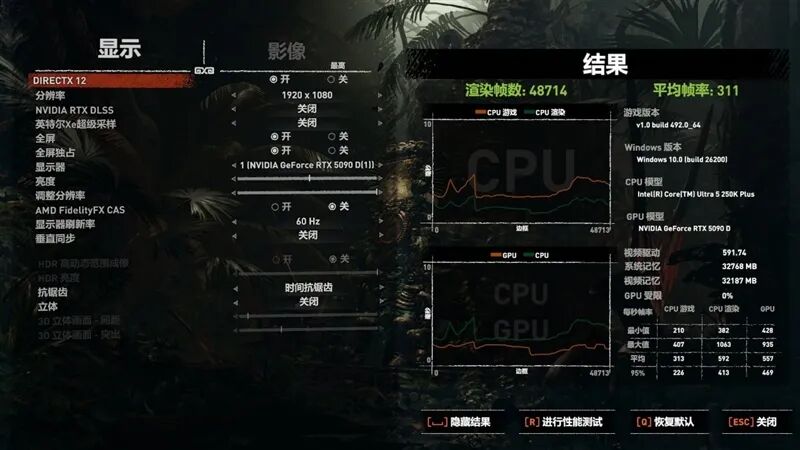
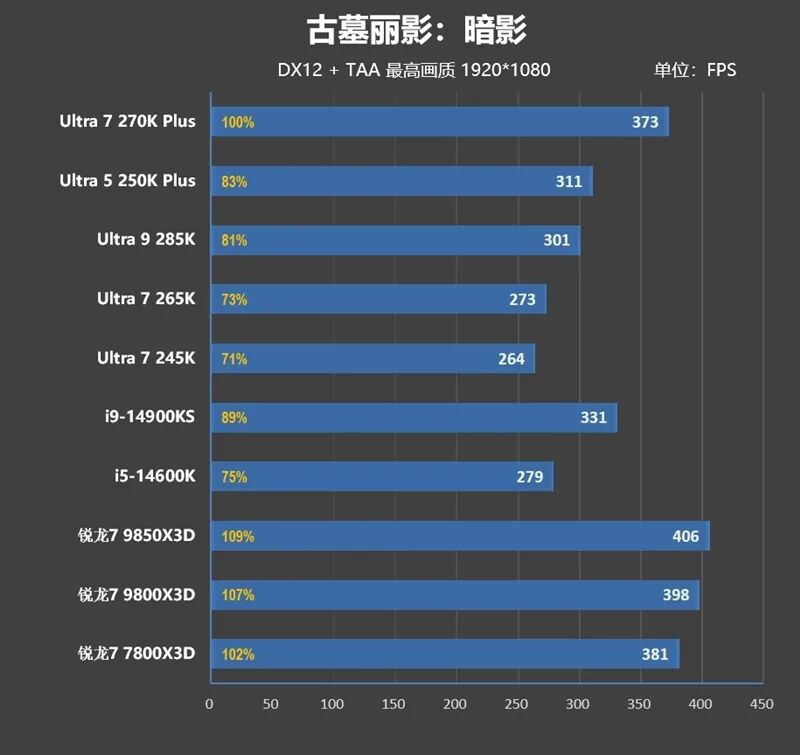
6、Shadow of the Tomb Raider
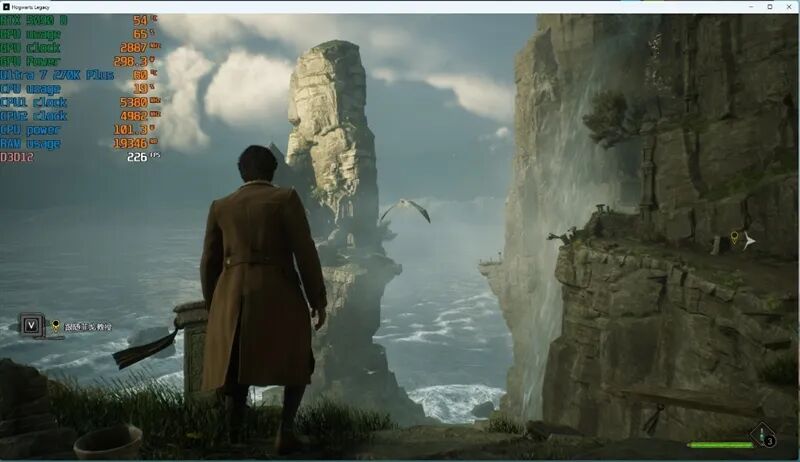
7、Hogwarts Legacy

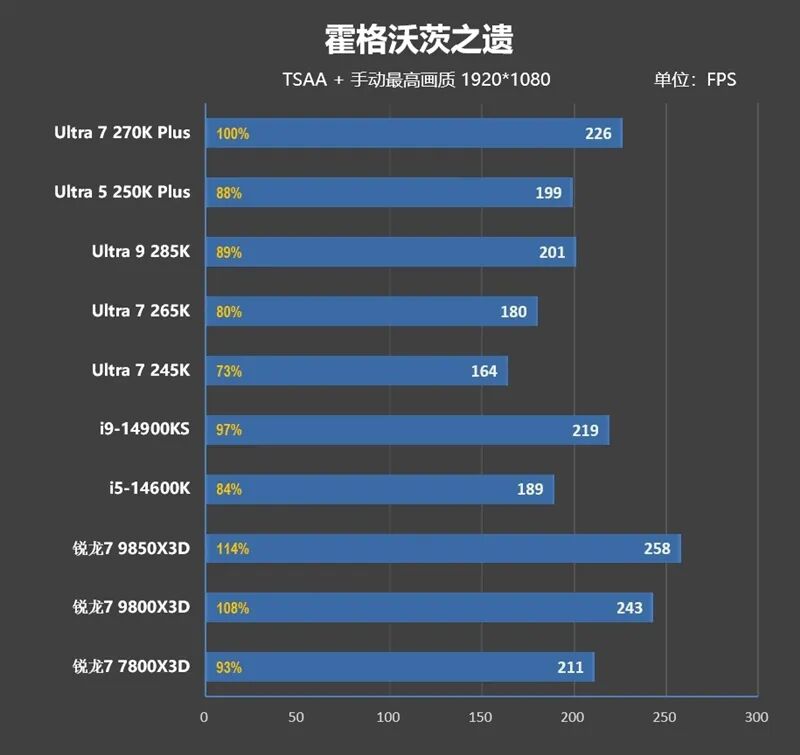
8、Forza Horizon 5
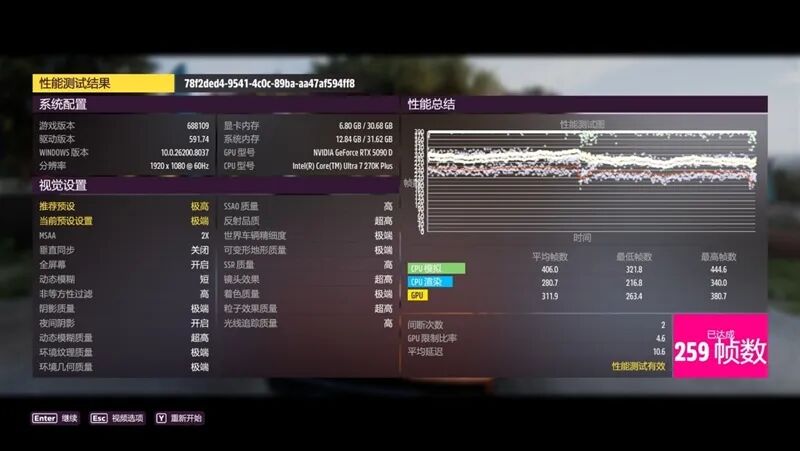
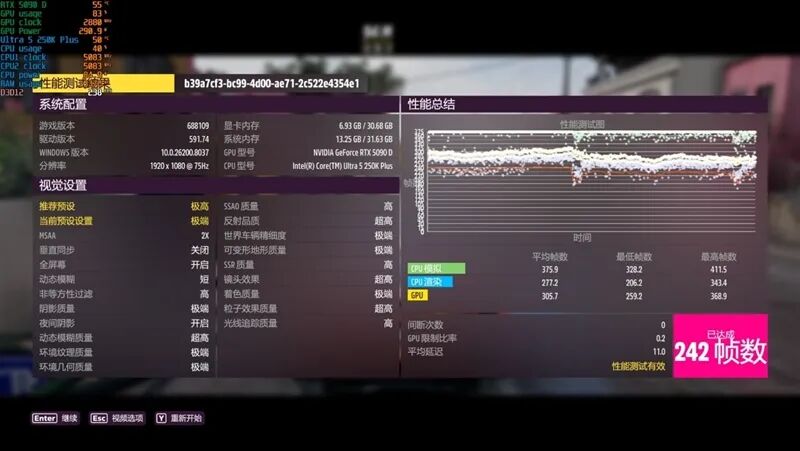
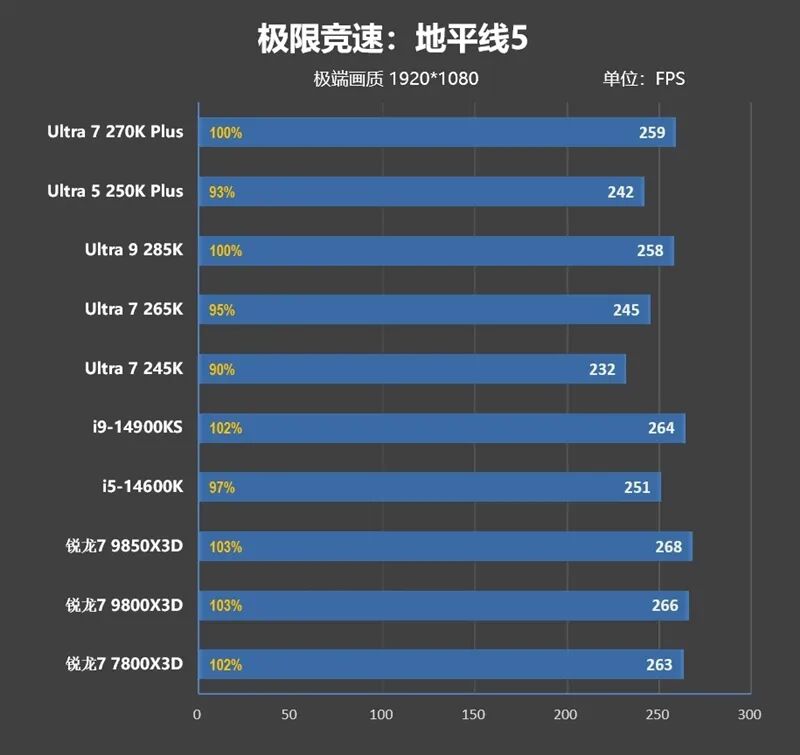
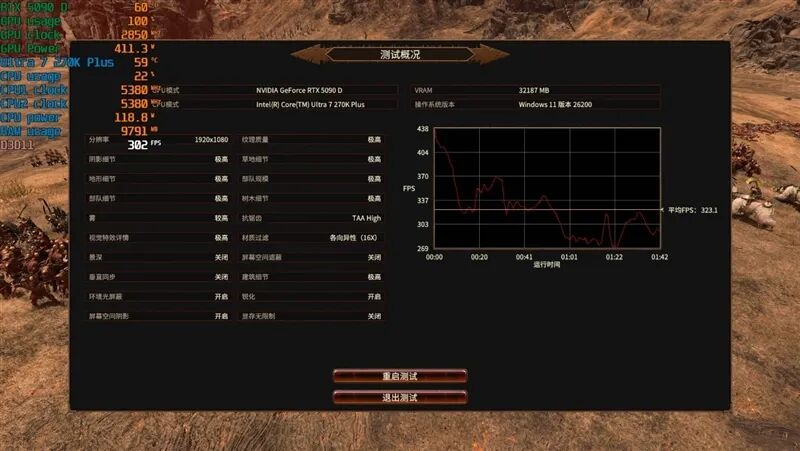
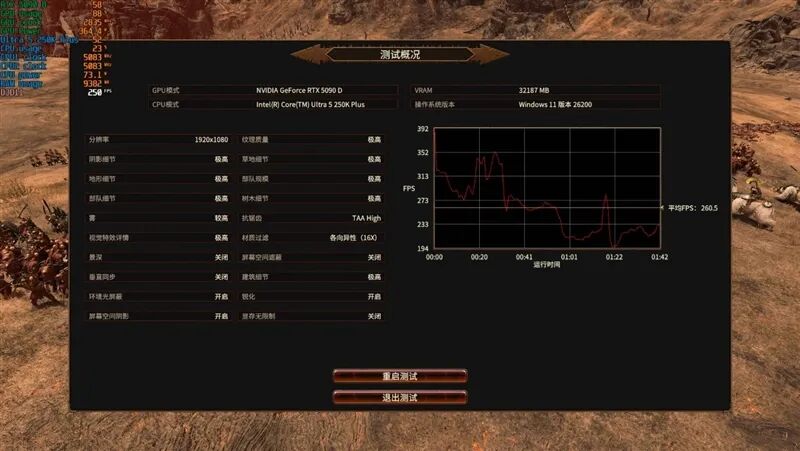
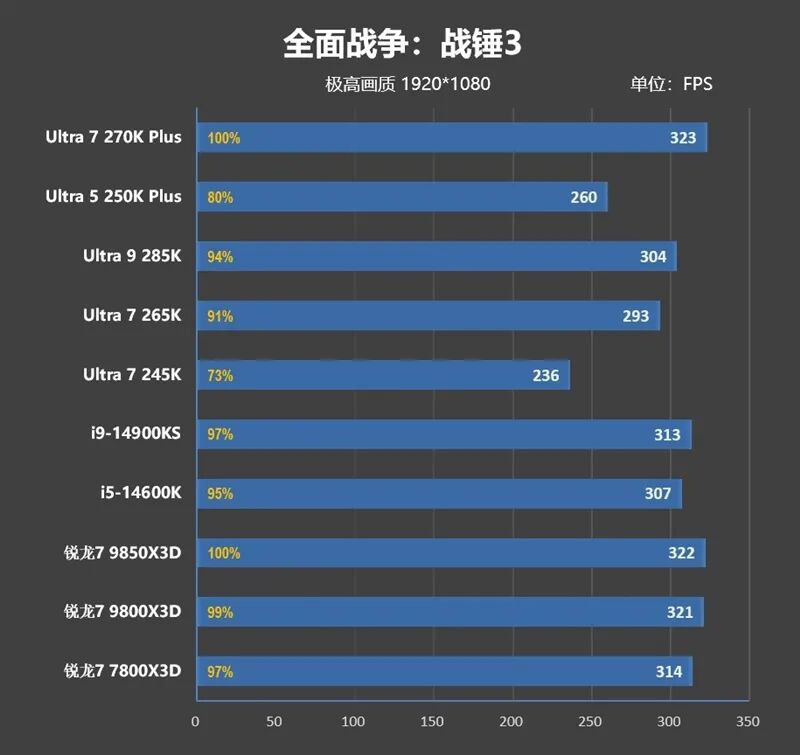
9、Total War: Warhammer III
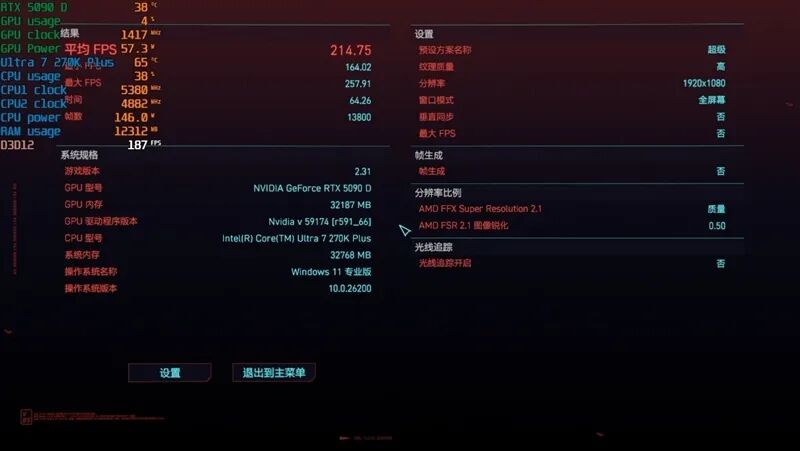
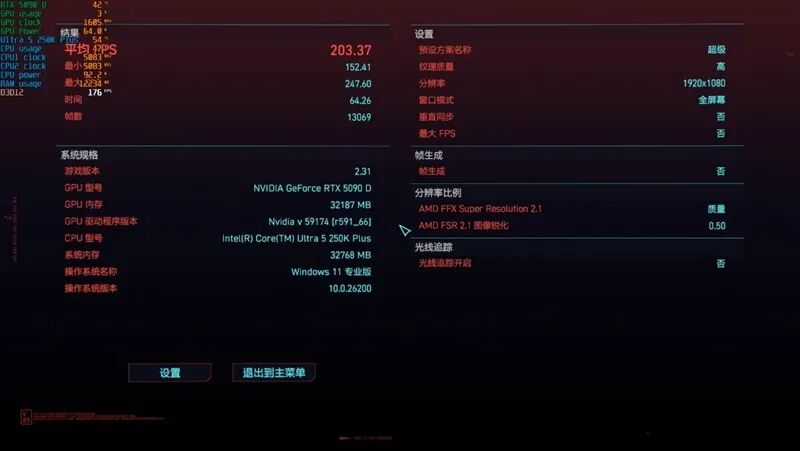
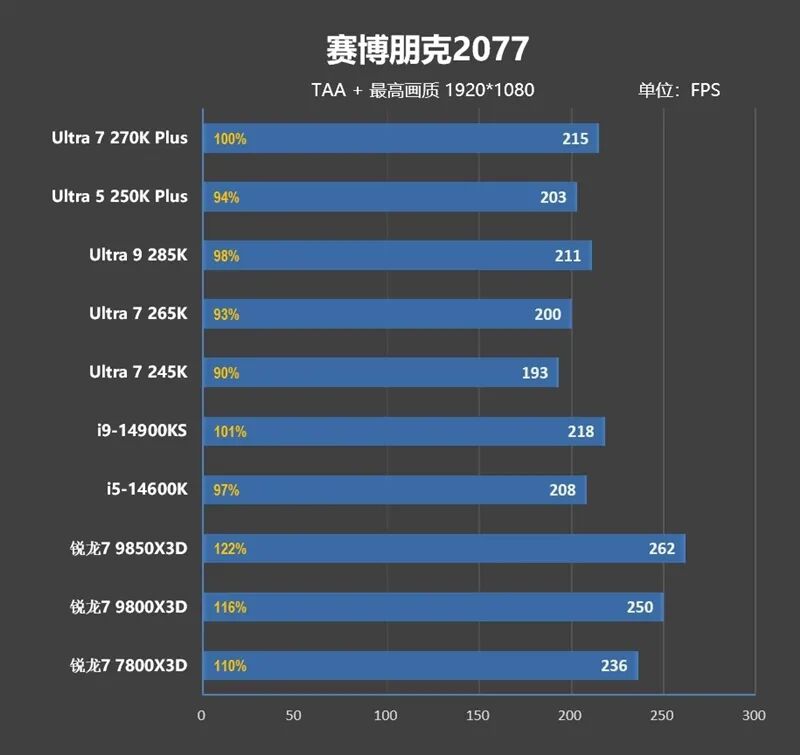
10、Cyberpunk 2077
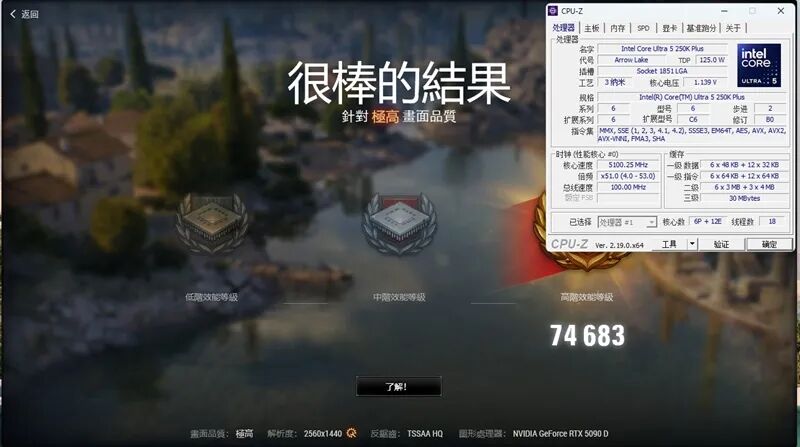
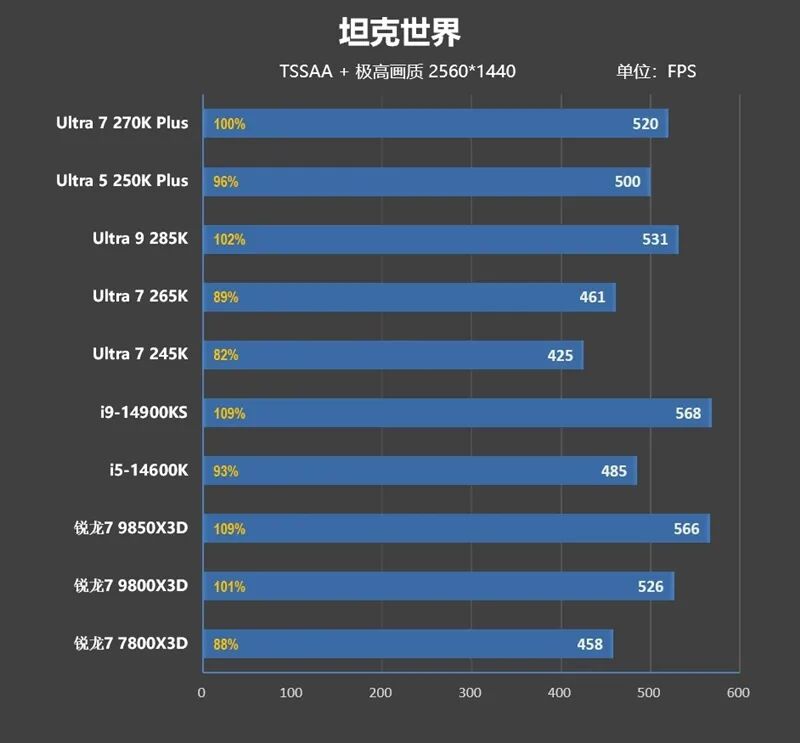
11、World of Tanks

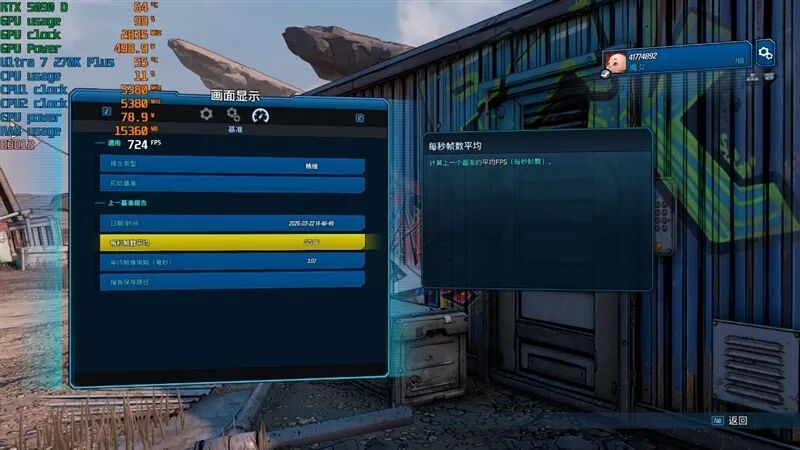
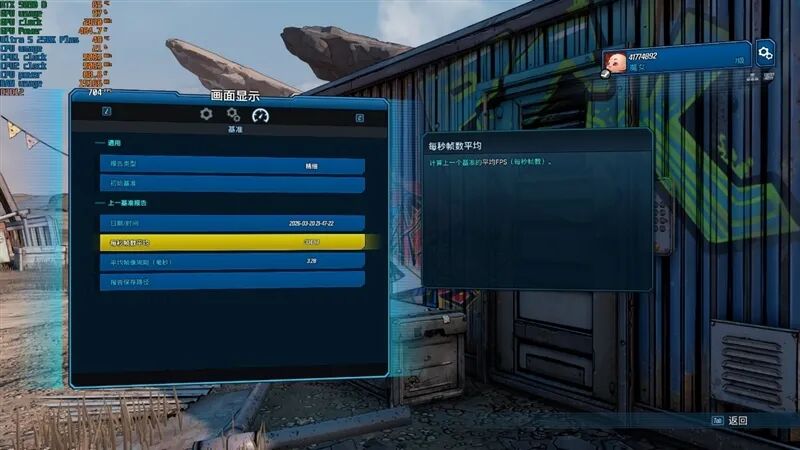
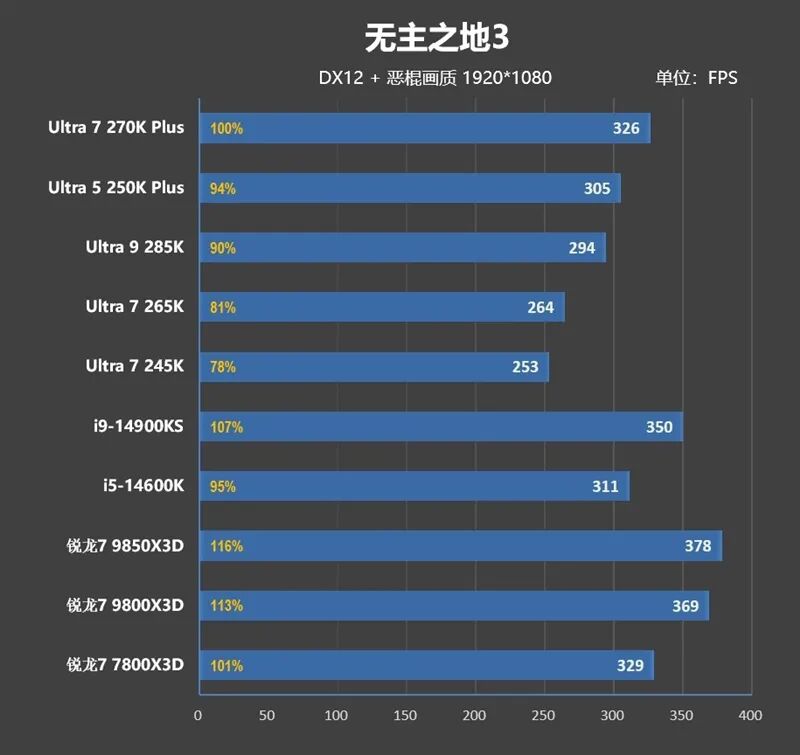
12、Borderlands 3
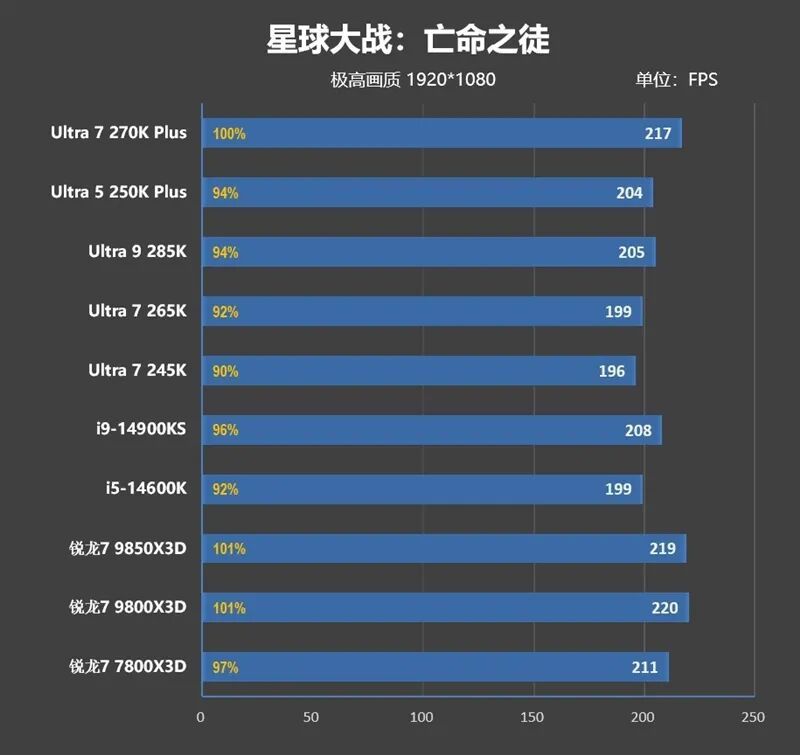
13、Star Wars Outlaws

14、Gears 5
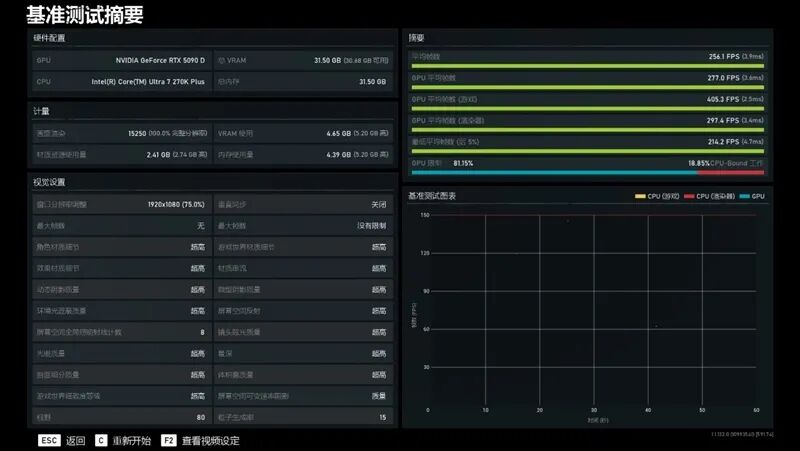
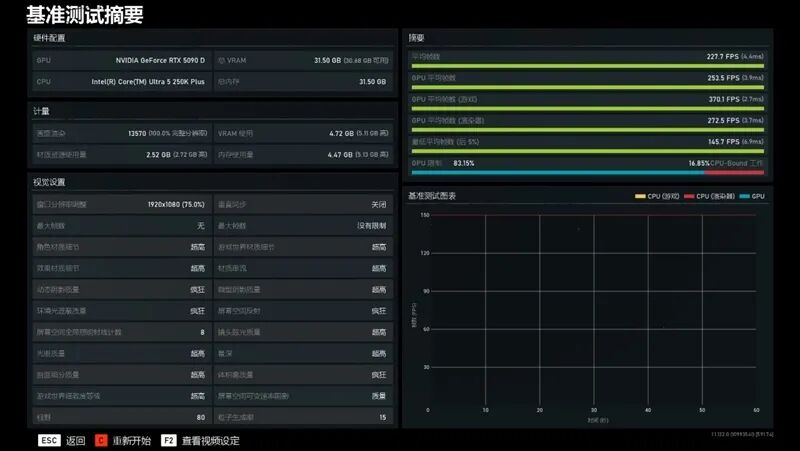
15、Middle-earth: Shadow of War

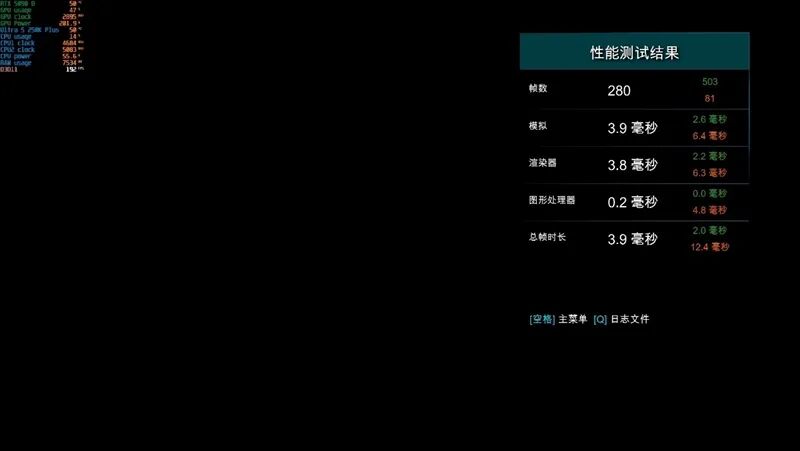
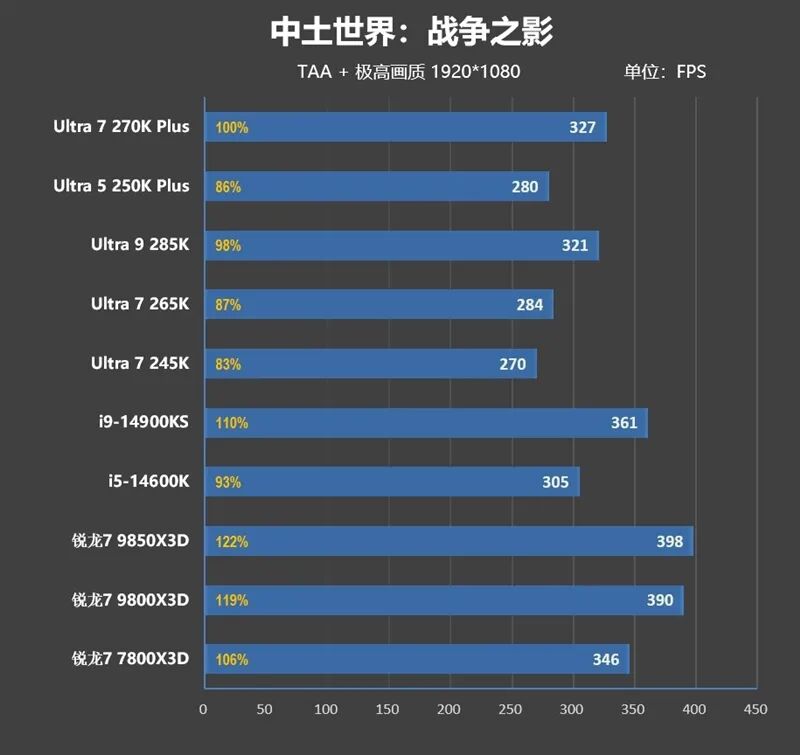
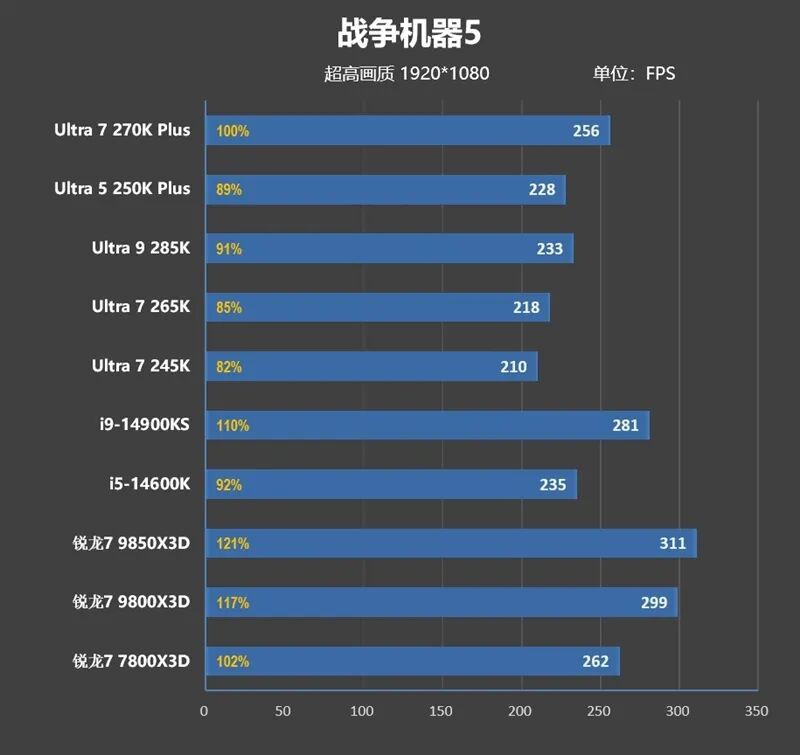
Summary of test data is as follows:
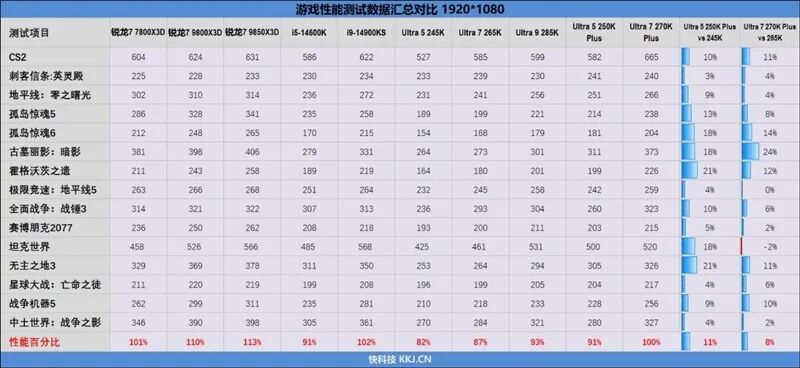
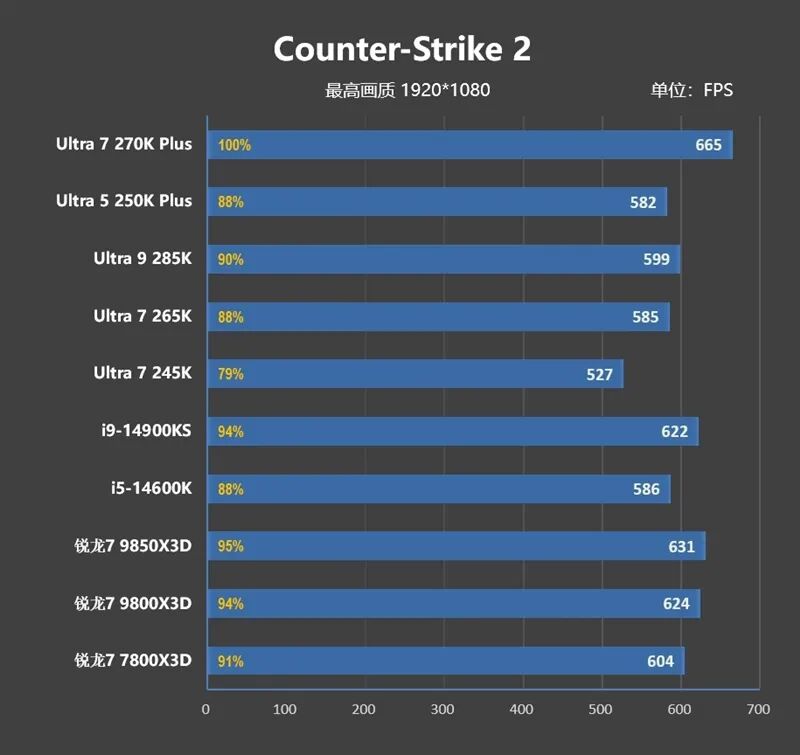
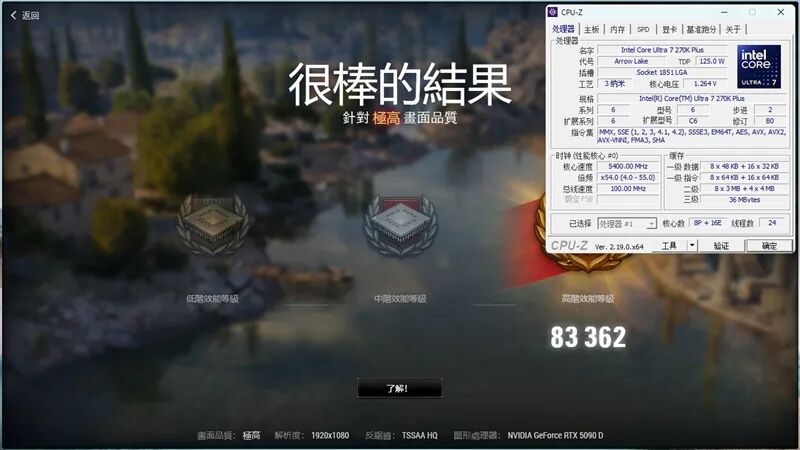
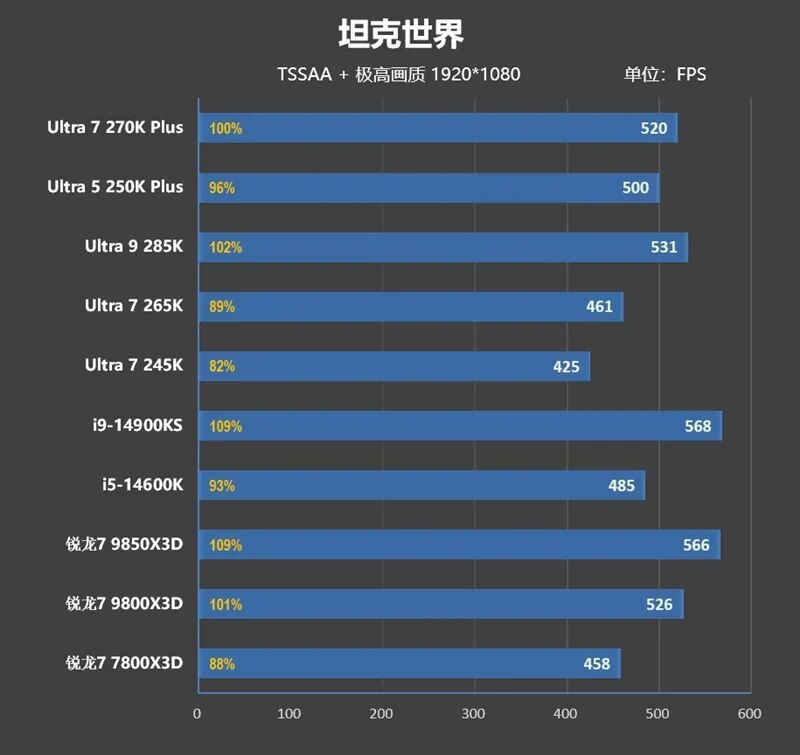
At 1080P resolution, the performance of the Ultra 7 270K Plus is 8% better than that of the Ultra 9 285K, and only 1% worse than that of the AMD Ryzen 7 7800X3D.
The gaming performance of the Ultra 5 250K Plus has improved significantly by 11%.
6. 2K Gaming Performance Test: Ultra 7 270K Plus is Almost on Par with Ryzen 7 7800X3D
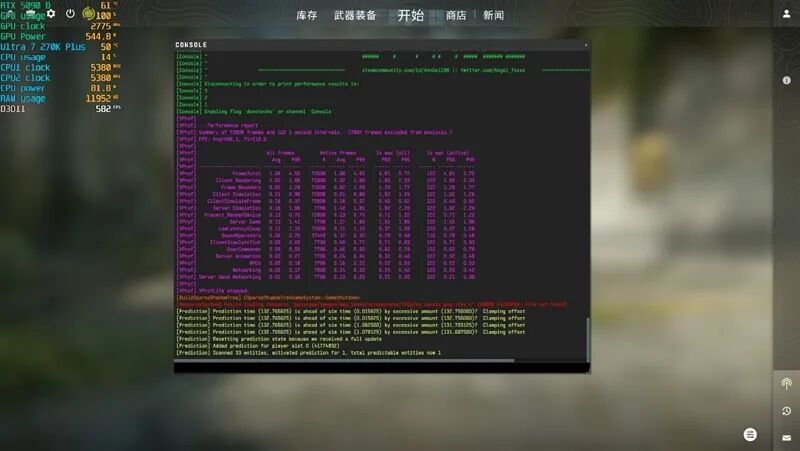
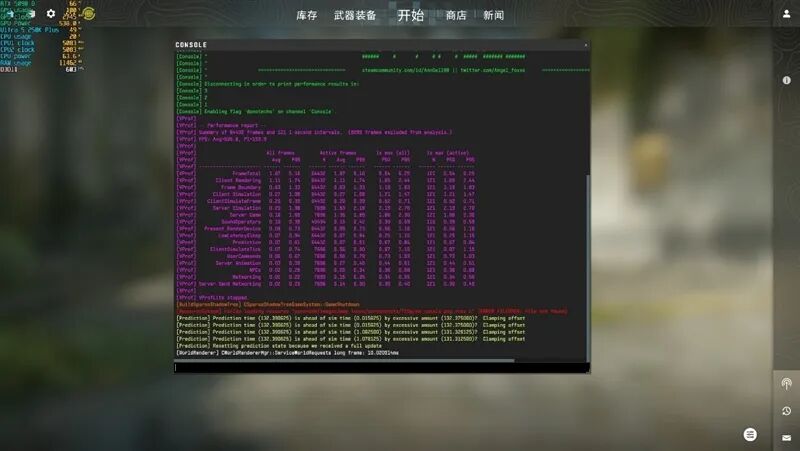
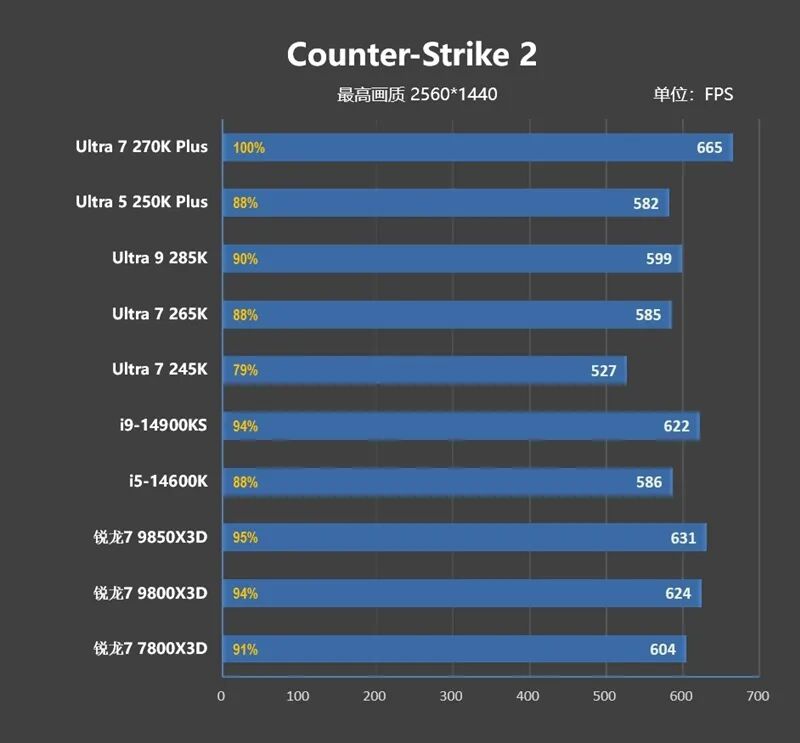
1、Counter-Strike 2
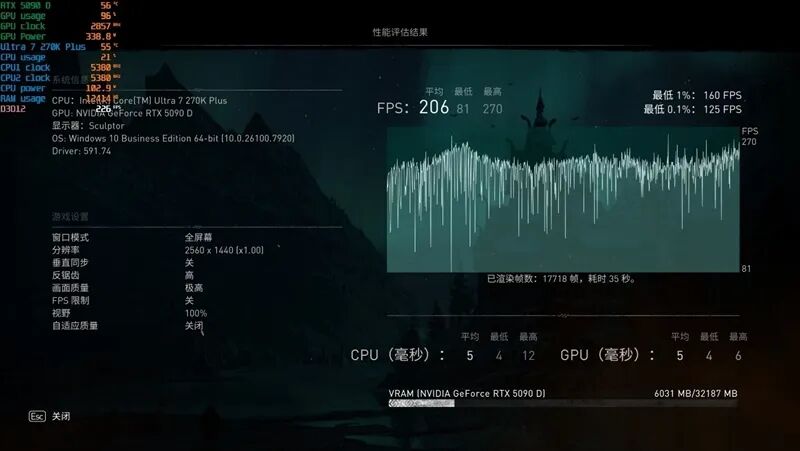
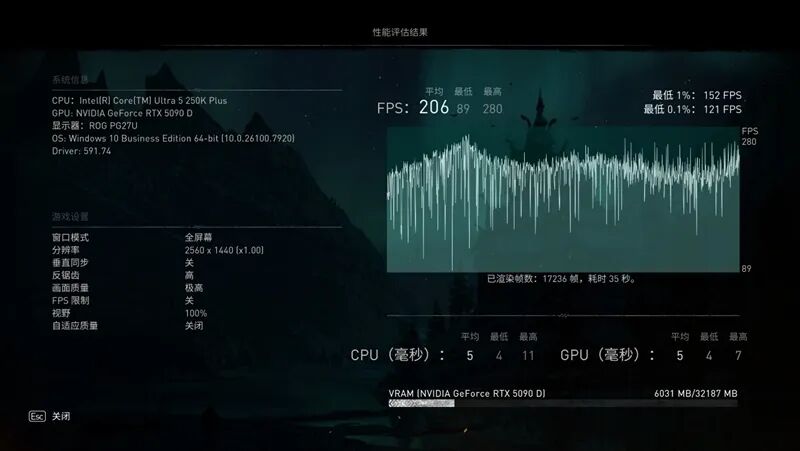
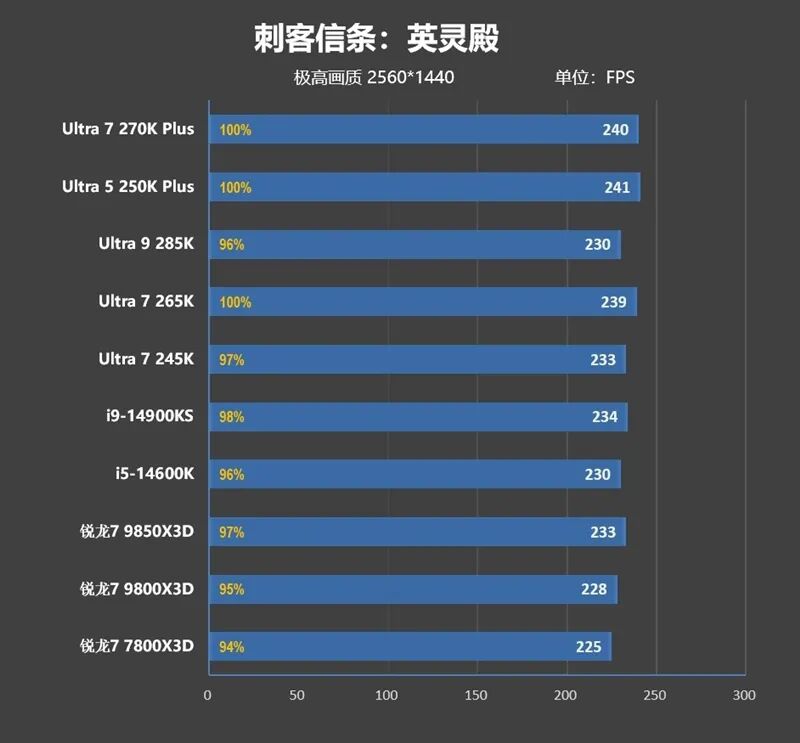
2、Assassin's Creed: Valhalla
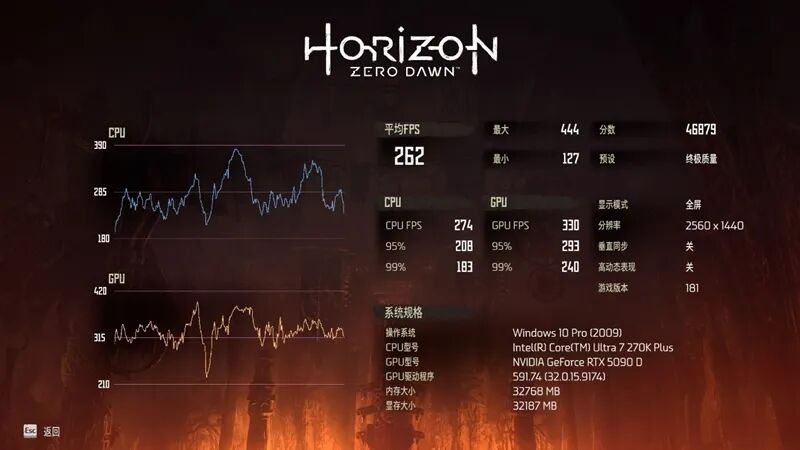
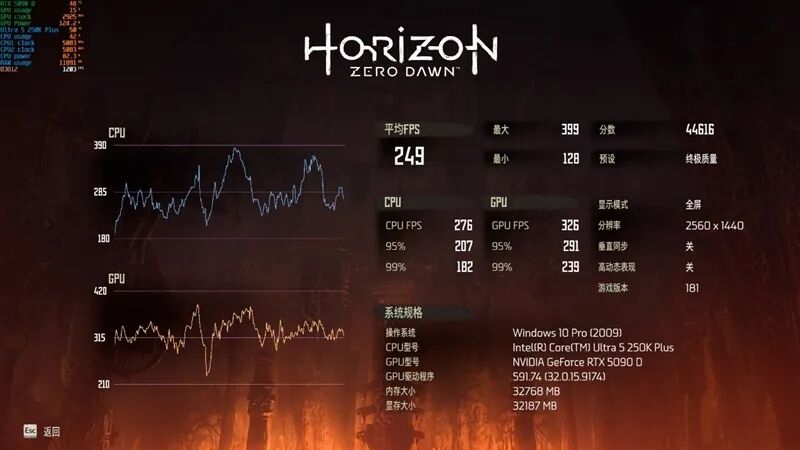
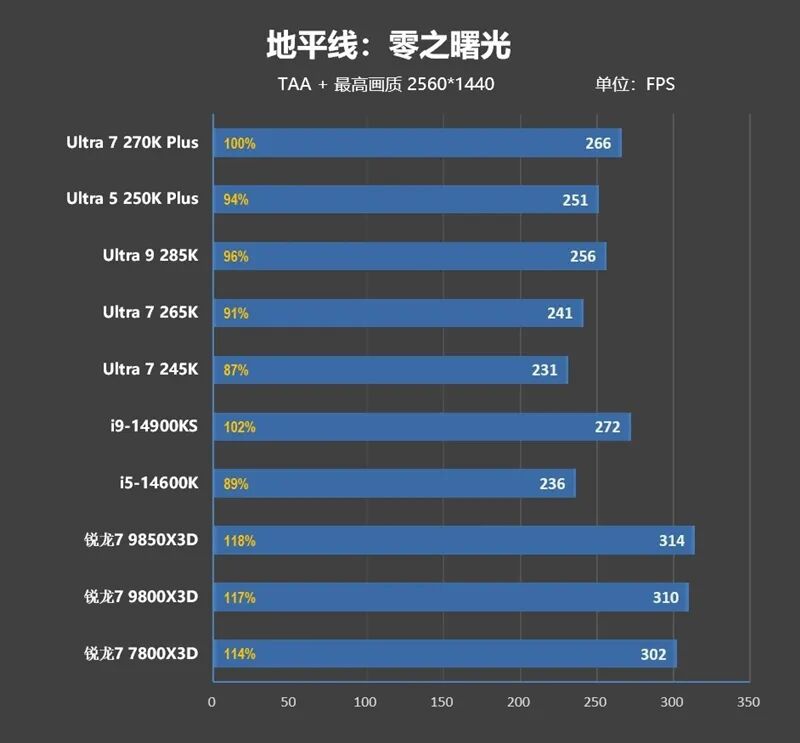
3、Horizon Zero Dawn
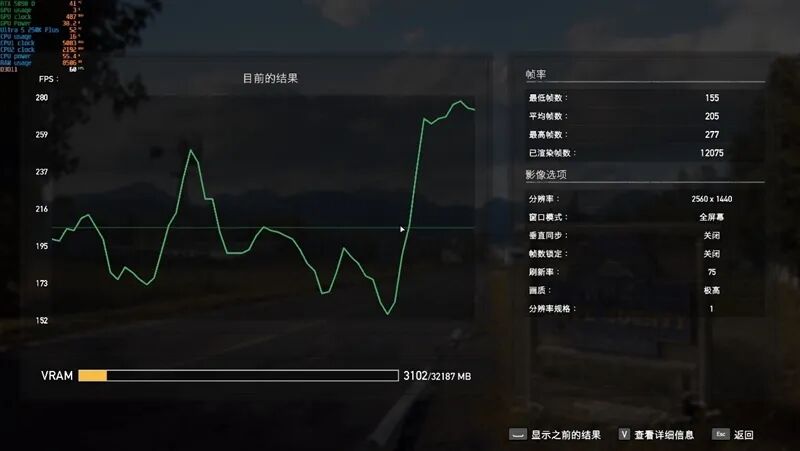
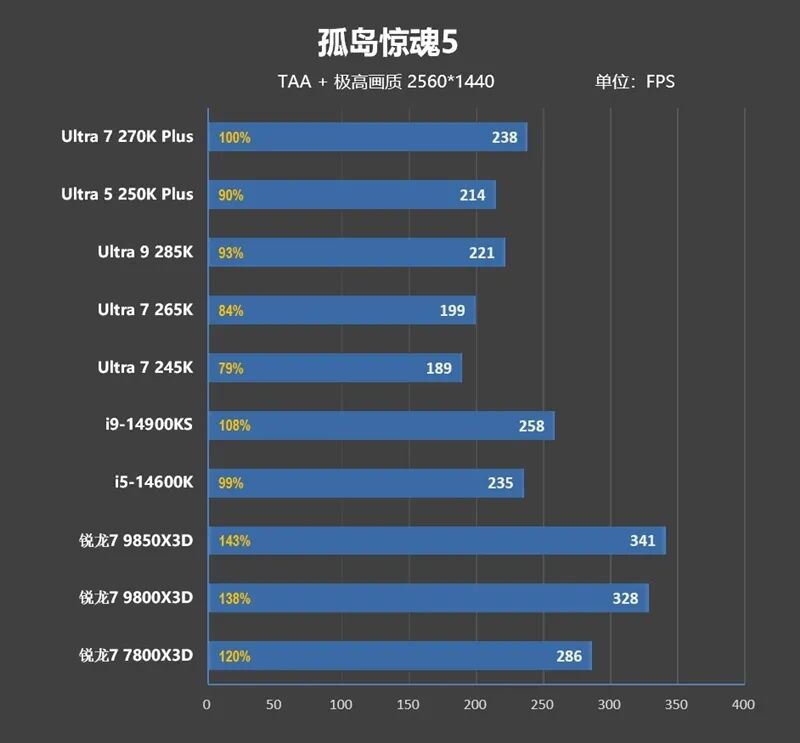
4、Far Cry 5
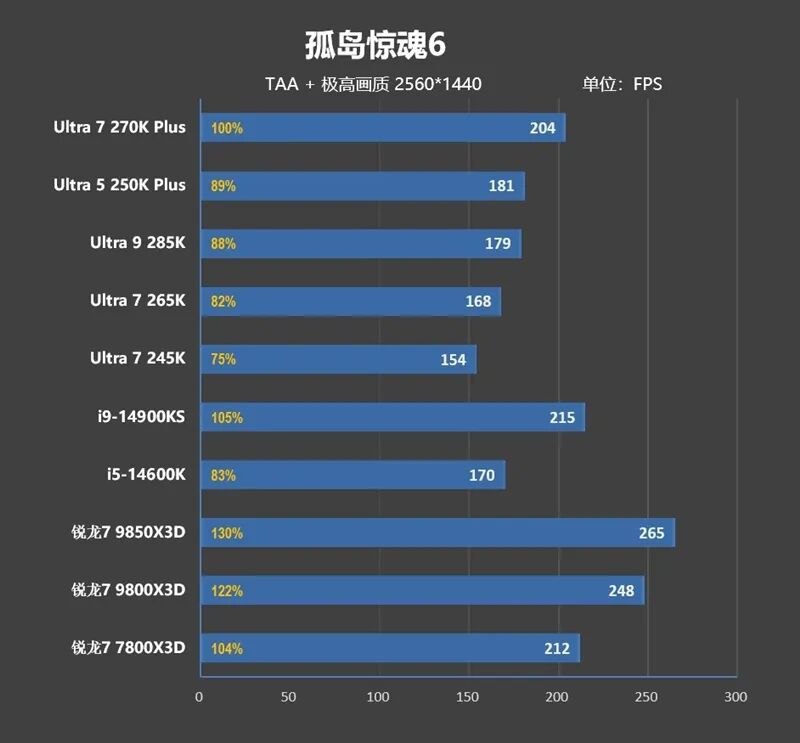
5、Far Cry 6
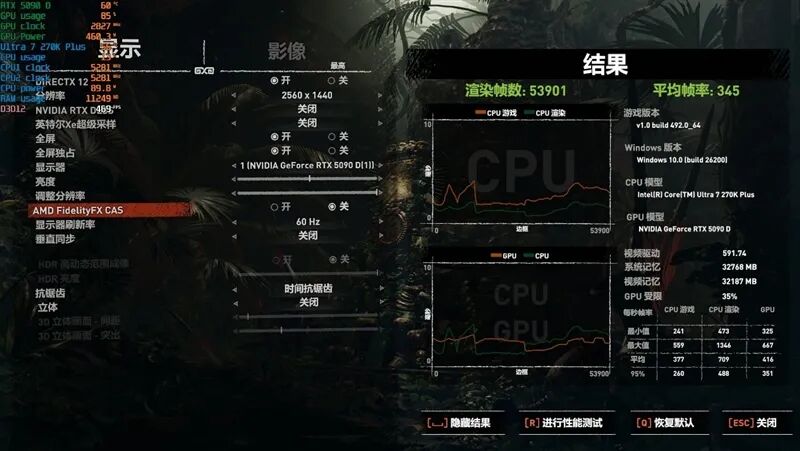
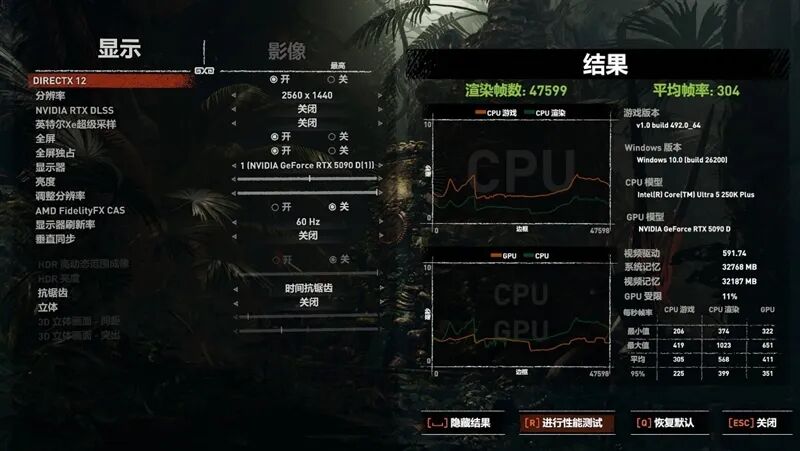
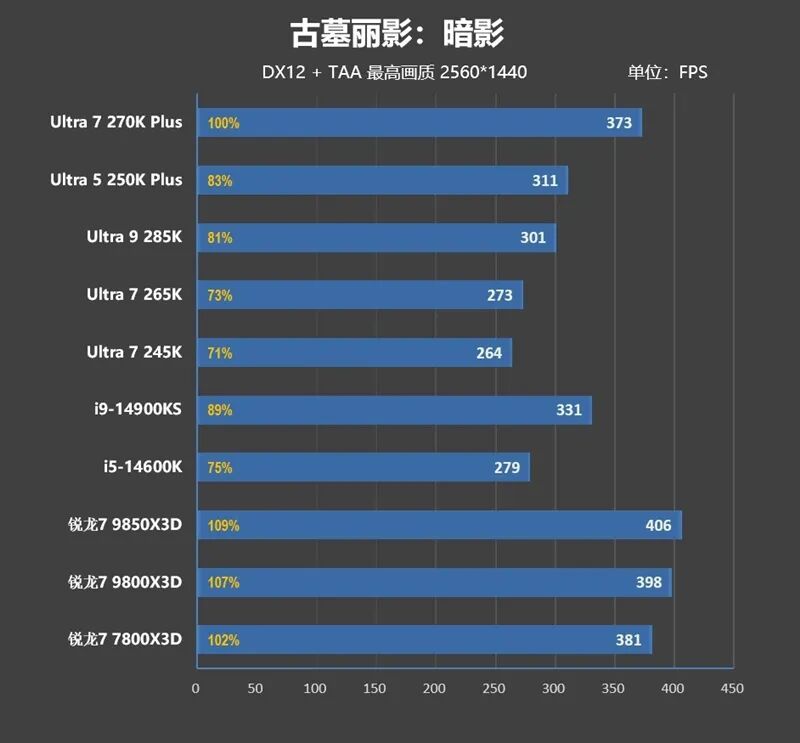
6、Shadow of the Tomb Raider
7、Hogwarts Legacy


8、Forza Horizon 5
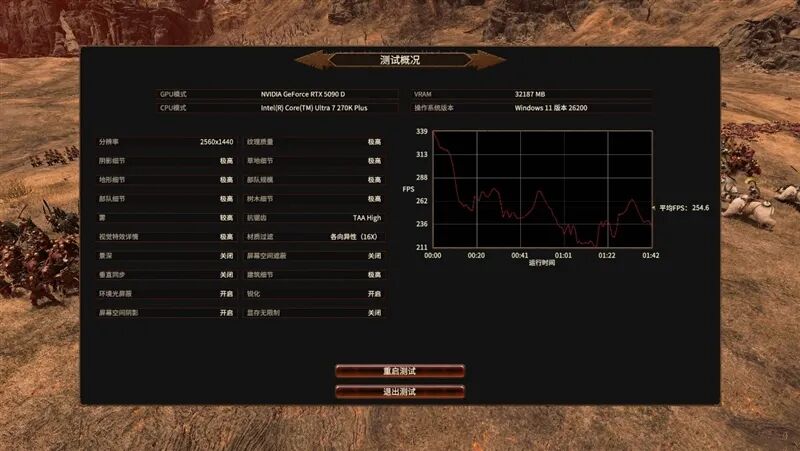
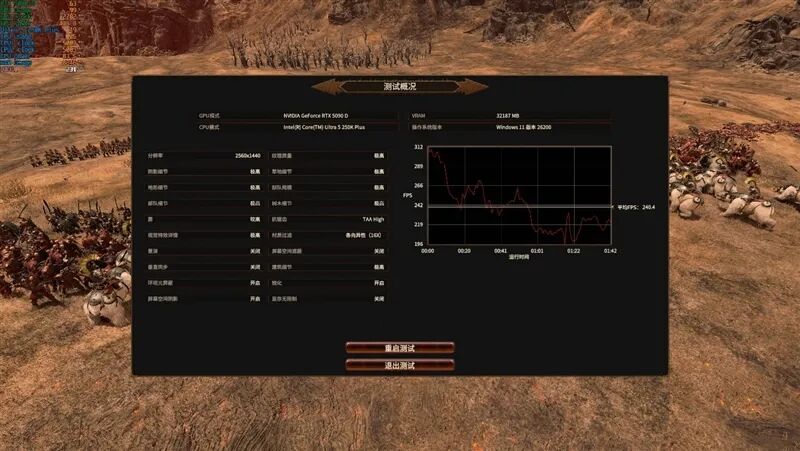
9、Total War: Warhammer III
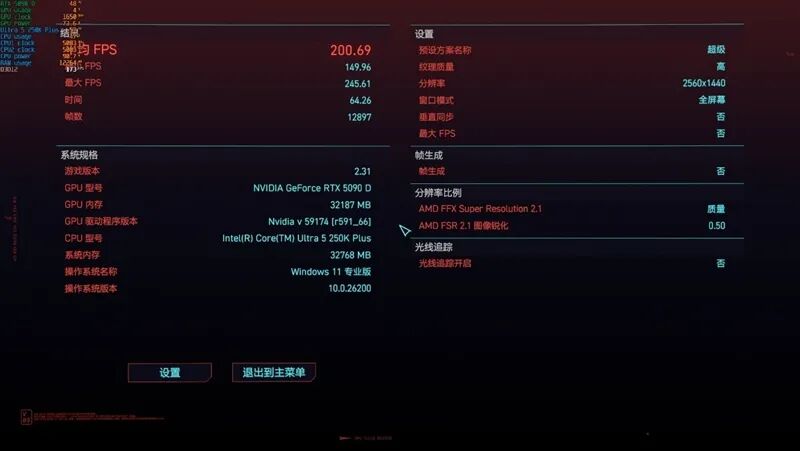
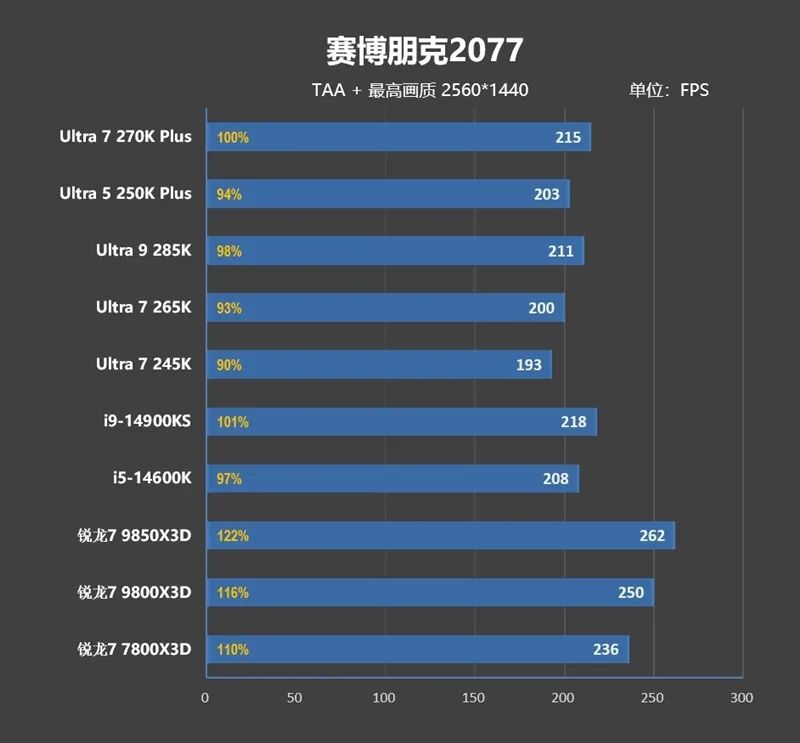
10、Cyberpunk 2077
11、World of Tanks

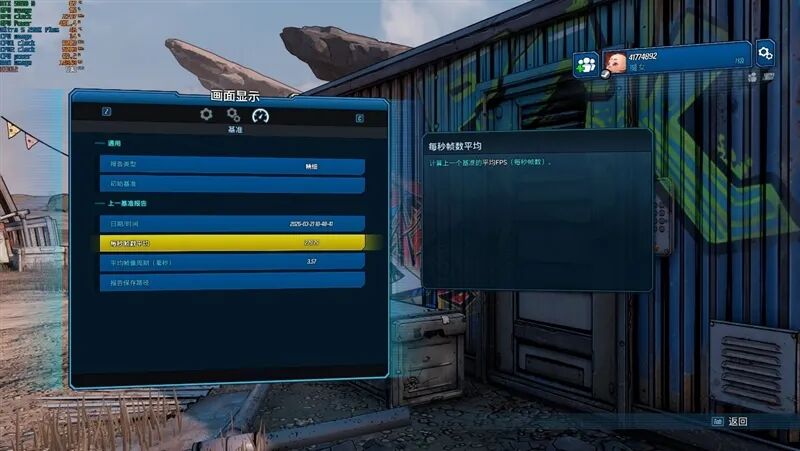
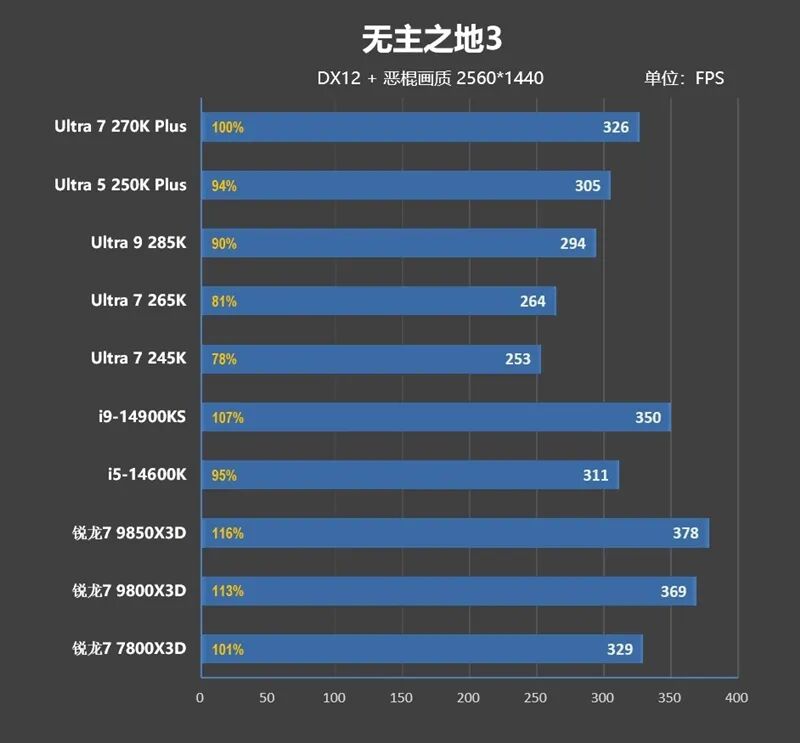
12、Borderlands 3

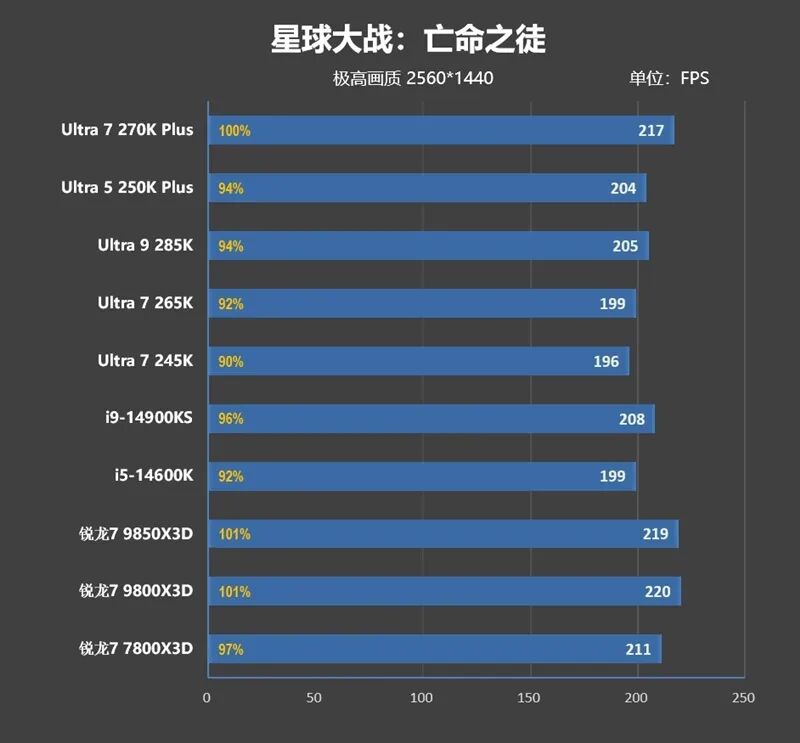
13、Star Wars: Outlaws

14、Gears 5
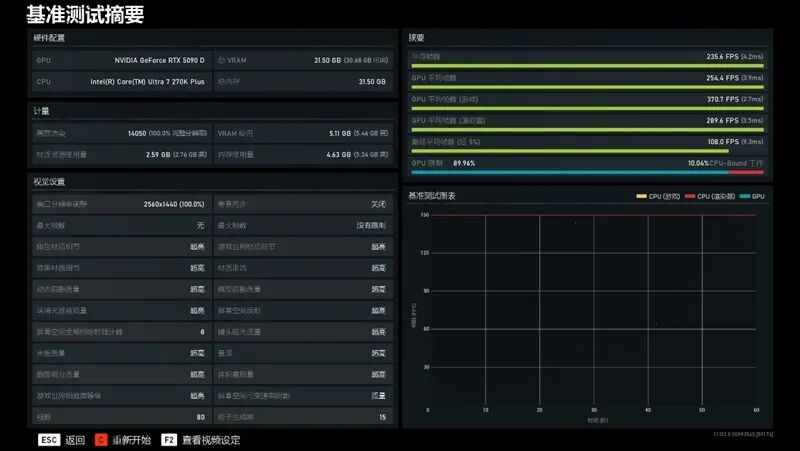
15、Middle-earth: Shadow of War

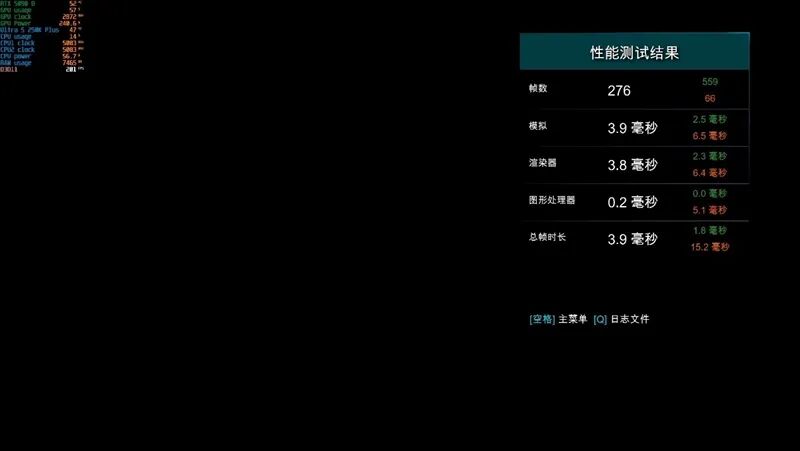
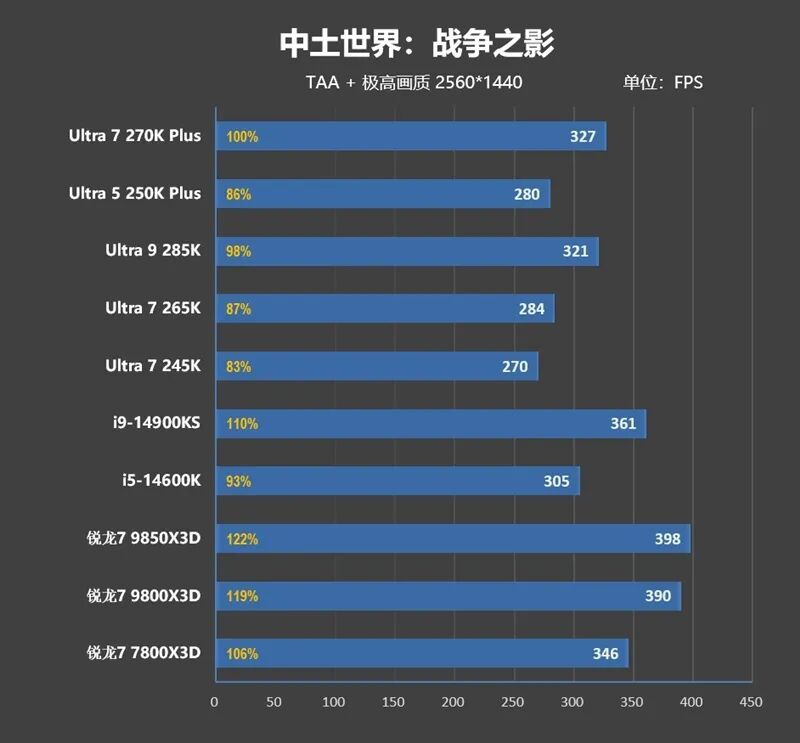
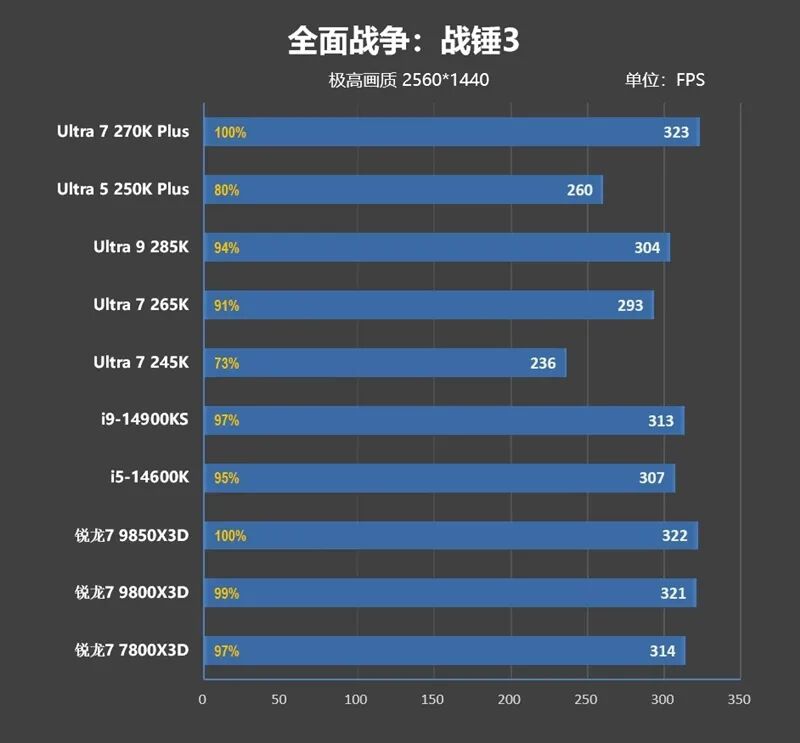
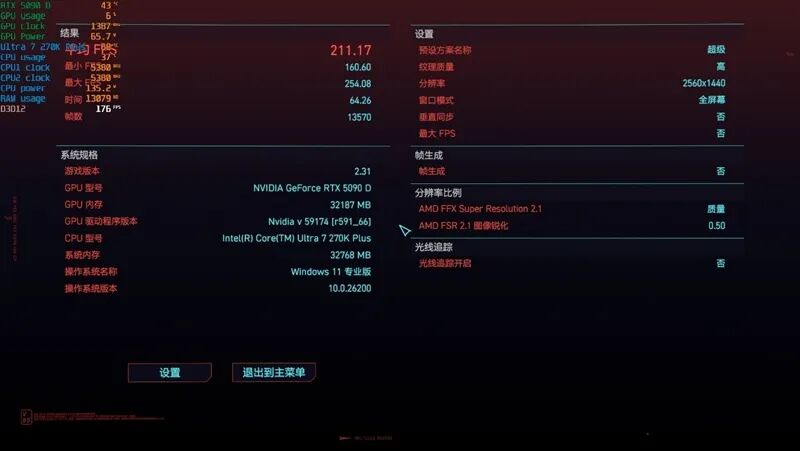
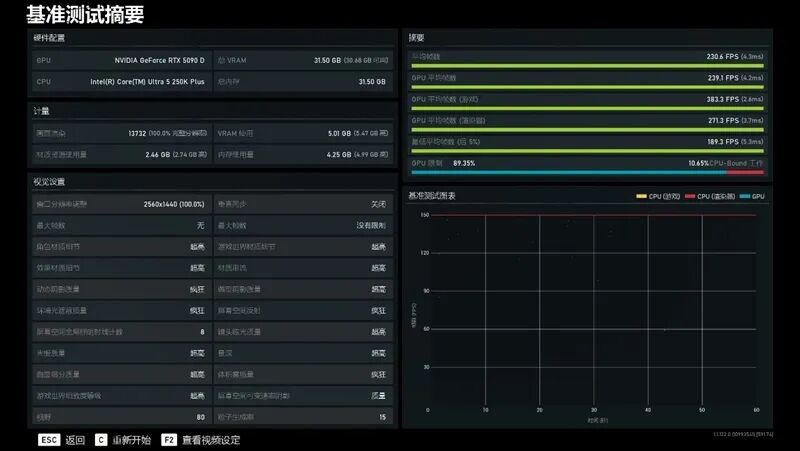
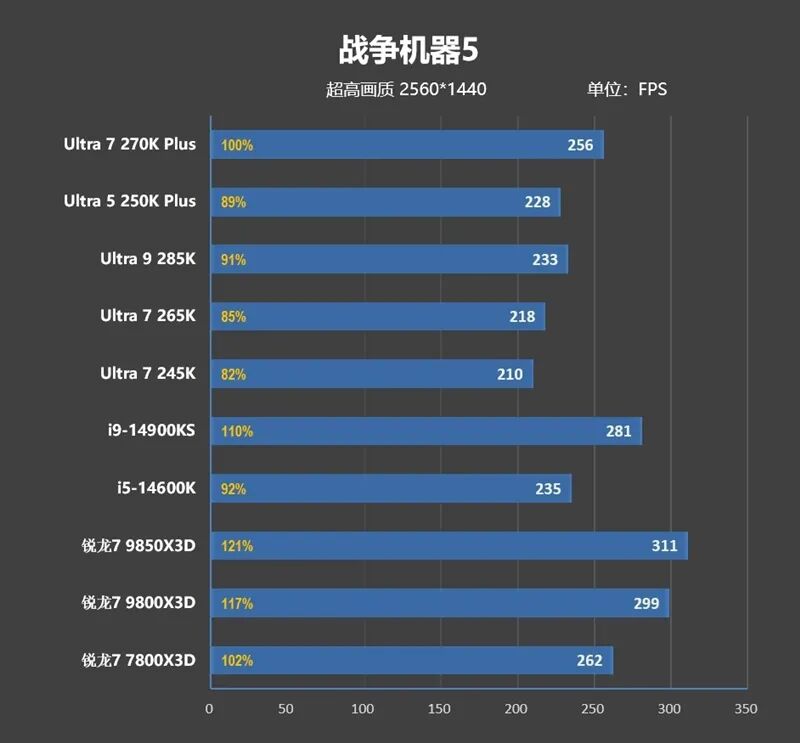
The summarized test data is as follows:
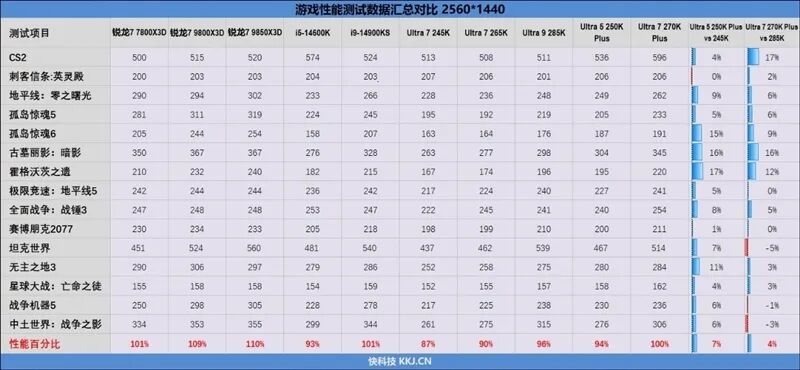
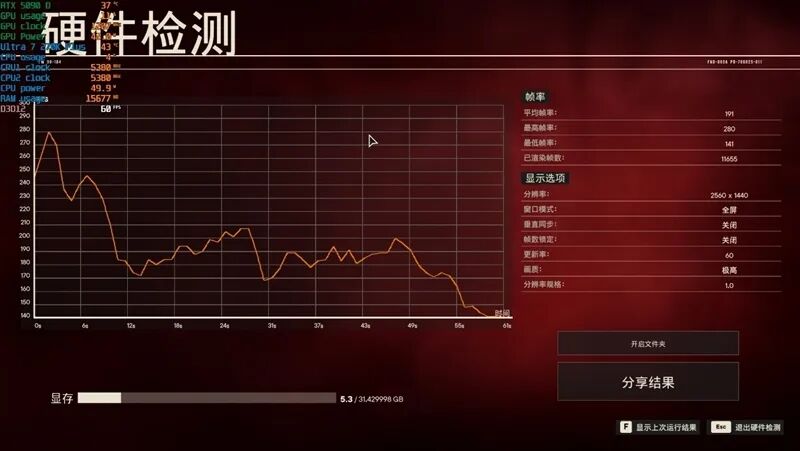
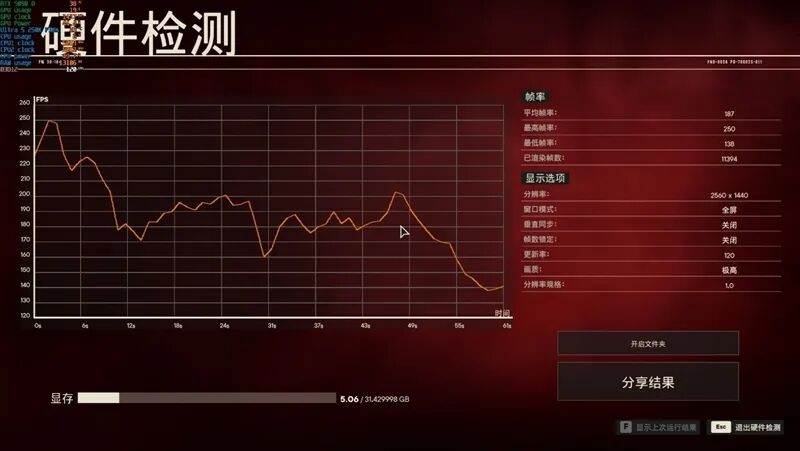
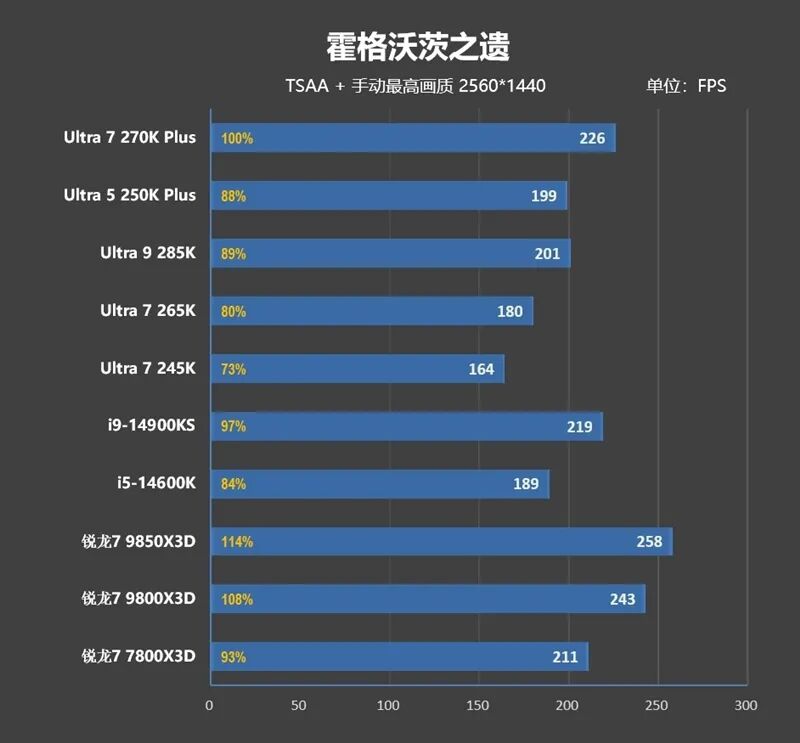
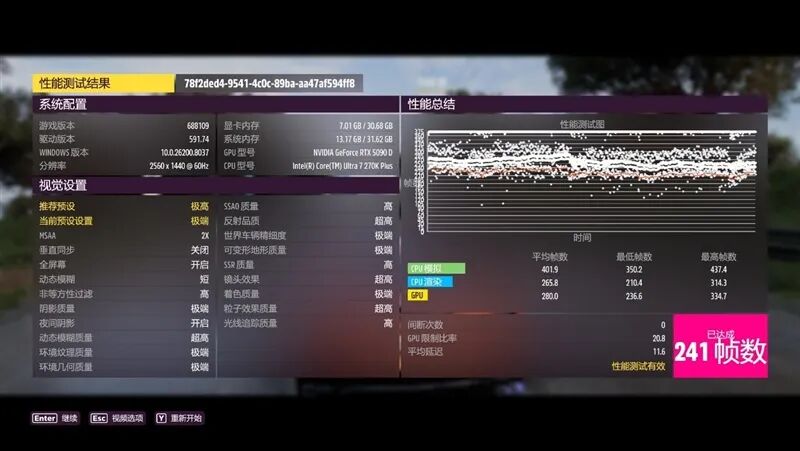
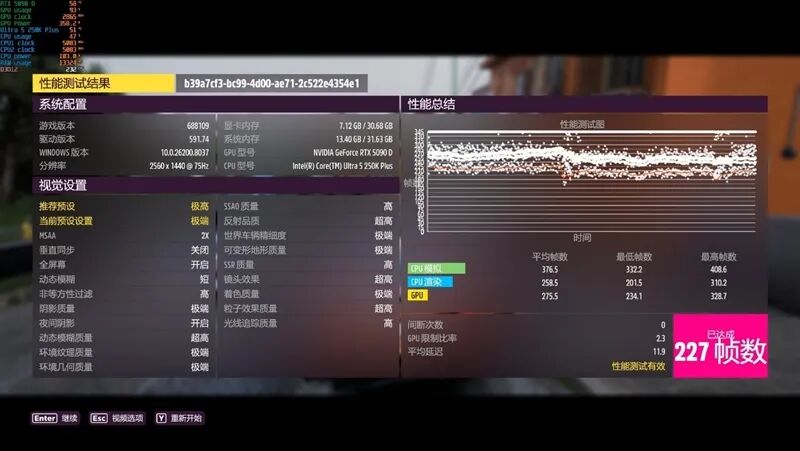
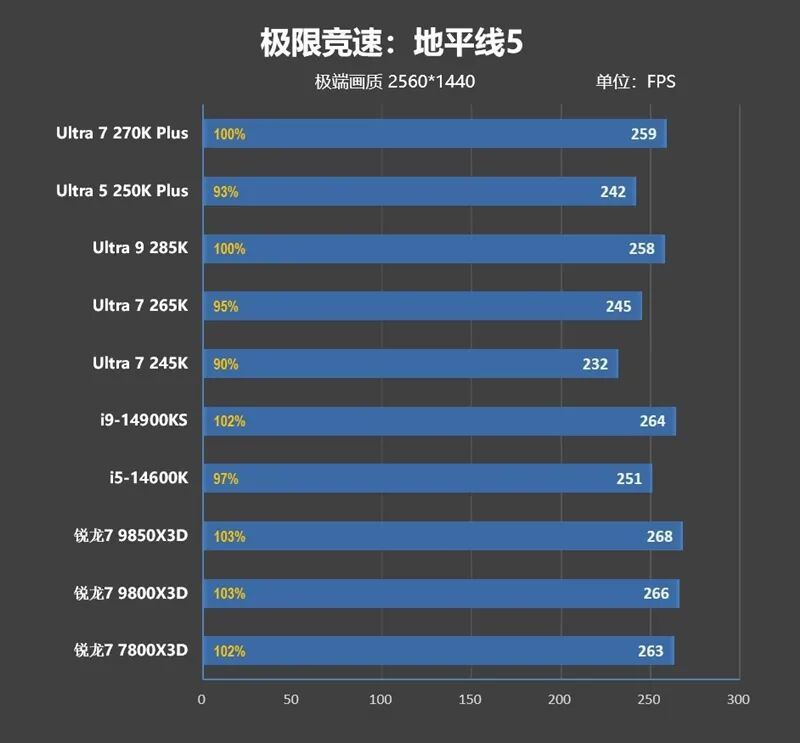
At 2K resolution, the performance improvement of the Ultra 7 270K Plus dropped from 8% to 4%, and its overall performance remains comparable to that of the Ryzen 7 7800X3D, being only 1% weaker.
VII. Frame Rate Comparison of RTX 5070 Ti with Ryzen 7 9850X3D in Games:
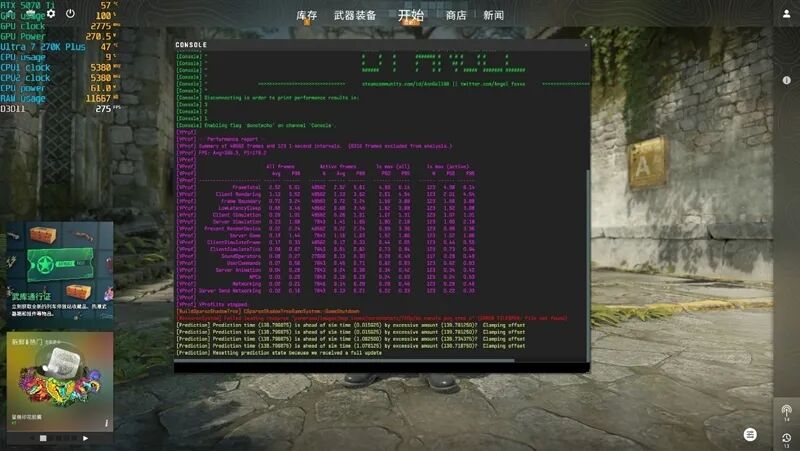
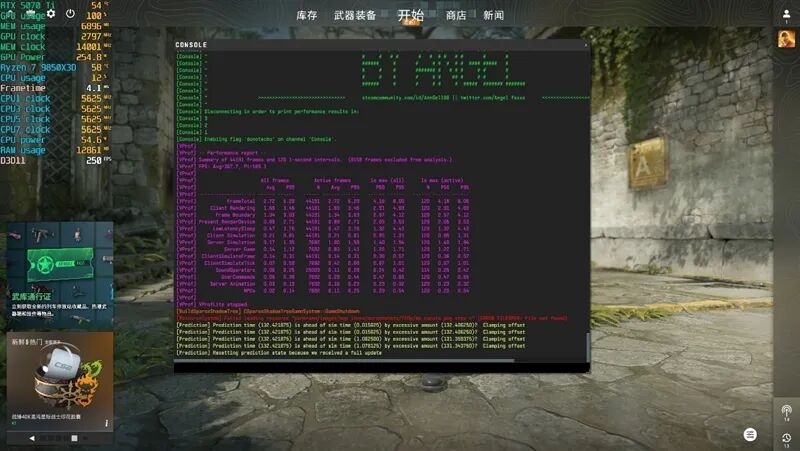
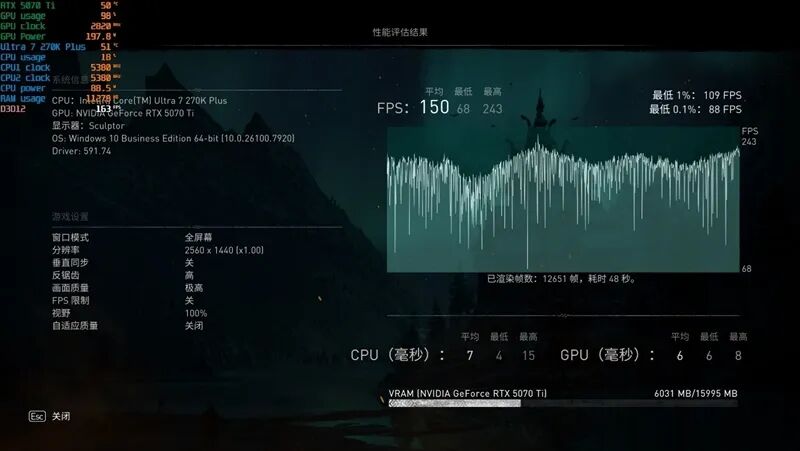
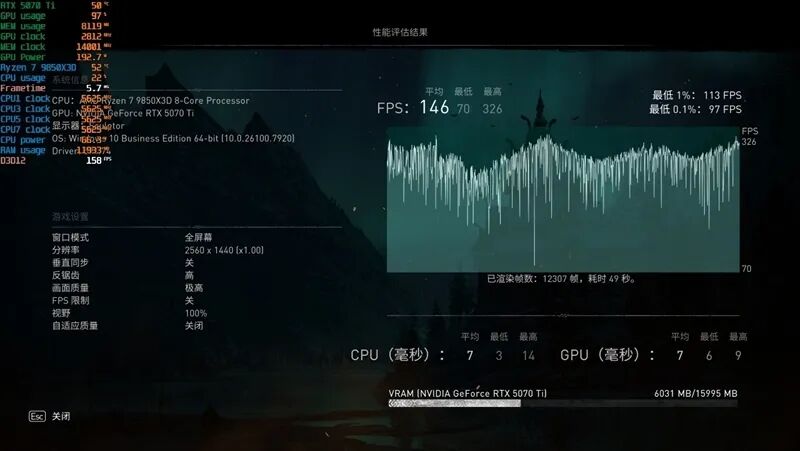
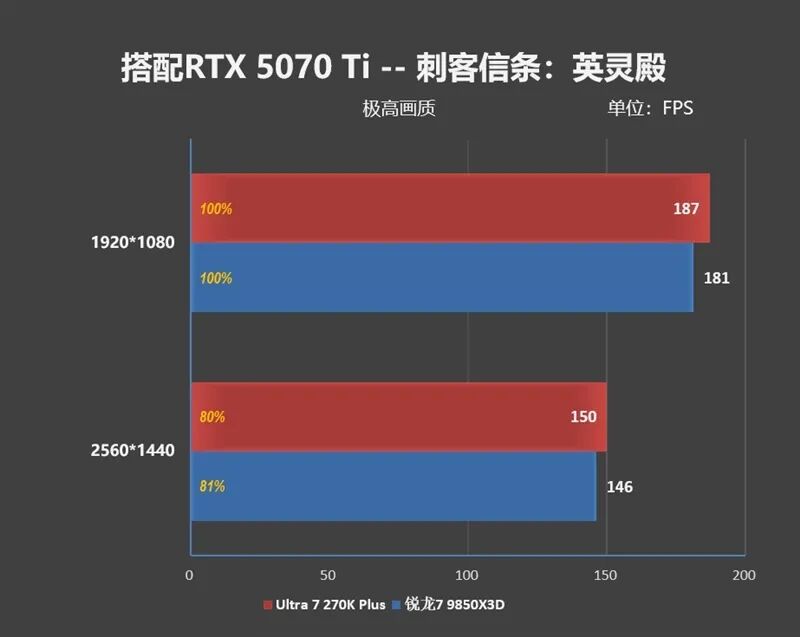
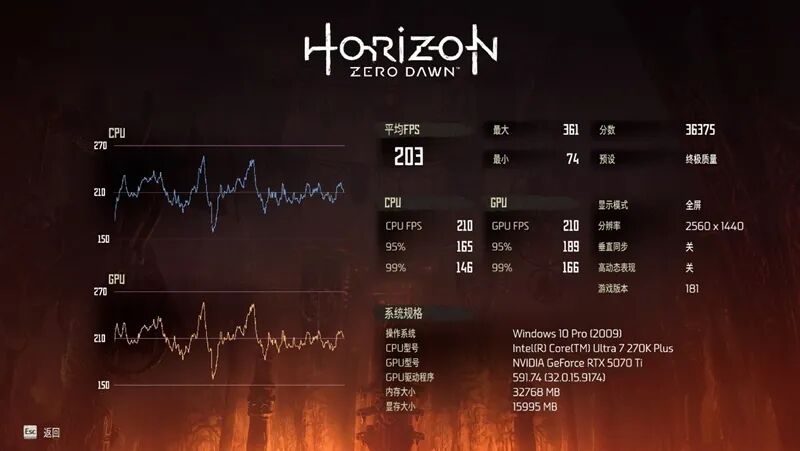
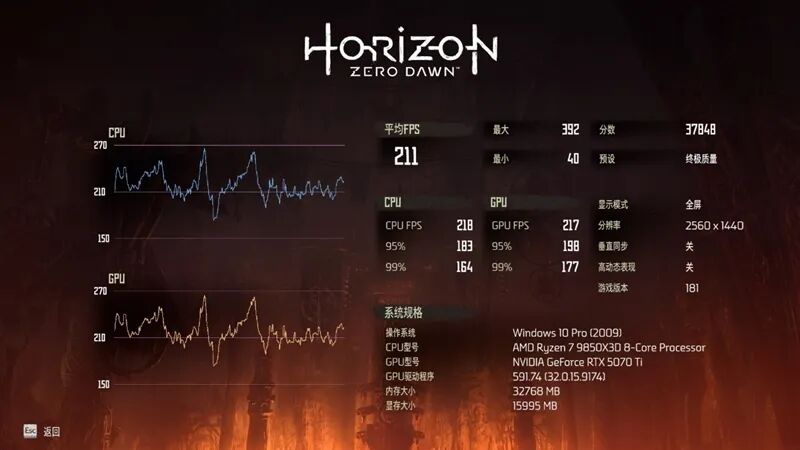
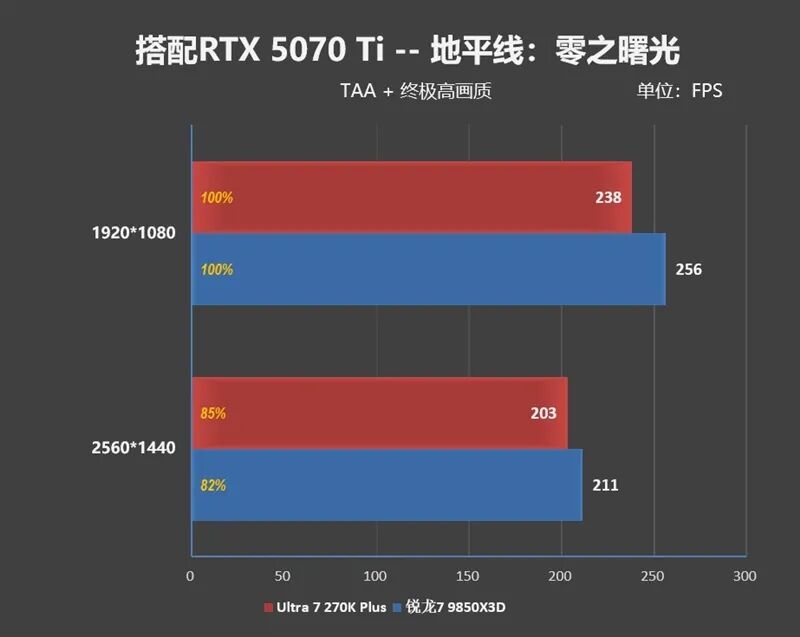
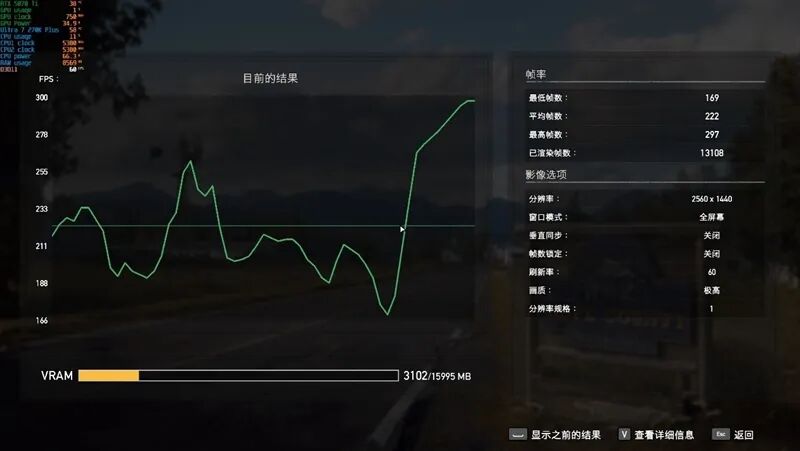
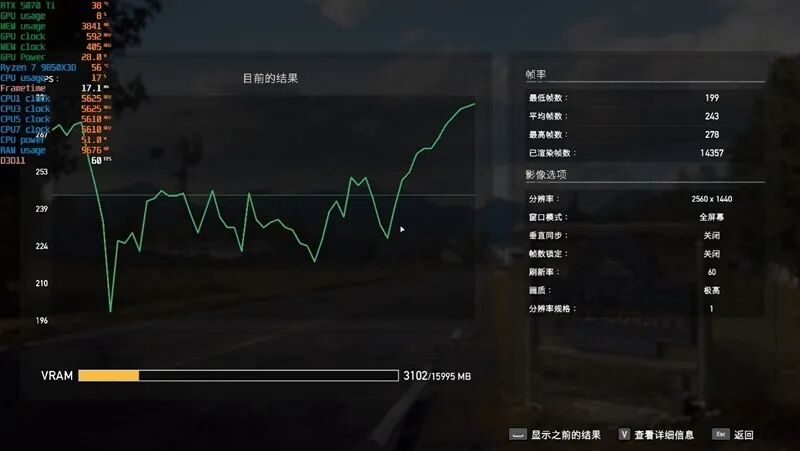
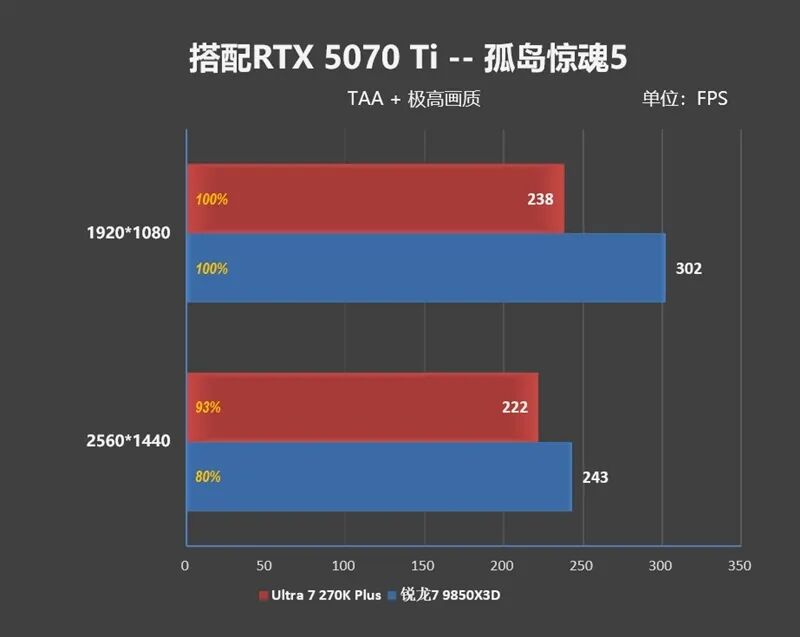
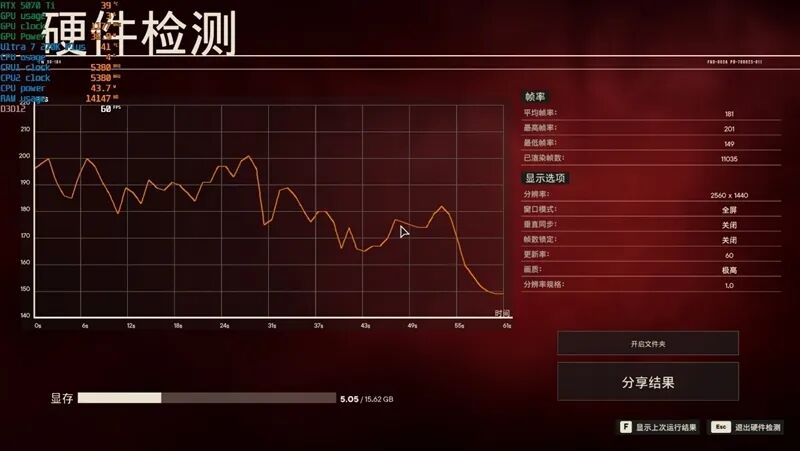
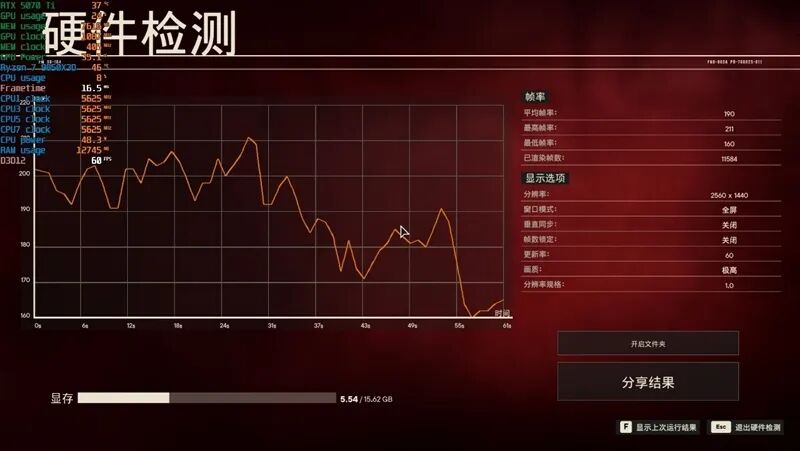
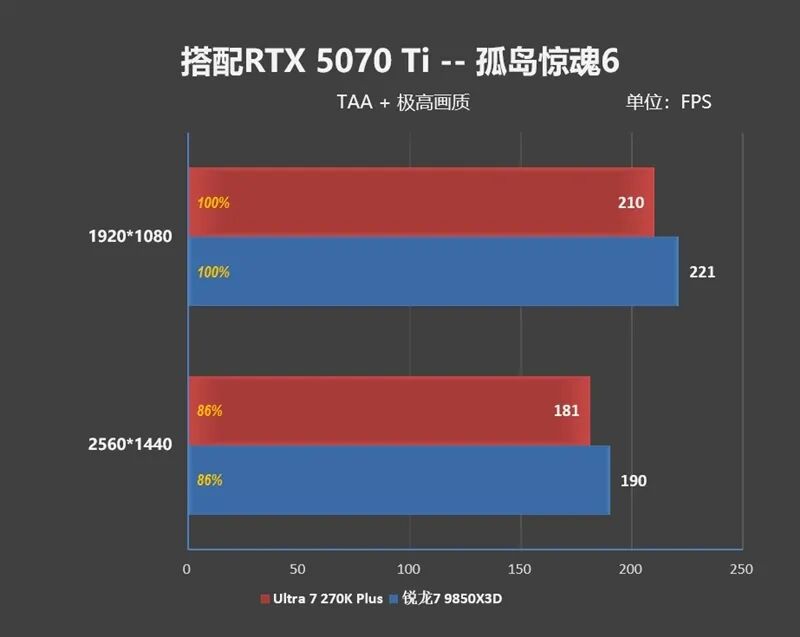
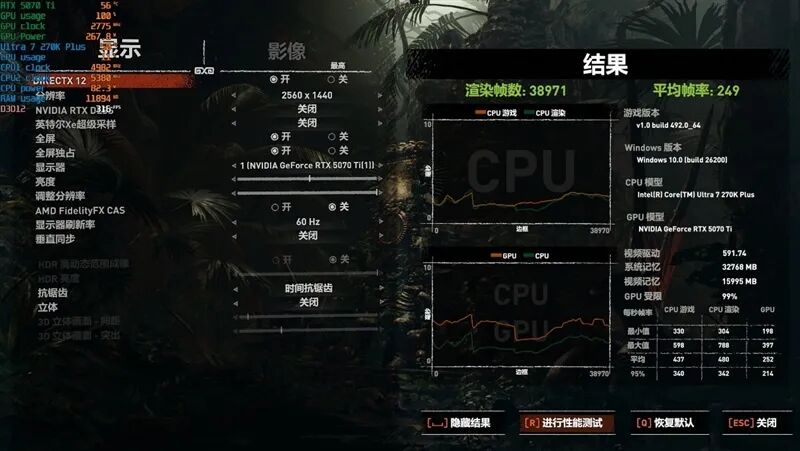
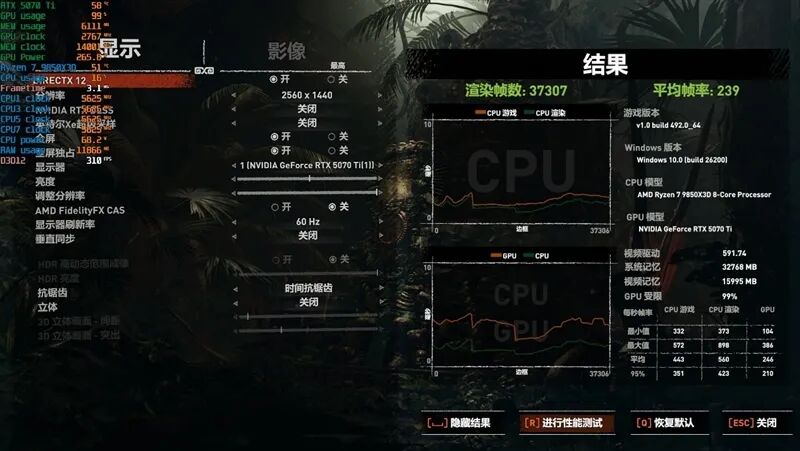
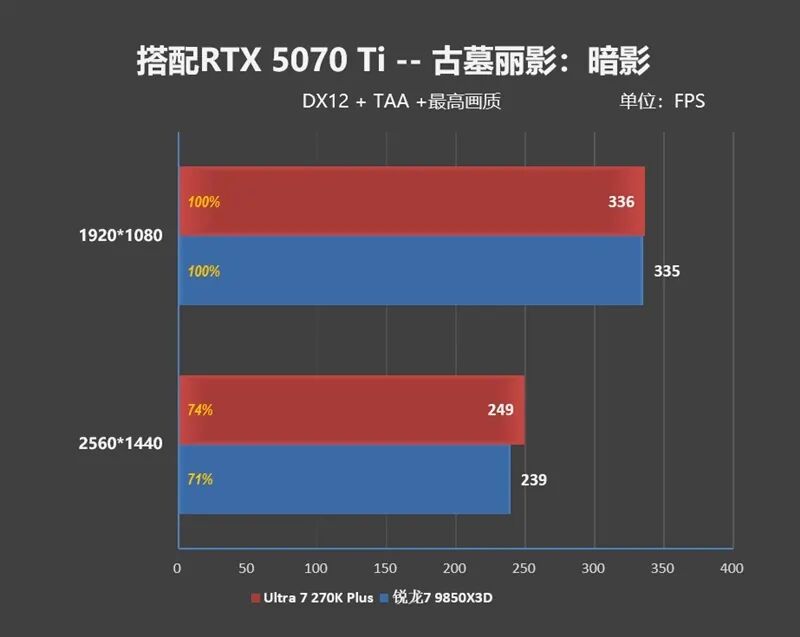
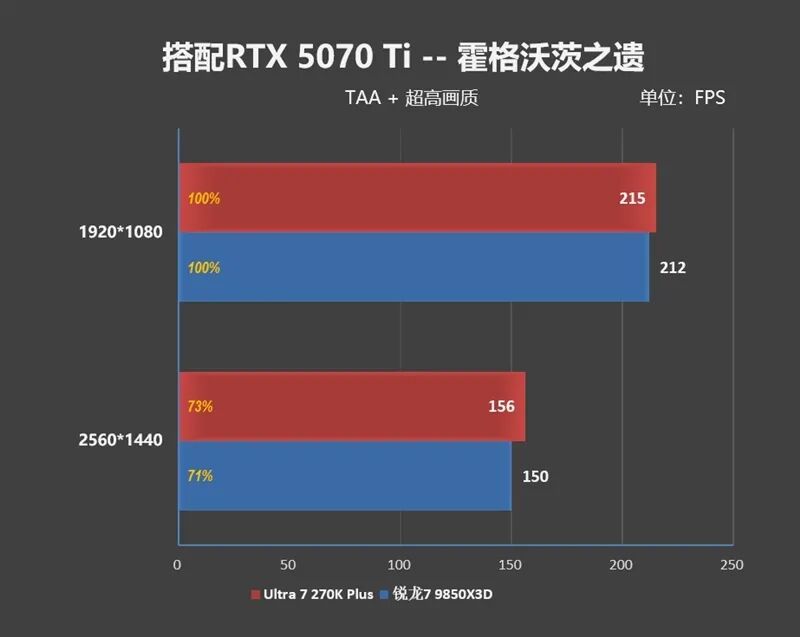
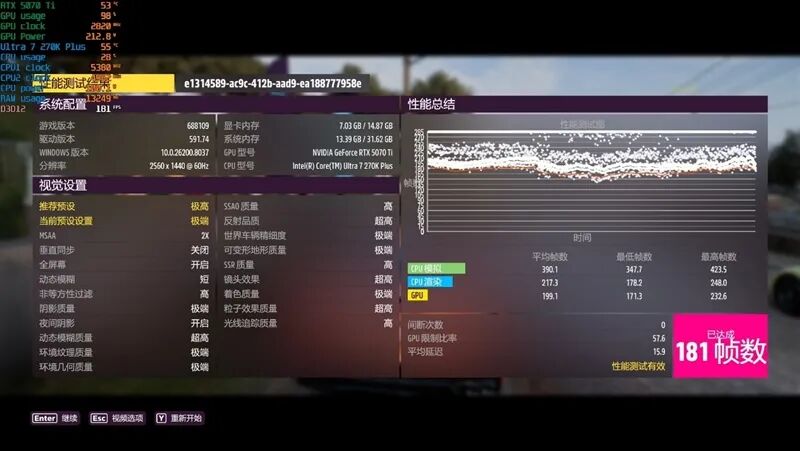
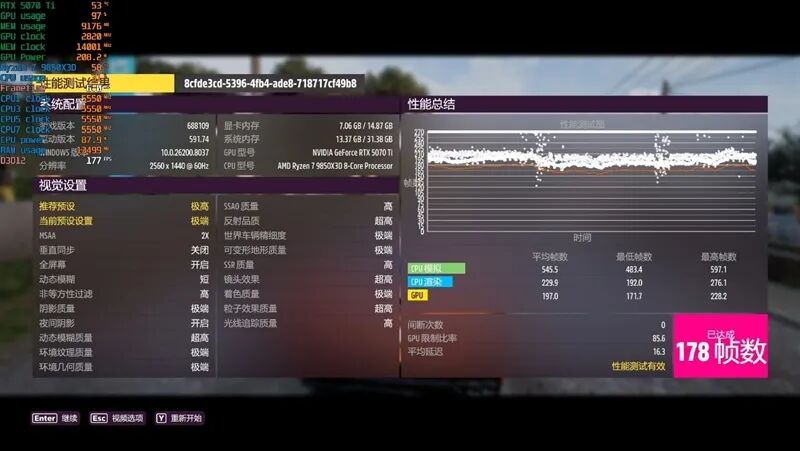
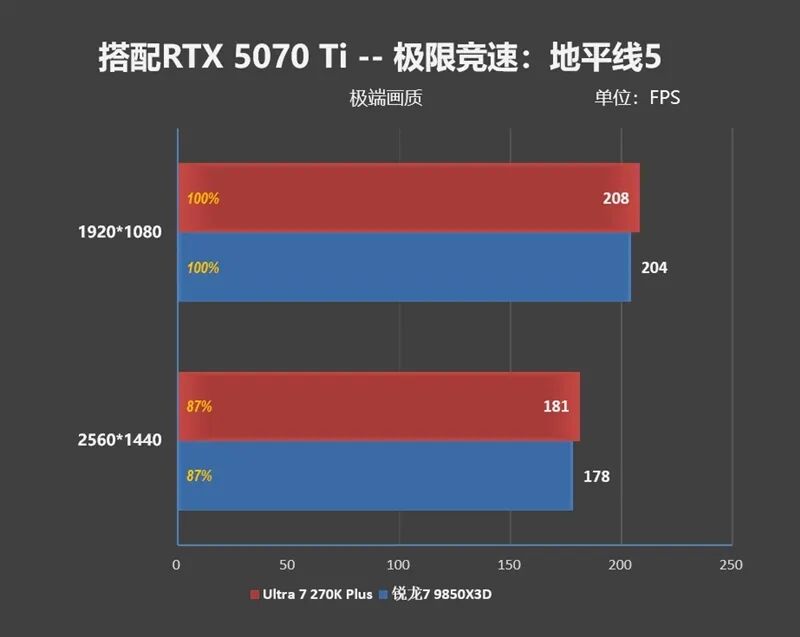
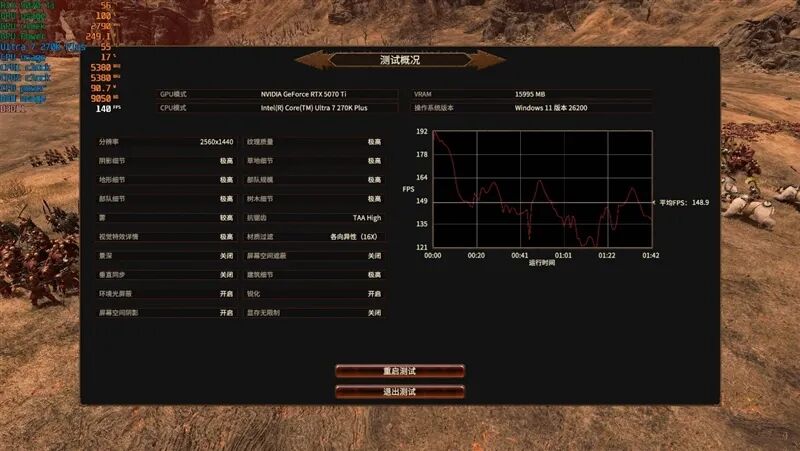
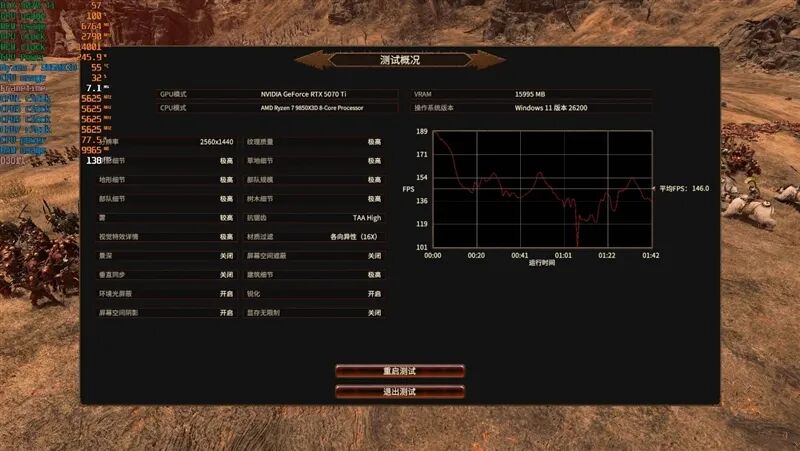
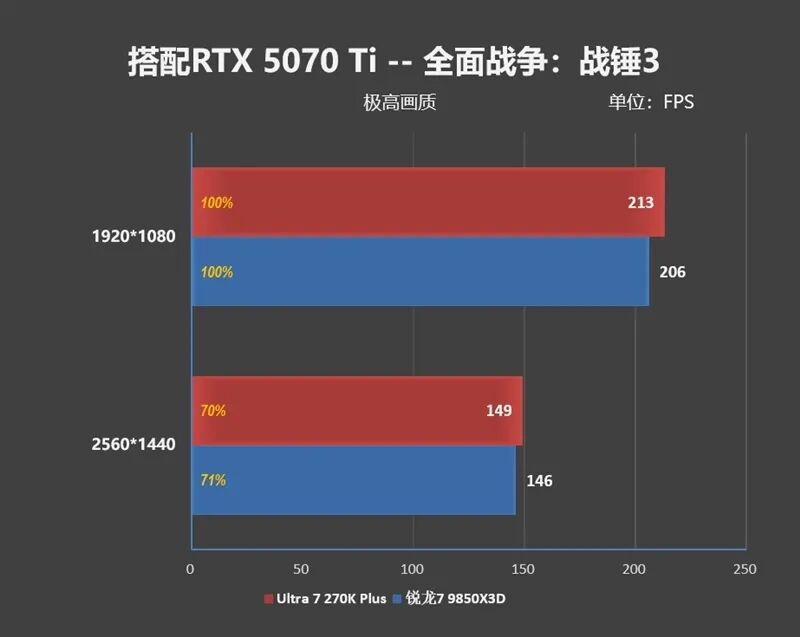
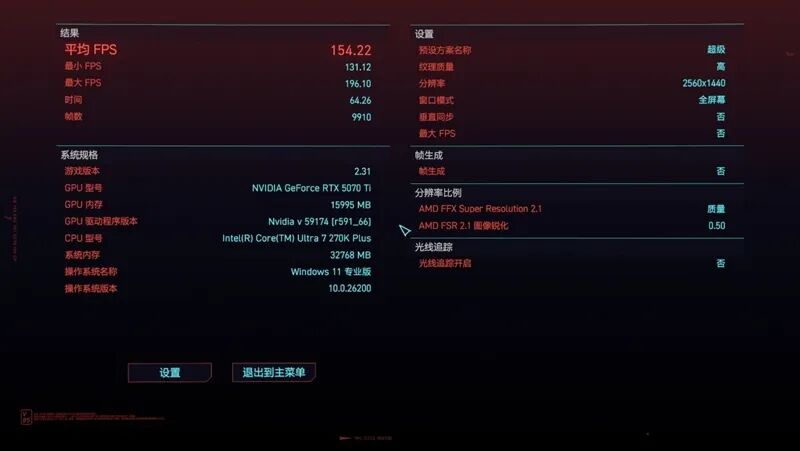
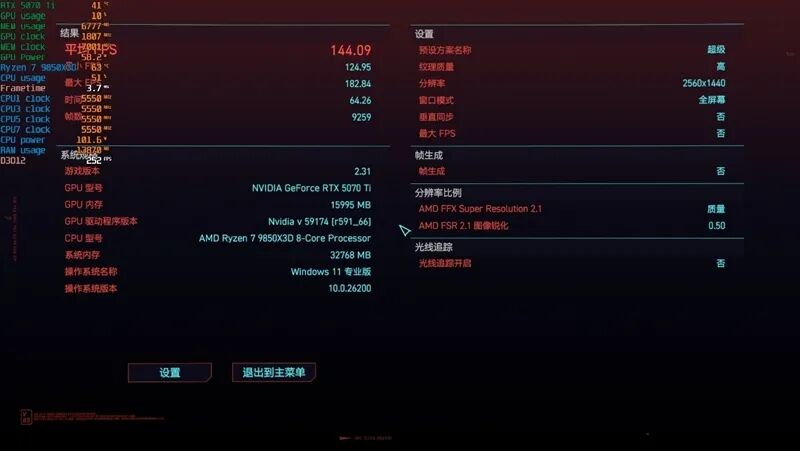
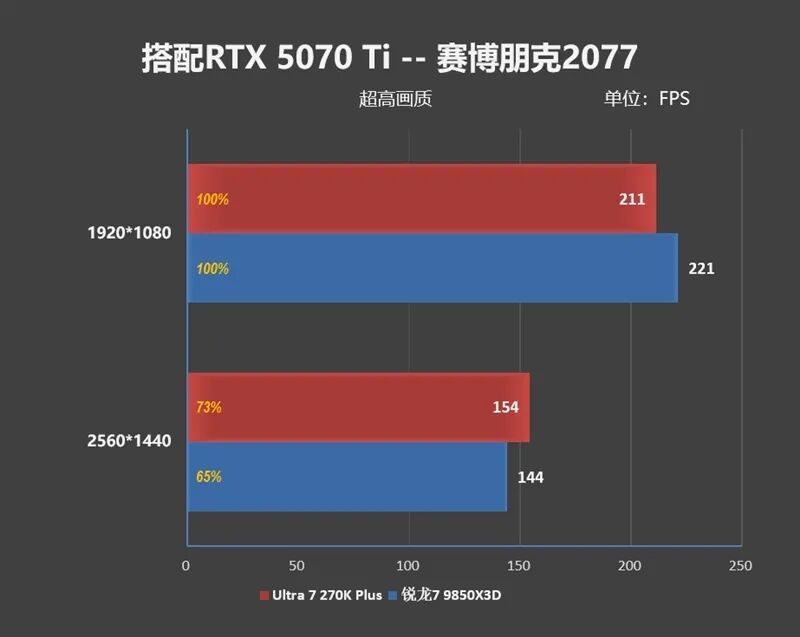
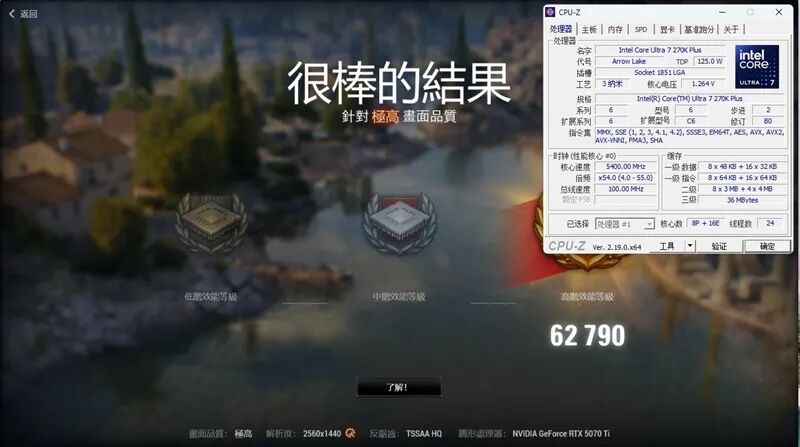
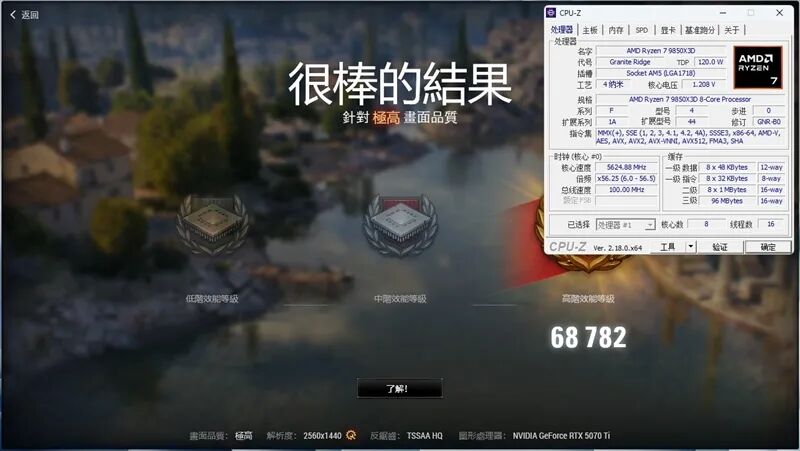
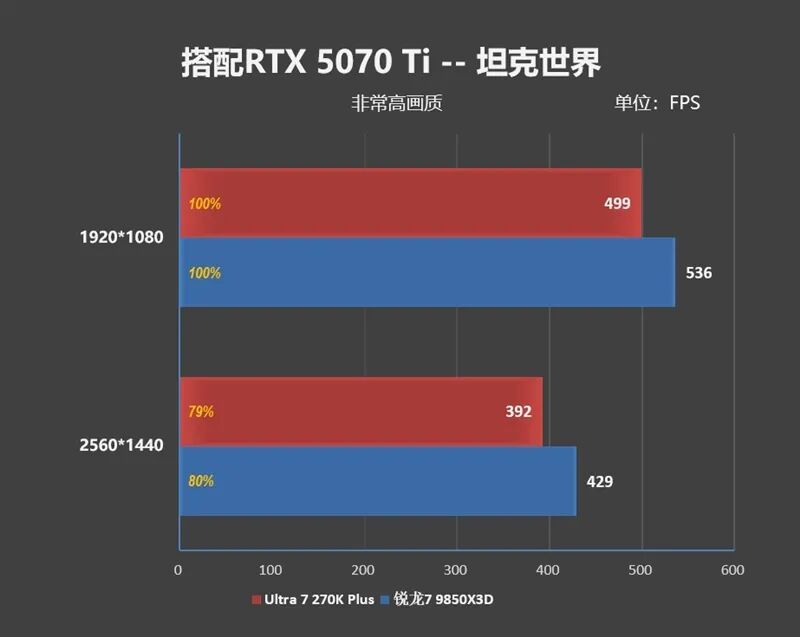
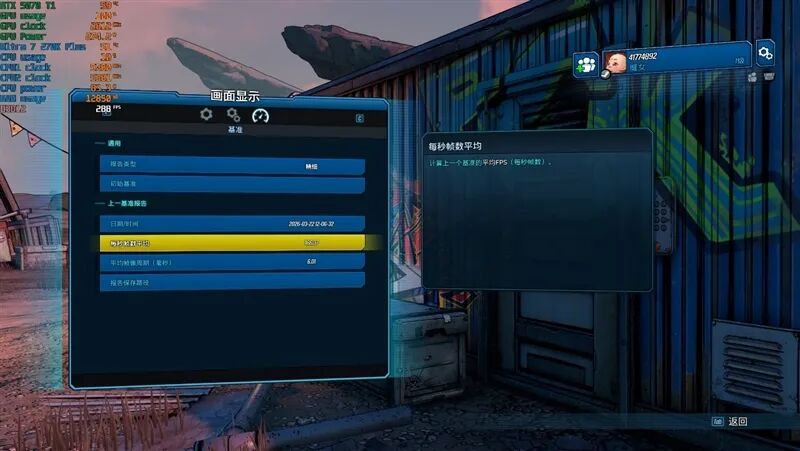
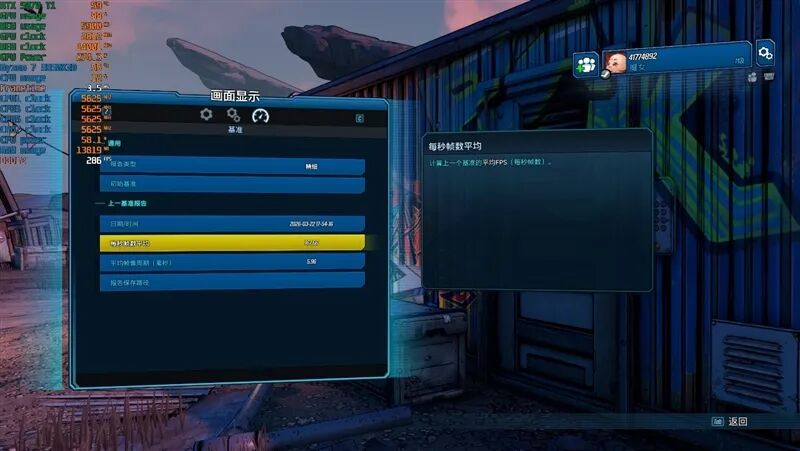
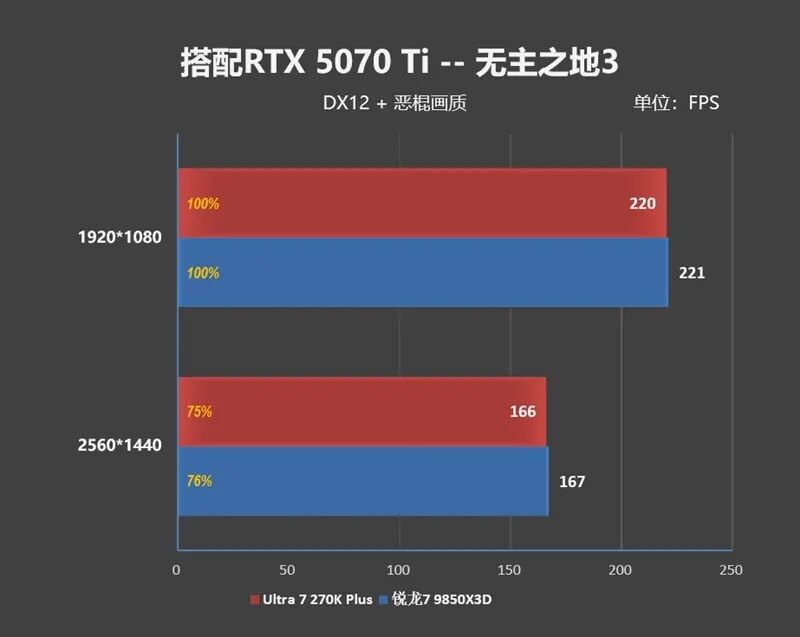
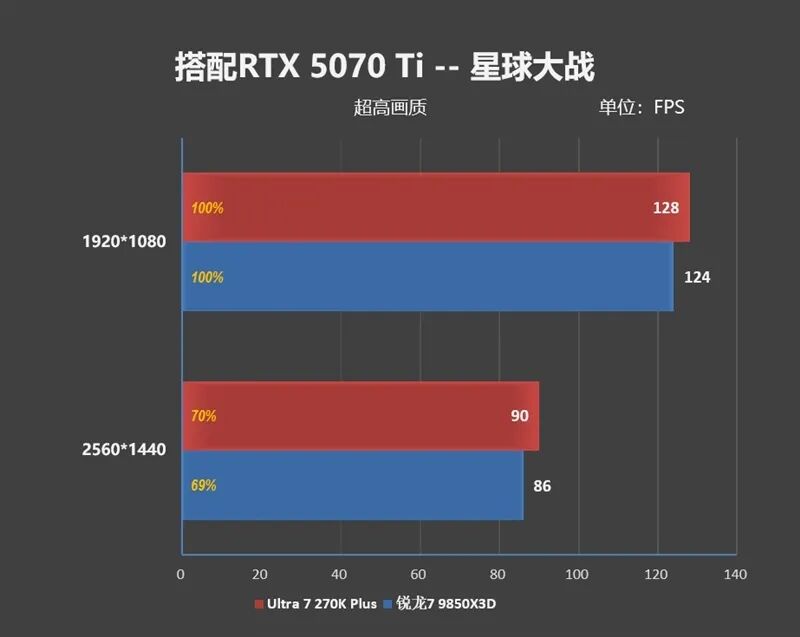
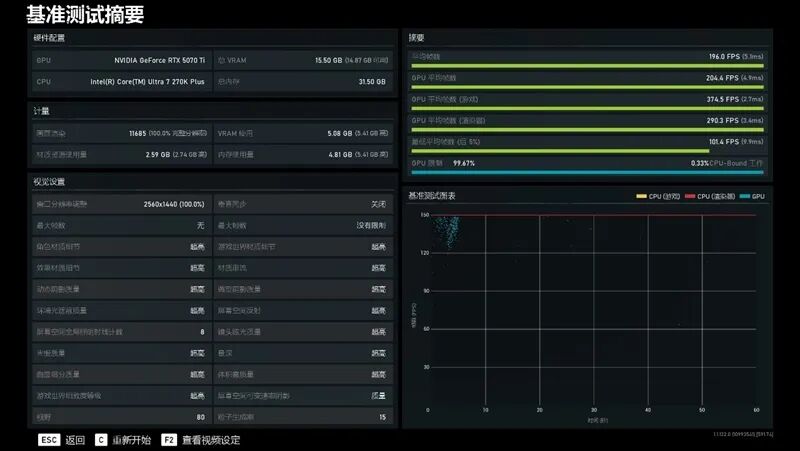
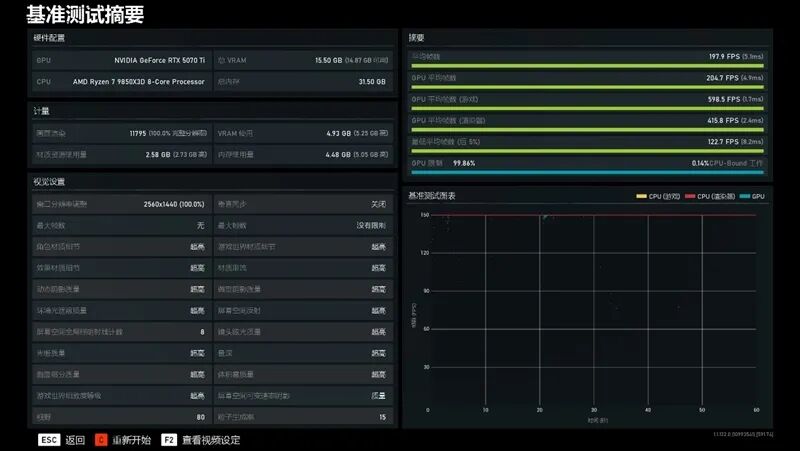
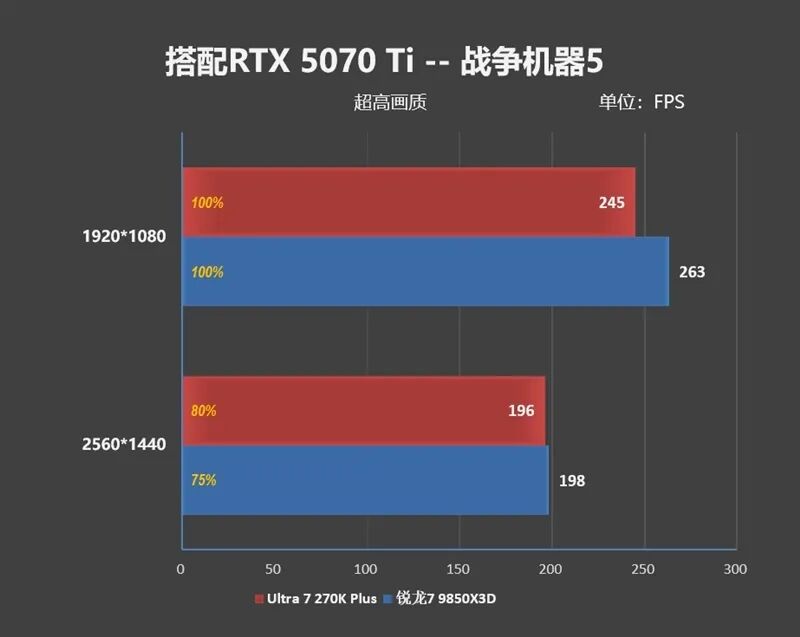
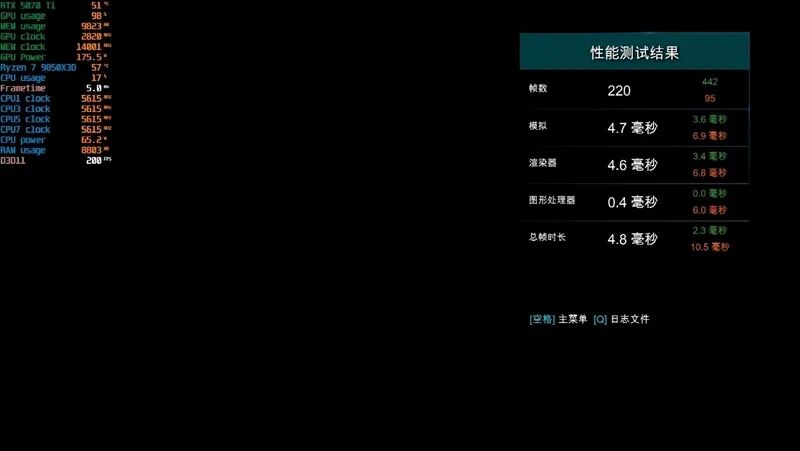
We switched the graphics card to the RTX 5070 Ti and tested the frame rate differences between the Core Ultra 7 270K Plus and Ryzen 7 9850X3D at 1080P and 2K resolutions.
Due to space limitations, only the test screenshots at 2K resolution are shown below.
1、Counter-Strike 2
2、Assassin's Creed: Valhalla
3、Horizon Zero Dawn
4、Far Cry 5
5、Far Cry 6
6、Shadow of the Tomb Raider
7、Hogwarts Legacy


8、Forza Horizon 5
9、Total War: Warhammer III
10、Cyberpunk 2077
11、World of Tanks
12、Borderlands 3
13、Star Wars: Outlaws


14、Gears 5
15、Middle-earth: Shadow of War

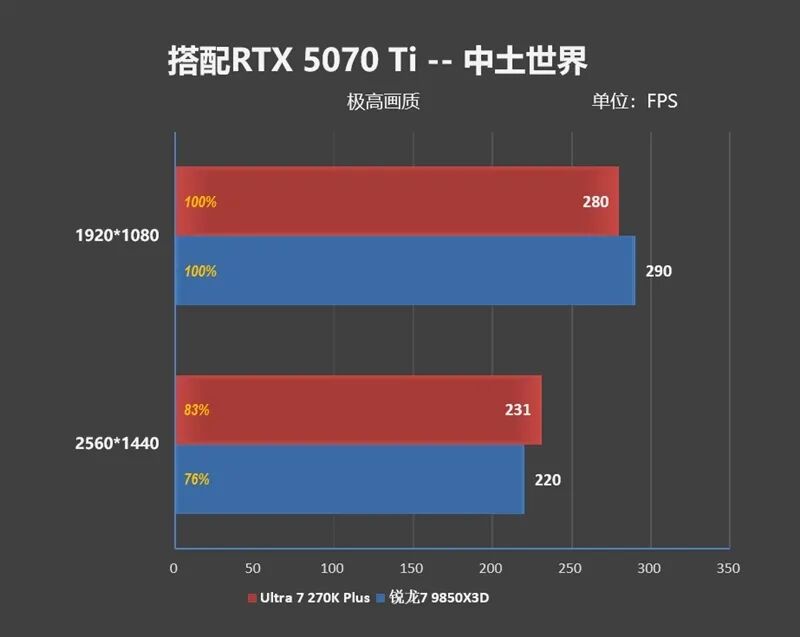
Summary of test data is as follows:
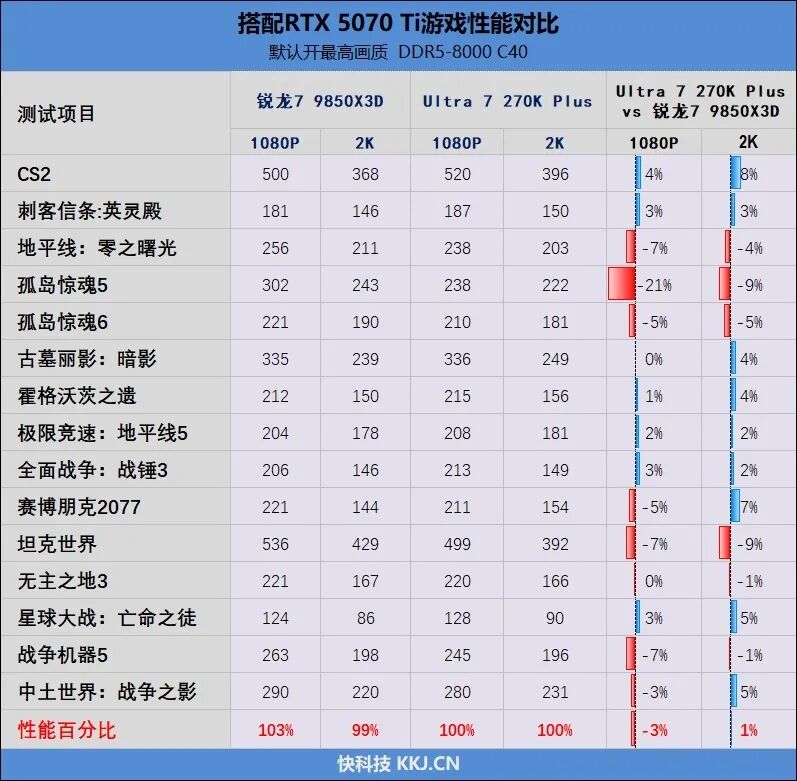
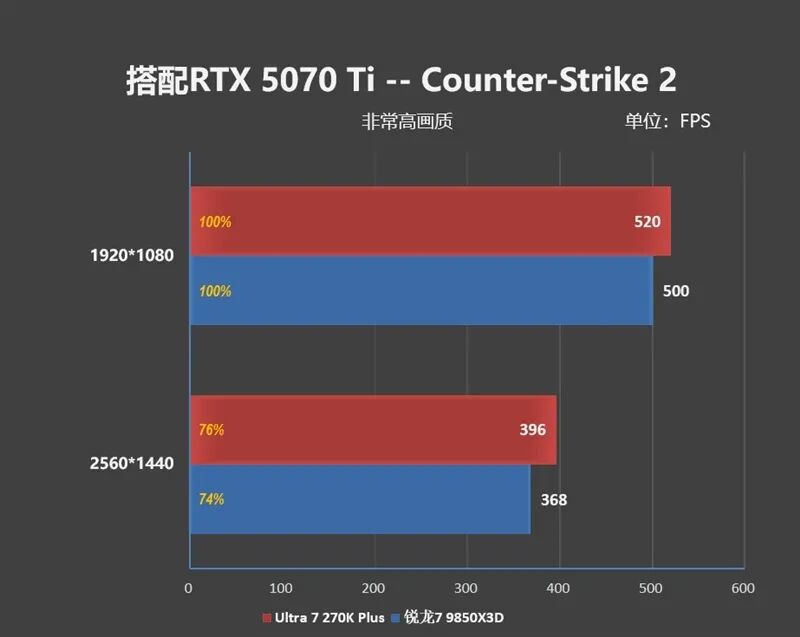
When paired with the RTX 5070 Ti, the performance difference between the Ultra 7 270K Plus and the Ryzen 7 9850X3D is minimal!
At 1080P resolution, the Ultra 7 270K Plus is 3% slower, but at 2K resolution, the game frame rate is 1% higher than that of the Ryzen 7 9850X3D.
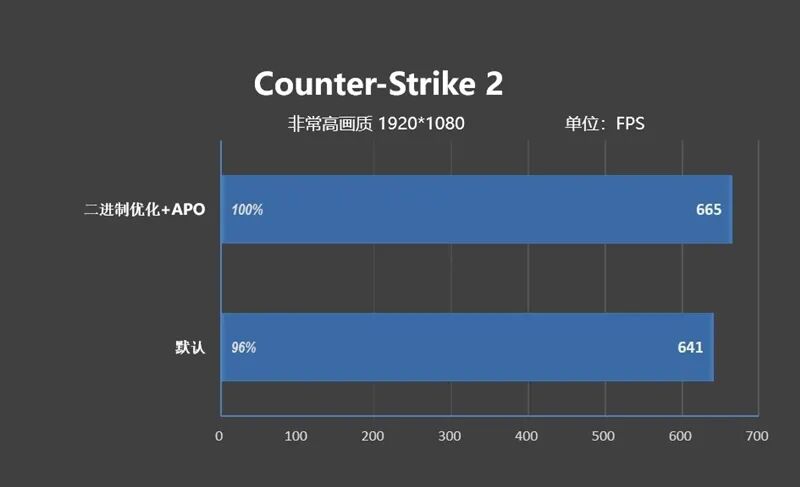
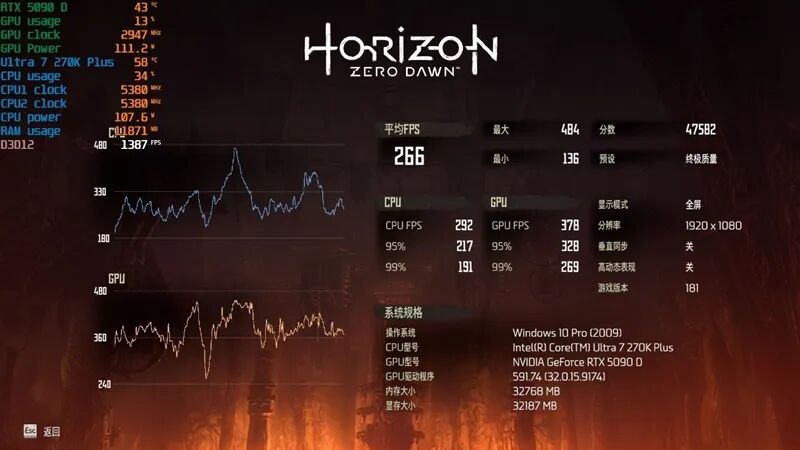
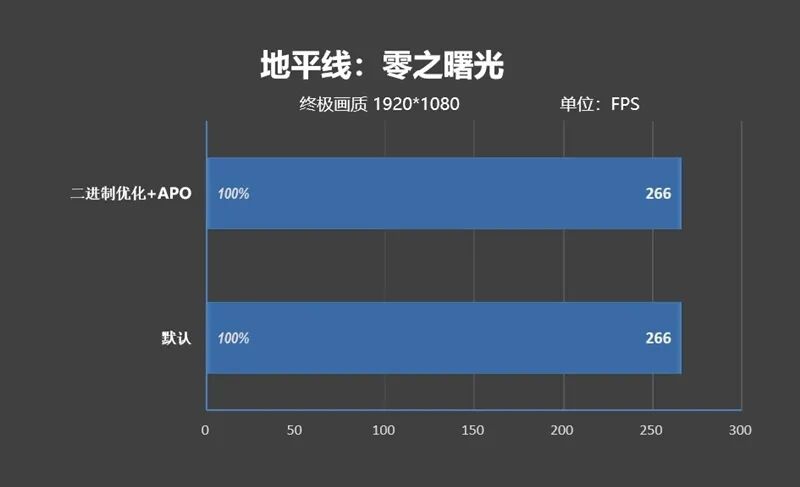
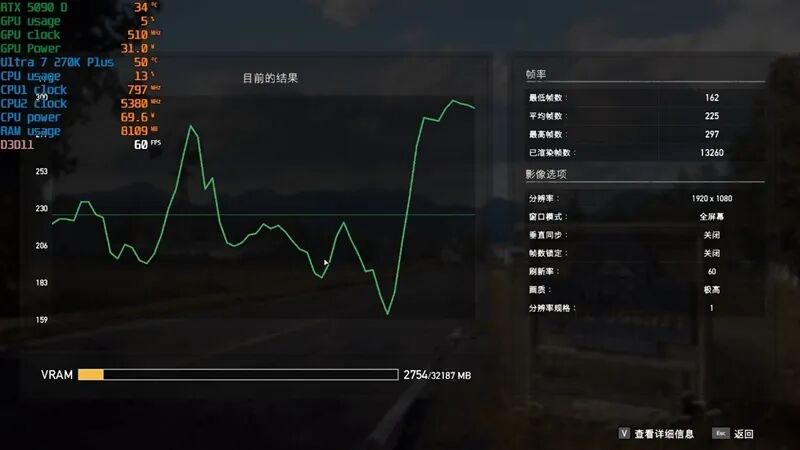
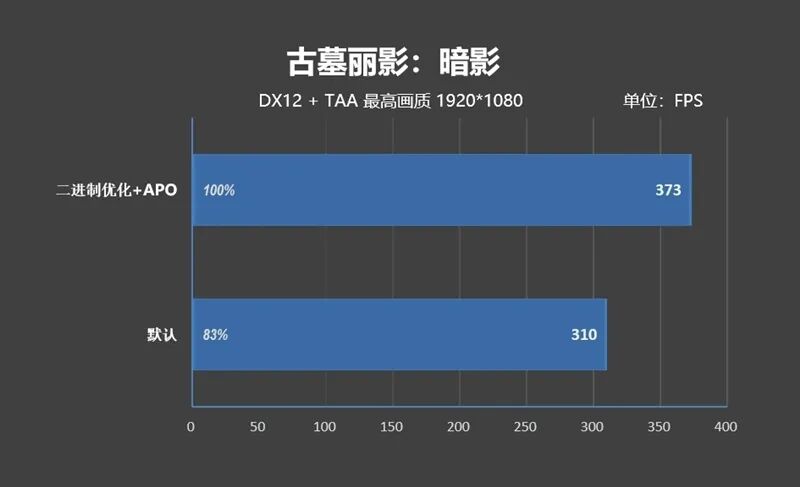
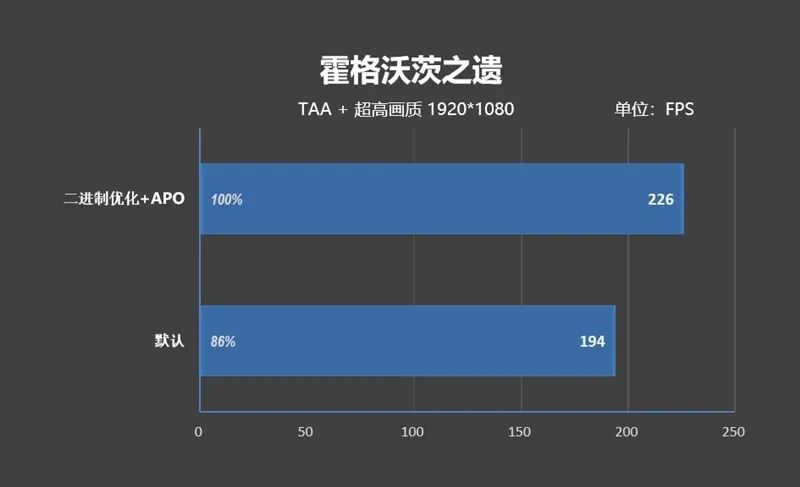
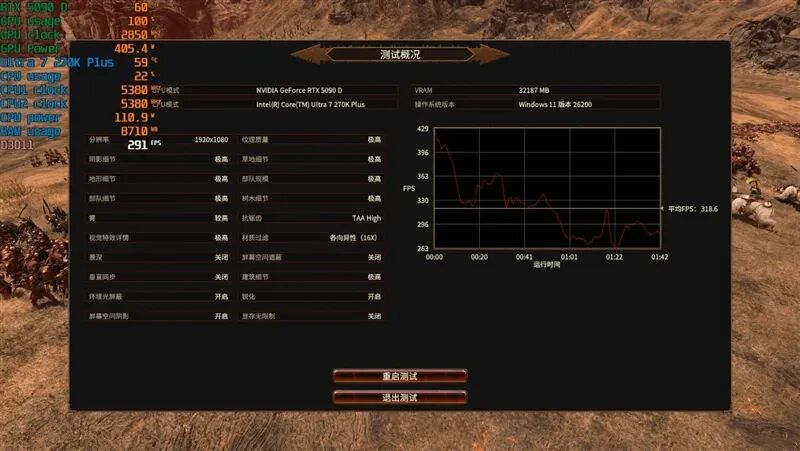
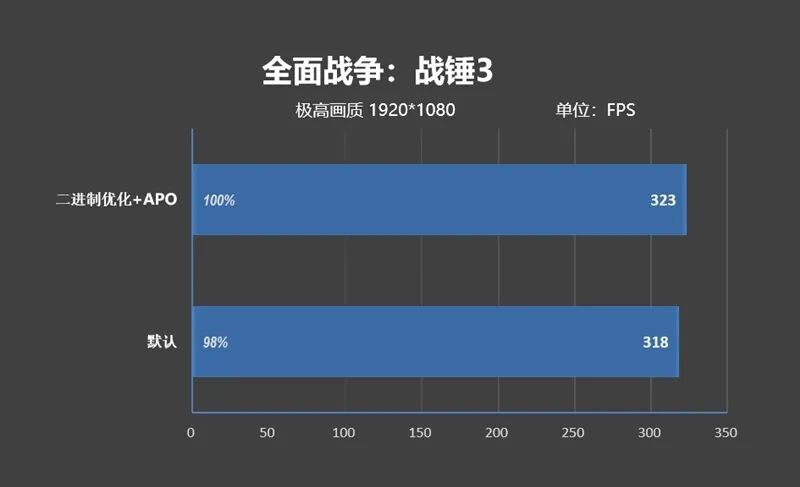
8、Binary Game Frame Rate Test: Average Increase of 7%
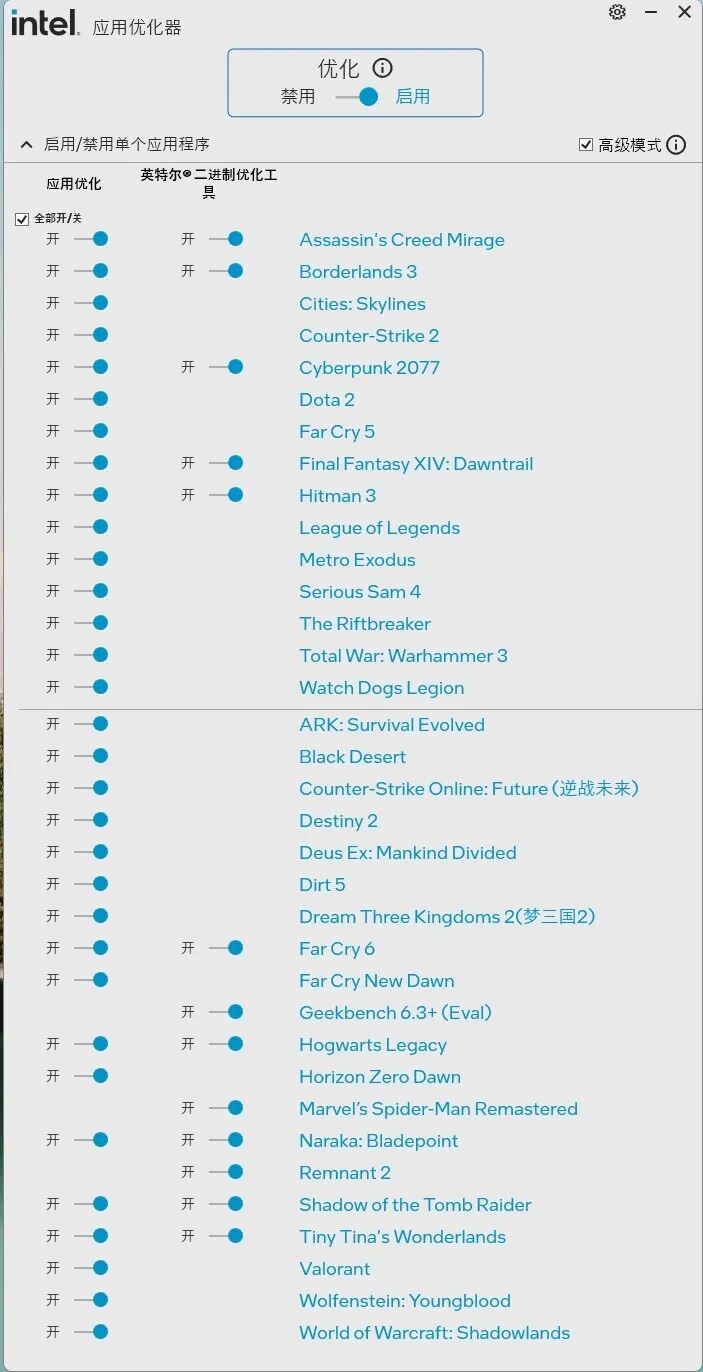
The current Intel Application Optimizer can now support 35 games, 13 of which also support binary optimization.
1、CS2
2、Horizon Zero Dawn
3、Far Cry 5
4、Far Cry 6
5、Shadow of the Tomb Raider
6、Hogwarts Legacy

7、Total War: Warhammer III
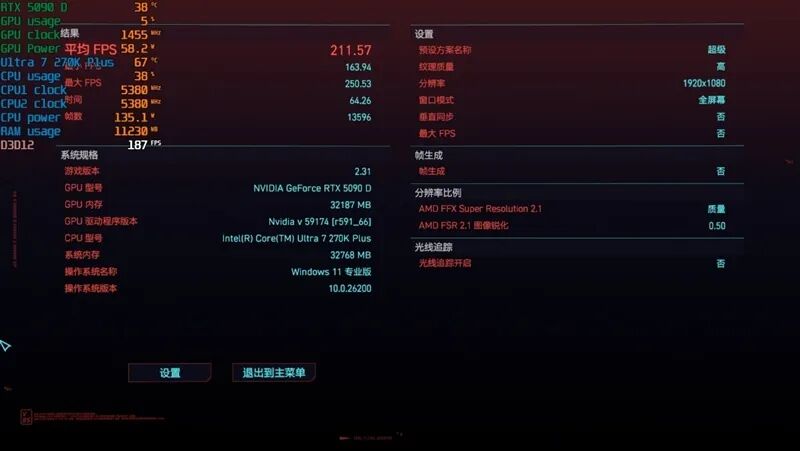
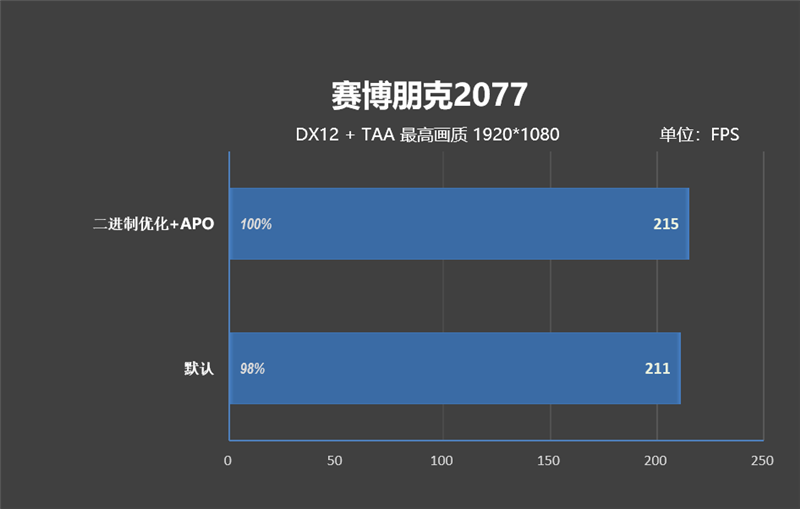
8、Cyberpunk 2077
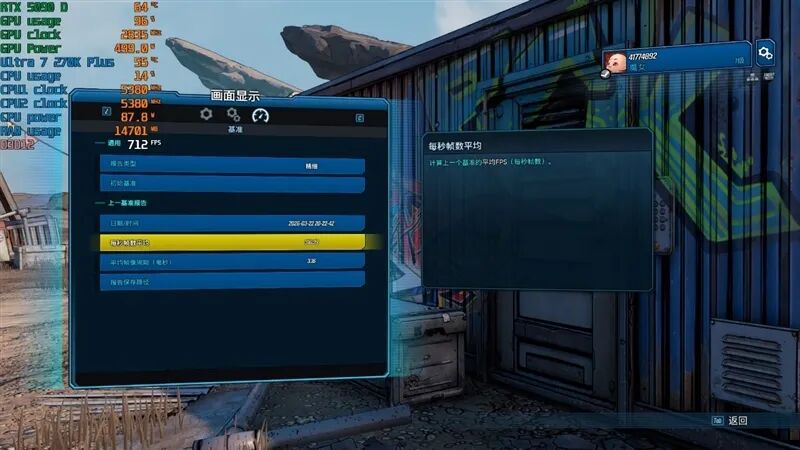
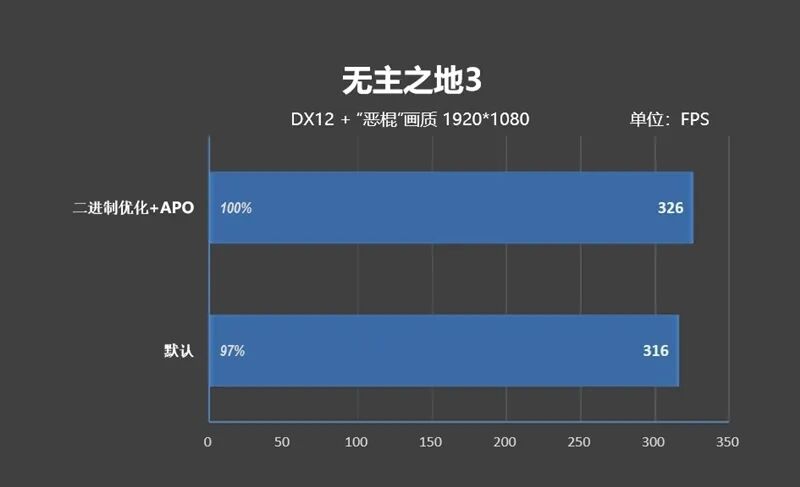
9、Borderlands 3
The summarized test data is as follows:
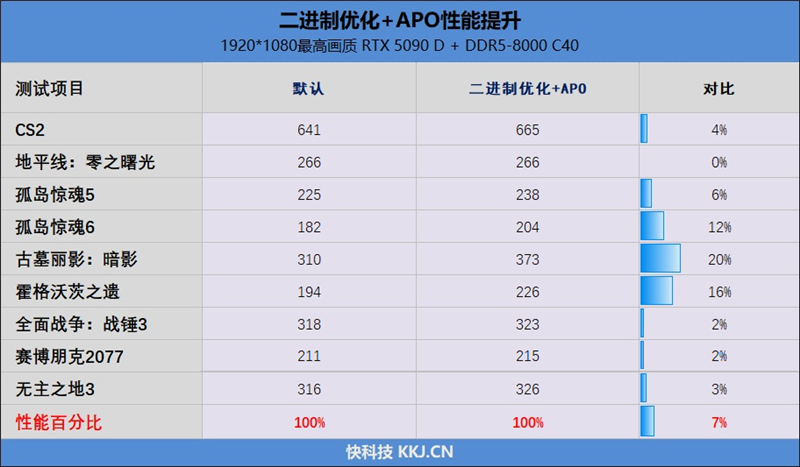
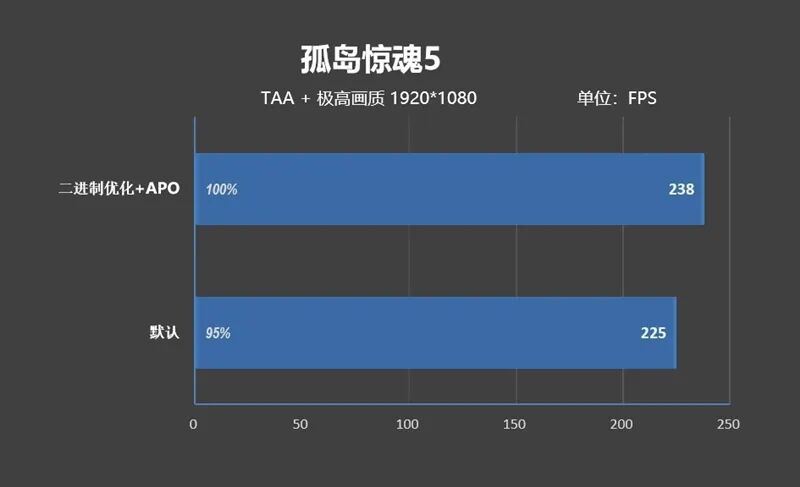
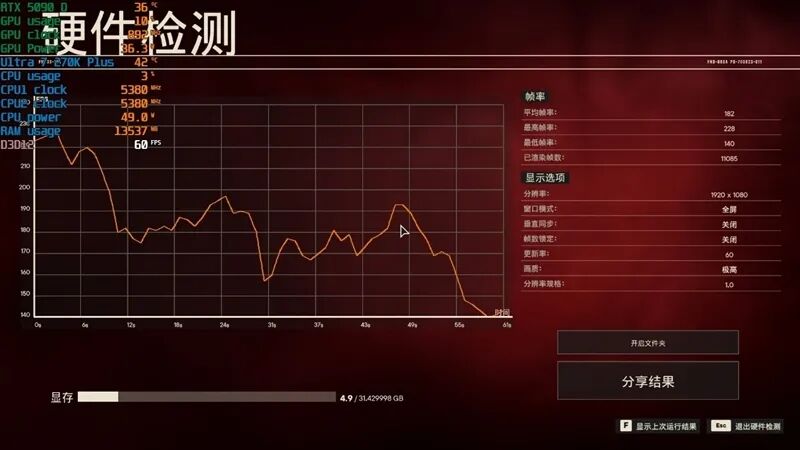
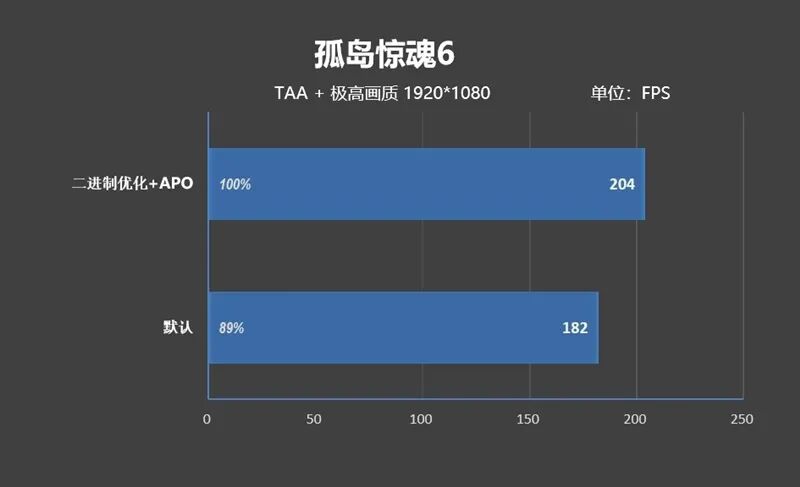
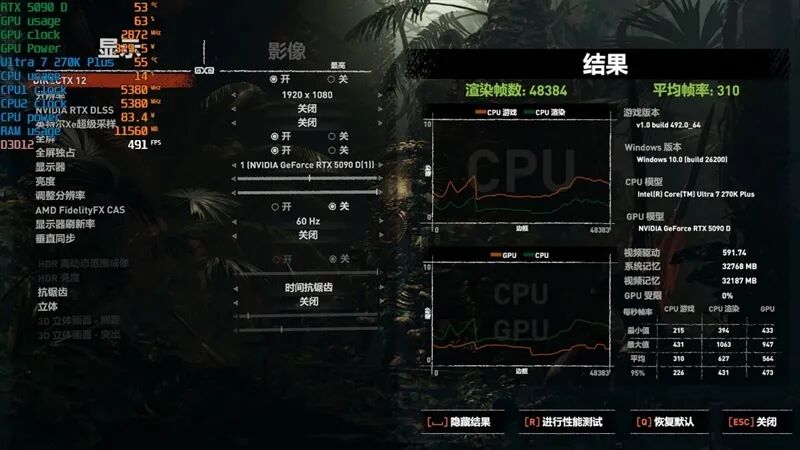
We tested a total of 9 AAA games. After enabling binary optimization and APO (Application Optimization), the frame rates of 3 games increased by more than 10%, with Shadow of the Tomb Raider seeing a direct 20% increase in frame rate.
On average, the frame rate improvement across the 9 games was 7%.
IX. Comparison of Game Frame Rates Between DDR5 6400 and DDR5 8000
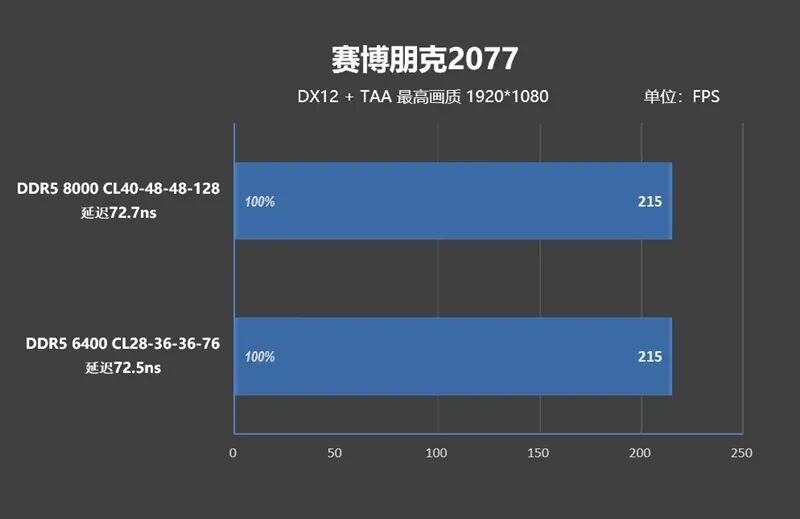
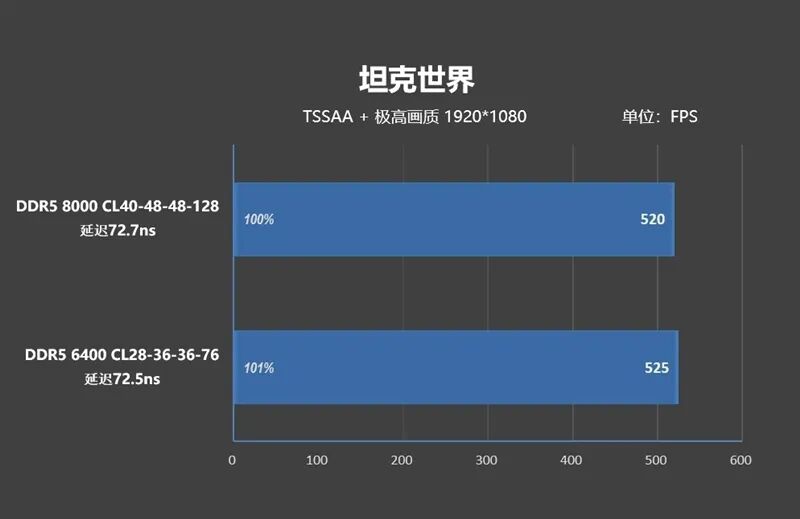
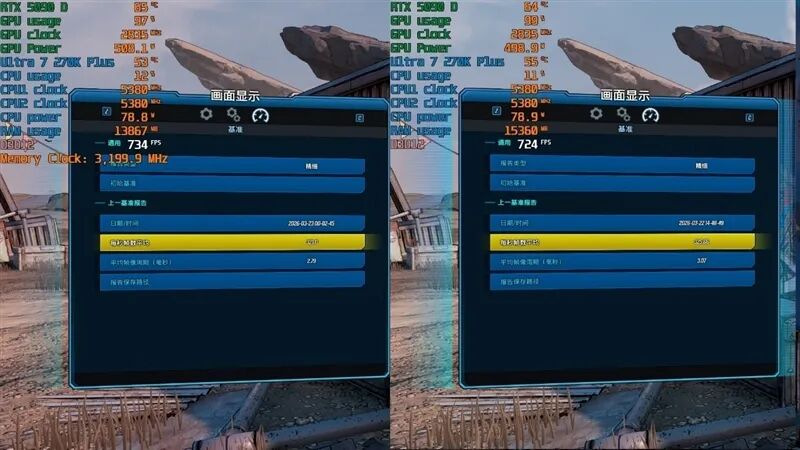
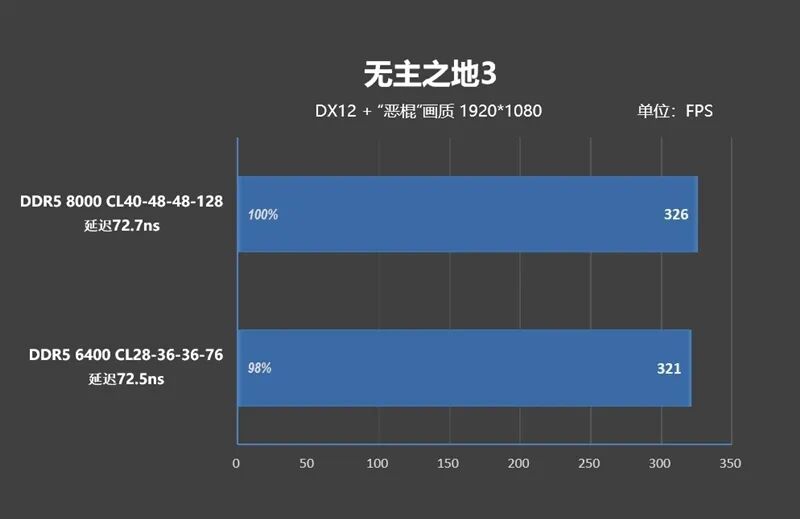
Our test platform uses DDR5-8000 memory with timings of CL40-48-48-128. After enabling high bandwidth/low latency on the Gigabyte motherboard, the measured latency was 72.7ns.
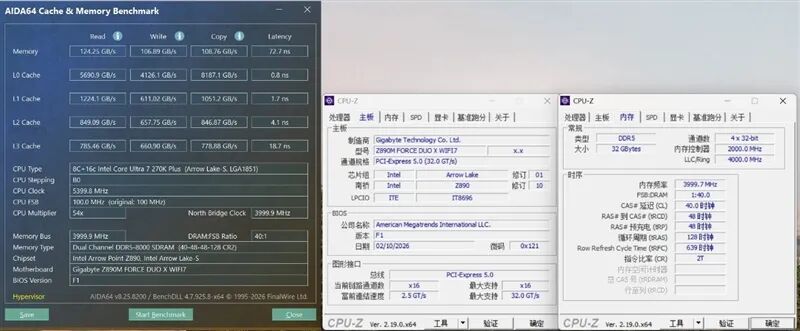
Read speed of 124GB/s, write speed of 106GB/s, copy speed of 108GB/s, and latency of 72.7ns.
Next, we replaced the memory with DDR5-6400 CL28-36-36-76.
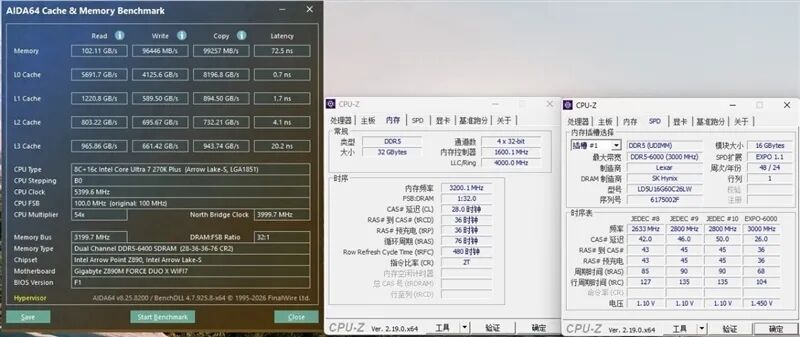
Read speed of 102GB/s, write speed of 96GB/s, copy speed of 99GB/s, and latency of 72.5ns.
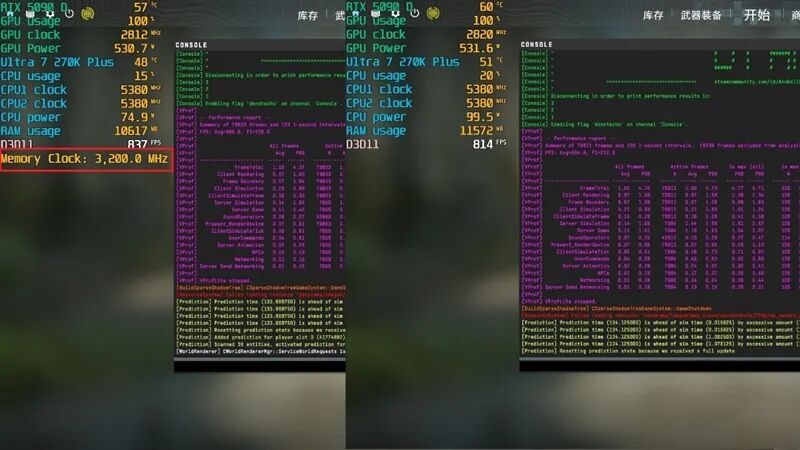
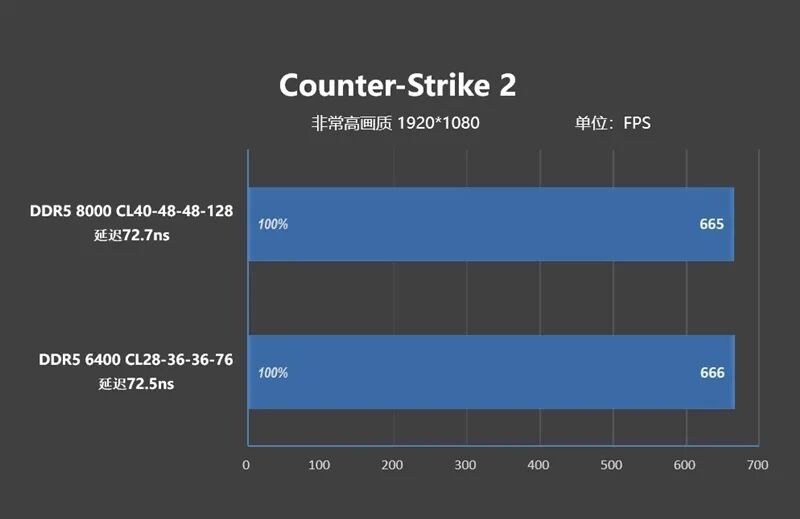
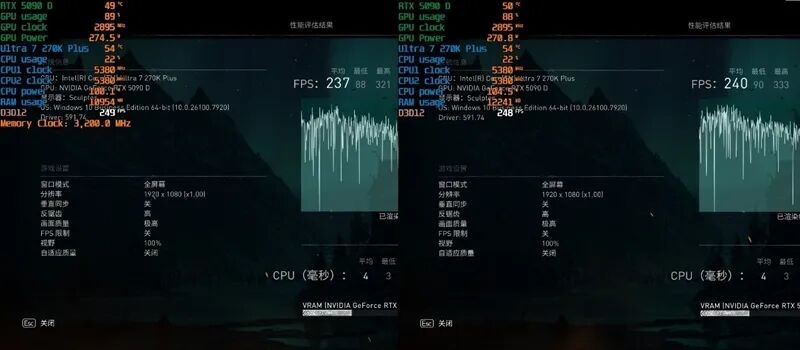
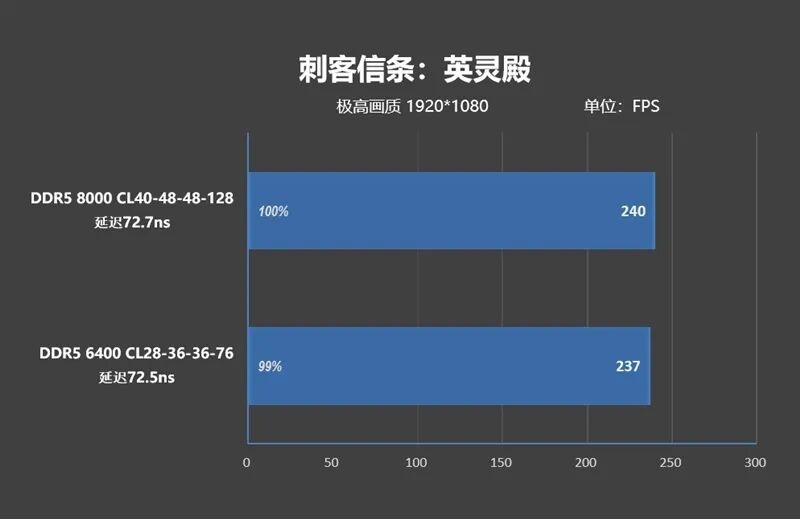
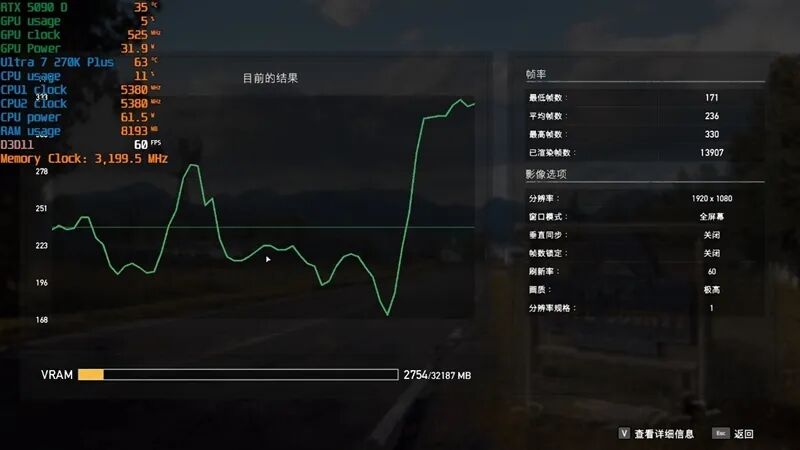
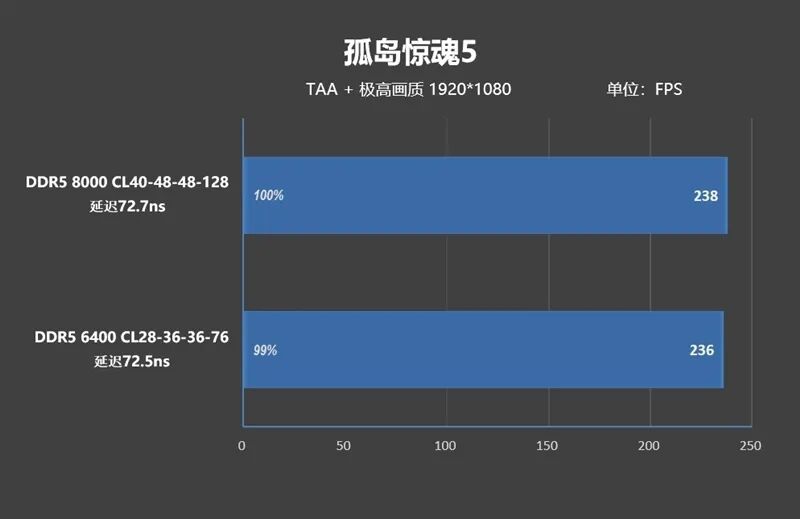
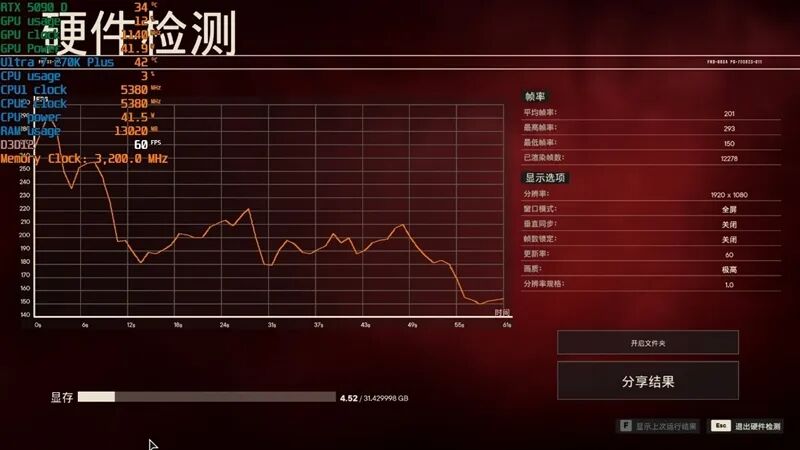
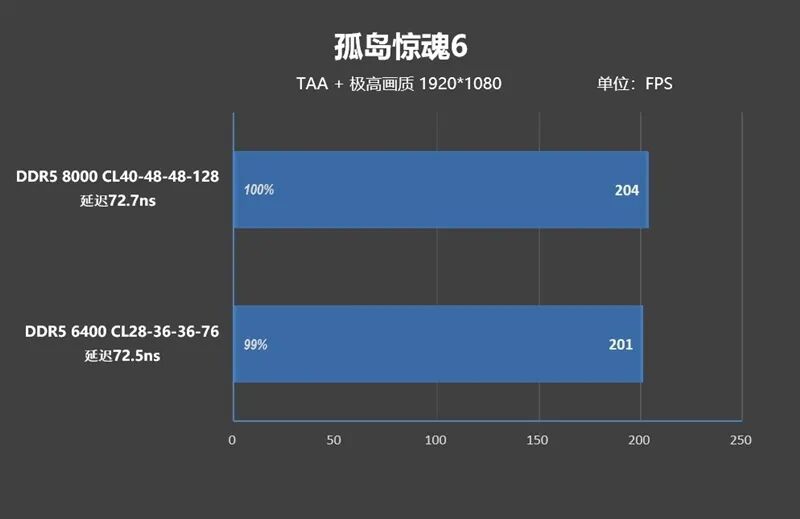
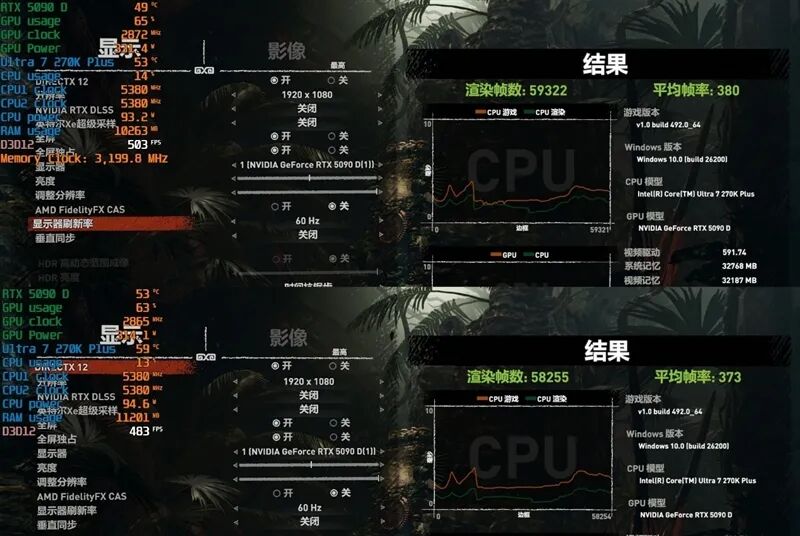
Below is a comparison of the test frame rates when the Core Ultra 7 270K Plus is paired with both types of memory.
1、CS2
2、Assassin's Creed: Valhalla
3、Far Cry 5
4、Far Cry 6
5、Shadow of the Tomb Raider
6、Total War: Warhammer III
7、Cyberpunk 2077
8、World of Tanks

9、Borderlands 3
The summarized test data is as follows:
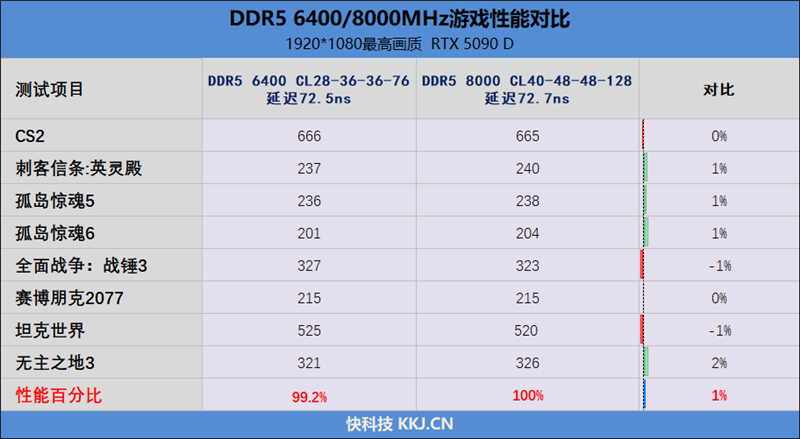
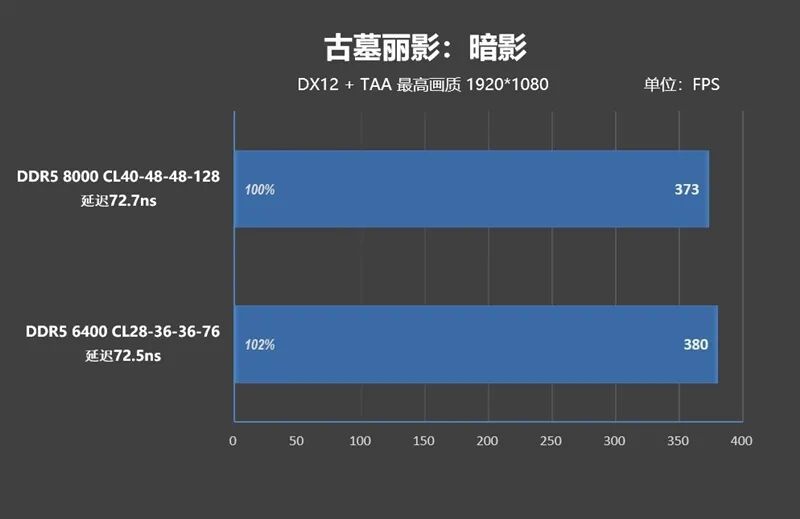
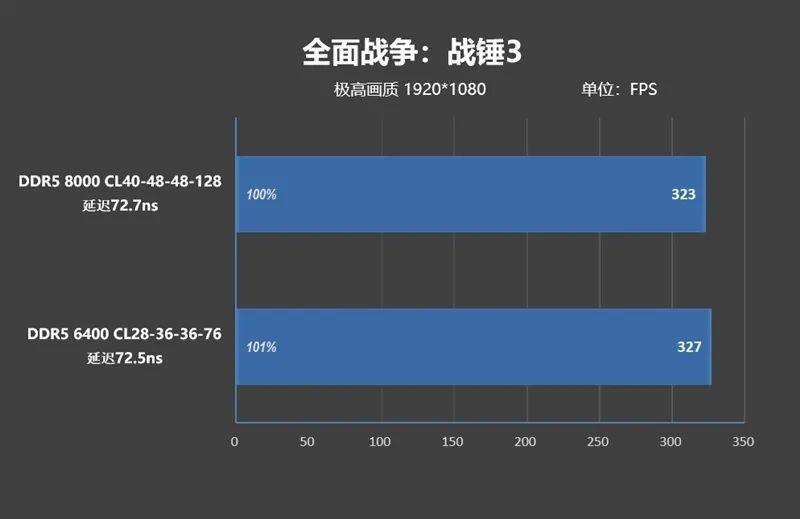
After slightly optimizing the sub-timings in the BIOS, the latency of DDR5-6400 CL28-36-36-76 can reach 72.5ns, while DDR5 8000 CL40-48-48-128 can achieve a latency of 72.7ns without requiring extensive settings.
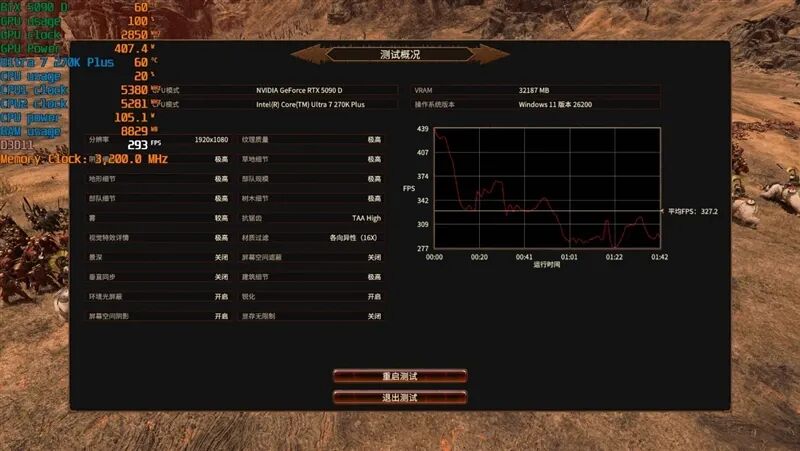
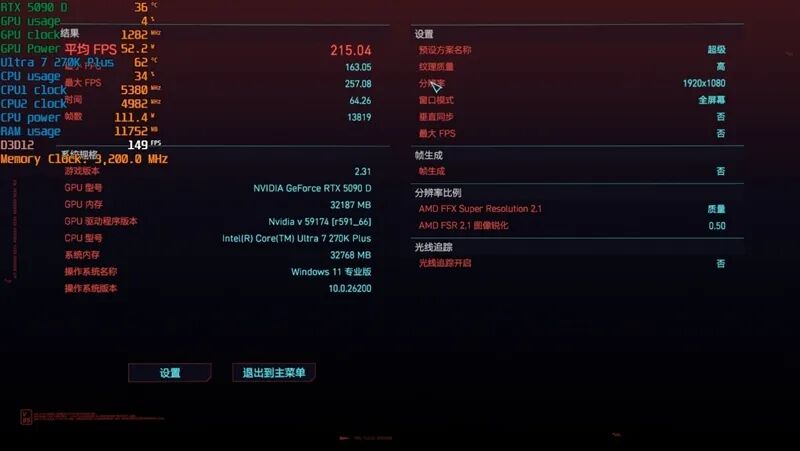
All 8 games above heavily rely on CPU performance. With similar latencies, the frame rate of DDR5-8000 C40 is comparable to that of DDR5-6400 CL28, with less than a 1% advantage.
X. Memory Latency Test: Latency is 5ns Lower Than 285K, RING Frequency Can Be Overclocked to 4400MHz
We used a DDR5 8000MHz 16GBx2 kit with timings of CL40-48-48-128.
1、Ultra 7 270K Plus Latency Test
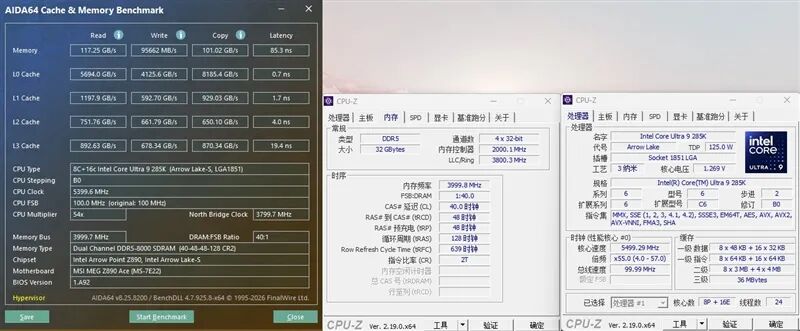
With BIOS defaults and only XMP enabled, the latency of the Ultra 9 285K is 85.3ns.
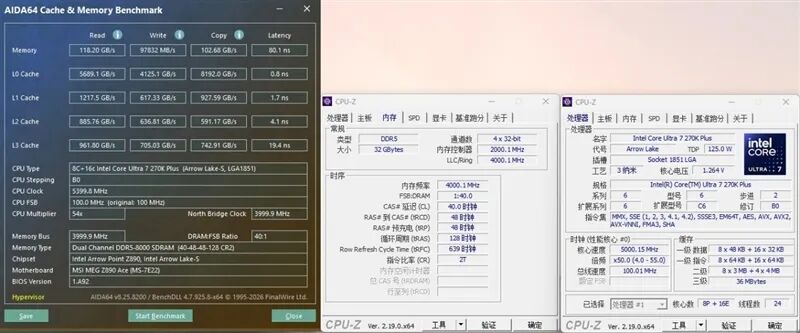
Under the same settings, the latency of the Ultra 7 270K Plus is 80.1ns, which is 5.2ns lower.
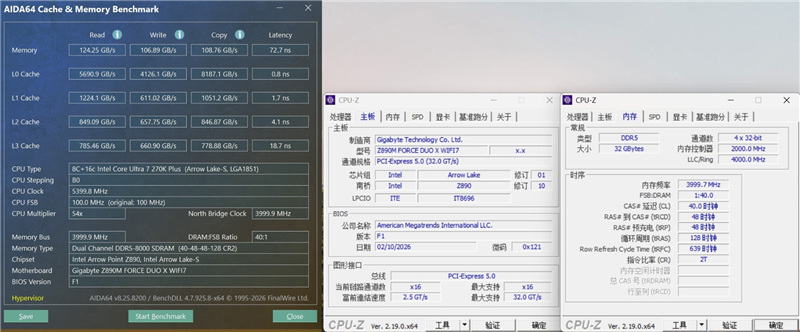
By enabling 'High Bandwidth/Low Latency' in the GIGABYTE motherboard's BIOS, the latency is reduced to 72.7ns.
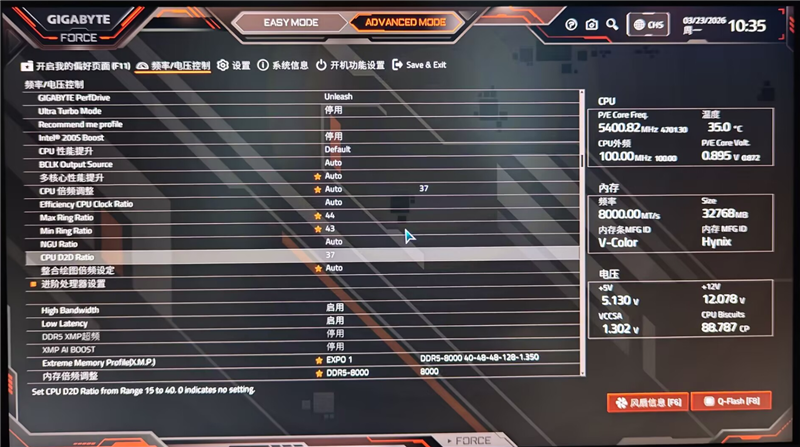
Setting the Min Ring Ratio to 43 and the Max Ring Ratio to 44 in the BIOS allows for stable operation.
However, when attempting to overclock the CPU D2D Ratio, whether set to 35 or 37, the system fails to boot.
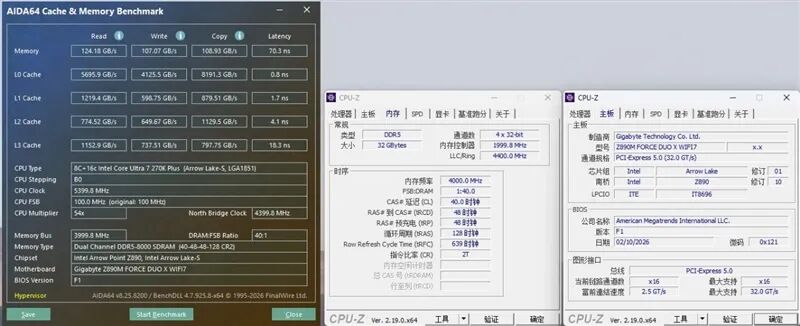
At a Ring frequency of 4400MHz, the latency of the Ultra 7 270K Plus is further reduced to 70.3ns.
XI. Burn-in and Undervolting Tests:
1. Burn-in Test
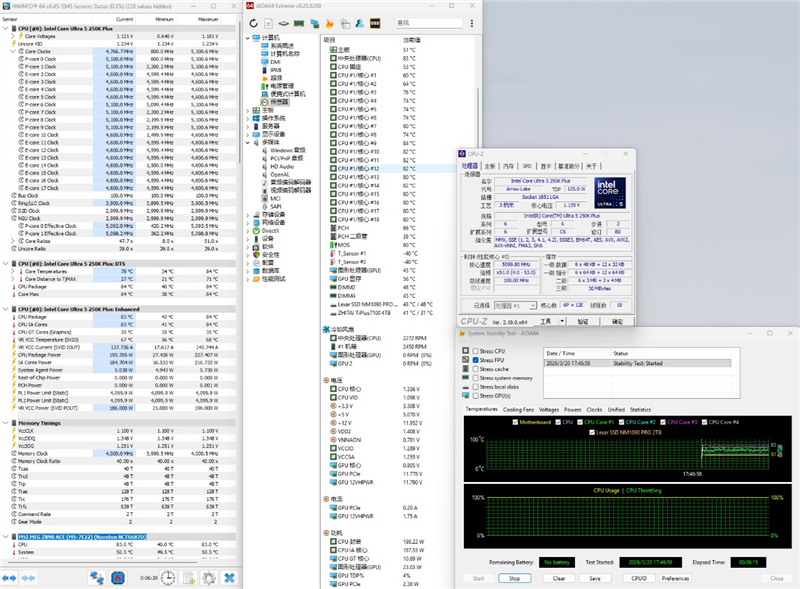
Starting with the Ultra 5 250K Plus, using AIDA64 FPU for a 6-minute burn-in test, the core power consumption is 198W, with a temperature of 84°C.
The P-core burn-in frequency is 5.1GHz, and the E-core burn-in frequency is 4.6GHz.
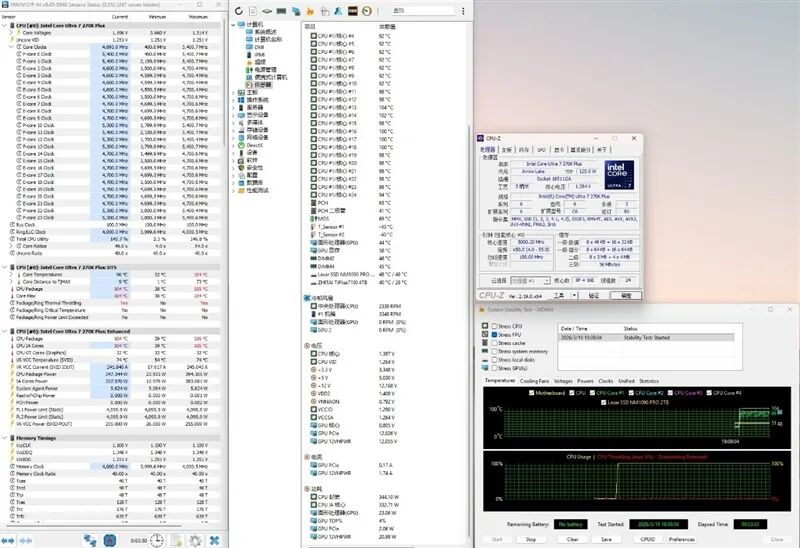
The Ultra 7 270K Plus reaches a burn-in power consumption of 347W, about 30W higher than the Ultra 9 285K.
The P-core burn-in frequency is 5.4GHz, and the E-core burn-in frequency is 4.7GHz.
2. Undervolting
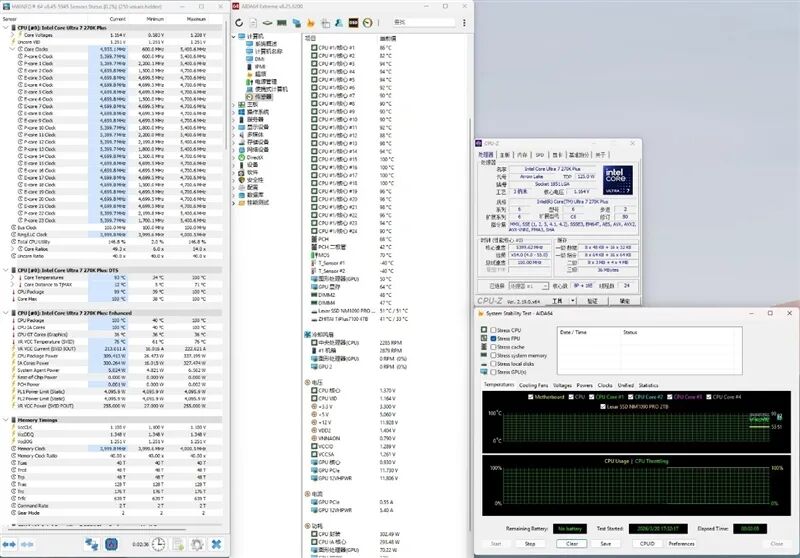
By reducing both the P-Core and E-Core voltages by 0.1V simultaneously, the power consumption of the Ultra 7 270K Plus drops to 302W, 45W lower than the default setting.
When attempting to further undervolt, the system becomes unstable.
3. Gaming Power Consumption
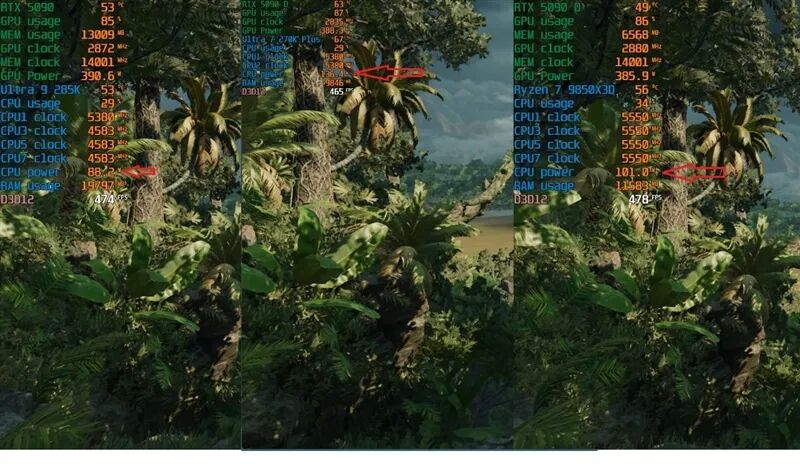
In 'Shadow of the Tomb Raider', the Ultra 9 285K has the lowest gaming power consumption at only 88W, while the Ryzen 7 9850X3D consumes 101W, and the Ultra 7 270K Plus consumes 136W.
XII. Conclusion: The Processor Competition Has Just Begun
Ten years ago, a performance improvement like that of the Core Ultra 7 270K Plus would have warranted a rename to Ultra 9 385K, or at least Ultra 9 290K.
The reason for not doing so is that Intel wants to align its pricing with the Ultra 7 265K, allowing gamers to purchase a processor with performance exceeding that of the Ultra 9 at an Ultra 7 price!
Alright, let's cut to the chase. Here's a summary of this test!
1. Gaming Performance with Top-Tier Graphics Cards
The increase in D2D and Ring frequencies significantly reduces memory latency. When paired with the RTX 5090 D, the gaming performance of the Ultra 7 270K Plus improves by 8% compared to the Ultra 9 285K, even though both have an all-core frequency of 5.4GHz.
Its overall gaming performance is on par with the Ryzen 7 7800X3D and should theoretically outperform the Ryzen 7 9700X as well!
The performance improvement of the Ultra 5 250K Plus is even more impressive, with an average frame rate increase of 11% across 15 games compared to the Ultra 5 245K.
2. Gaming Performance with Mainstream Graphics Cards
Traditionally, to minimize the graphics card bottleneck and accurately assess the processor's true gaming performance, we have used flagship graphics cards in our processor gaming frame rate tests.
However, not every gamer can afford an RTX 5090 D. The vast majority of mainstream gamers opt for mid-to-high-end graphics cards like the RTX 5070 Ti.
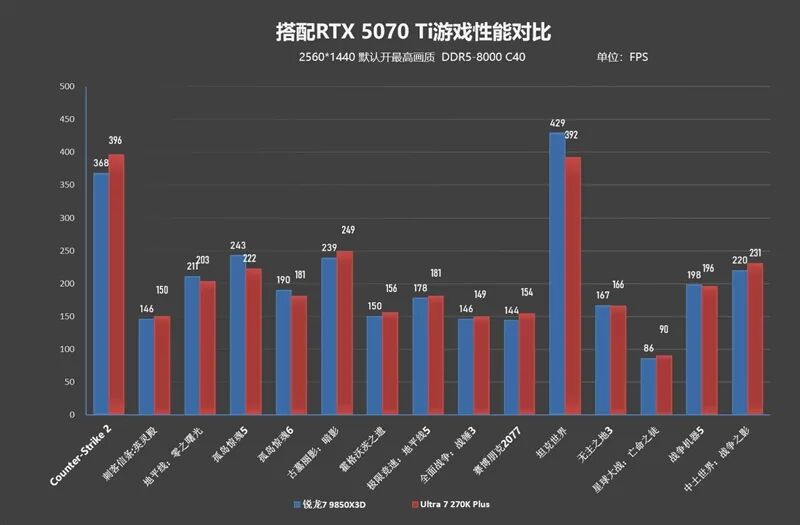
Therefore, we specifically tested the gaming performance of the Ultra 7 270K Plus and the Ryzen 7 9850X3D when paired with the RTX 5070 Ti.
At 1080P resolution, the Ryzen 7 9850X3D outperforms the Ultra 7 270K Plus by about 3%.
However, at the more commonly used 2K resolution, the Ultra 7 270K Plus takes the lead, with an average frame rate across 15 games that is 1% higher than that of the Ryzen 7 9850X3D.
3. The Impact of Memory on Gaming Performance
First and foremost: Do everything possible to minimize memory latency!!!
Our test platform uses DDR5-8000 C40 memory with a latency of 72.7ns. However, the Core Ultra 200s Plus processors do not have extremely high requirements for memory frequency!
We compared the gaming frame rates of DDR5-6400 CL28-36-36-76 and DDR5-8000 CL40-48-48-128, which have latencies of 72.5ns and 72.7ns, respectively.
The test results were surprising! With similar latencies, the average frame rate of DDR5-8000C40 was only 1% higher than that of DDR5-6400C28.
Considering current memory prices, purchasing low-frequency, low-latency memory and optimizing the timing and latency can yield impressive gaming performance.
Additionally, for novice users who are unsure how to set memory timings, we recommend purchasing a motherboard with a one-click latency reduction feature. The GIGABYTE Z890M FORCE DUO X WIFI7 motherboard used in our test platform can reduce latency by 8ns with a single click.
4. Productivity Performance
The single-core performance of the Ultra 7 270K Plus is nearly identical to that of the Ultra 9 285K, both boasting the strongest single-core performance currently available. Compared to the Ultra 7 265K, its single-core performance is 3% stronger, and its multi-core performance is 20% stronger.
Given its naming as an Ultra 7, its natural competitor is the Ryzen 7 9700X!
The Ultra 7 270K Plus outperforms its rival in both single-core and multi-core performance, particularly in multi-core performance, where it nearly doubles that of the Ryzen 7 9700X.
As for the Ultra 5 250K Plus, its single-core performance has a 5% lead over the Ultra 5 245K, while its multi-core performance is nearly 30% stronger.
5. Power Consumption and Overclocking
Overclocking the cores is not recommended. If overclocking is desired, focus on reducing memory latency.
The default Ring frequency of the Ultra 7 270K Plus is 4000MHz. The unit we have can easily reach 4400MHz, reducing memory latency from 73ns to 70.3ns after overclocking.
For gaming performance, the benefits of reducing memory latency far outweigh simply increasing the core frequency.
In terms of power consumption, the Ultra 7 270K Plus can reach up to 350W under full load without power restrictions. In our tests, reducing both the P-core and E-core voltages by 0.1V simultaneously reduced the burn-in power consumption to 300W, a decrease of 50W.
Due to time constraints, we did not independently explore the maximum undervolting range for the P-core and E-core. Interested users are welcome to experiment on their own.
Before the release of the Ultra 200s Plus, I had not recommended Intel desktop processors for a long time. After all, the 200s series had lackluster gaming performance, while the 13th/14th Gen Core processors had excessively high power consumption.
But now, there's a new option!
If your budget is ample and you're pairing it with a flagship graphics card like the RTX 5090 D, then without hesitation (without hesitation) choose the Ryzen 9 9950X3D processor.
If your total system budget is under 20,000 RMB and you're pairing it with a mainstream graphics card like the RTX 5070 Ti, you'll find that the gaming performance of the Ultra 7 270K Plus is virtually indistinguishable from that of the Ryzen 9 9950X3D, and even superior at higher resolutions!
More importantly, the Ultra 7 270K Plus is nearly 2000 RMB cheaper than the Ryzen 9 9950X3D!
Two years ago, the gaming performance of the Ultra 9 285K processor was truly underwhelming. Today, the Ultra 200s Plus has achieved an 8-10% improvement in gaming performance with just a few minor enhancements, serving as a belated surprise from Intel!
Next year's Nova Lake-S processor will reintegrate the memory controller into the CPU Die, further reducing latency, while also featuring 16 full P-Cores and 144MB of L3 cache. It's difficult to predict just how high its gaming performance will reach!
The battle between Intel and AMD's desktop processors has only just begun!
-
![]()
Registered Capital Slashed to 372 Million Yuan! Yutong Optical Finalizes Industrial and Commercial Change Registration
-
![]()
Zhuque-3 Successfully Lands, and 'Time Traveler' Secures Another ¥100 Million in Funding: China's Commercial Space Industry Experiences a 'Dynamic August'
-
![]()
Autohome Faces a Shrinking Window of Opportunity
-
![]()
Even a Titan Like Musk Has Faced Setbacks in Fulfilling Promises
-
![]()
AI Office: The End of the Racing Era, Context Becomes the Key to Success
-
![]()
Domestic Vehicle Chassis Revolution ②: The Steering Wheel Remains, But Mechanical Connections in the Steering System Are Decreasing
-
![]()
Exploring MiniMax Design: Can Video Editing Be as Simple as Speaking?
-
![]()
Why Can SenseTime Achieve Profitability While CloudWalk Still Faces Challenges, Despite Both Adopting Large Models?